Configure Microsoft Power Platform managed identity for plug-ins
The device-availability plug-in behind the reservation operation still authenticates to its external Azure-hosted service with a stored API key, the exact liability a security review keeps flagging. This unit replaces that stored secret with Power Platform managed identity. As a result, the plug-in proves who it is to Azure without the team holding, rotating, or ever risking the leak of a credential.
Managed identity: What it replaces
A stored secret, whether it's an API key sitting in plug-in configuration or a connection string tucked into a secure setting, is something a team now owns forever. Someone has to generate it, store it safely, rotate it on a schedule, and revoke it the moment a developer leaves or a breach is suspected.
Every one of those steps is a chance for the secret to end up somewhere it shouldn't, which is why the review keeps coming back to it.
Power Platform managed identity removes that ownership burden rather than shifting it somewhere else. It lets a Dataverse plug-in connect securely to Azure resources that support Azure managed identity, without the team managing credentials at all. The plug-in doesn't hold a key, and there's nothing to rotate, because there's nothing stored to begin with.
| Characteristic | Stored secret (today) | Managed identity (this unit) |
|---|---|---|
| What the plug-in holds | An API key or connection string | Nothing; it requests a token at run time |
| Rotation | Manual, on a schedule the team owns | Not applicable; no credential to rotate |
| Leak risk | Someone can copy, log, or expose the secret | No secret exists to leak |
| Revocation | Requires generating and redistributing a new secret | Requires removing a trust relationship in Microsoft Entra ID |
That last row matters for the equipment-provisioning scenario specifically. The availability-check plug-in's current failure mode isn't hypothetical: a leaked key means revoking and reissuing, then redeploying the plug-in with the new value. Managed identity turns that into an identity-configuration change, not a code change.
Federated identity credentials: What managed identity relies on
Managed identity isn't a Dataverse-only feature bolted on for convenience. It relies on workload identities, built on federated identity credentials (FIC). FIC is a Microsoft Entra ID mechanism that lets one resource trust another without a shared secret between them. Setting up Power Platform managed identity creates a user-assigned managed identity (UAMI) or an application registration in the enterprise's Microsoft Entra ID tenant. It then configures a FIC on it that names the plug-in it trusts.
That FIC is the piece worth holding onto as a mental model: it's a trust statement, not a credential. Instead of the plug-in presenting something secret to prove its identity, Microsoft Entra ID checks the request itself. It confirms the request comes from the specific signed plug-in the FIC names, running in the specific Dataverse environment the FIC names.
Nothing passed over the wire can be stolen and reused elsewhere, because the proof is the trust relationship itself, not a value either side has to protect.
This trust-based design is also what makes the pattern fit the availability-check scenario so well. The target resource doesn't have to be the availability service directly. A common and supported use of this pattern is a plug-in reaching Azure Key Vault to retrieve sensitive information like keys and secrets. That means the team can go one step further and stop storing even the replacement credential themselves.
Walk through the setup at a conceptual level
Configuring managed identity touches two different systems, Microsoft Entra ID and Dataverse, and the setup follows a sequence where each stage hands something to the next.
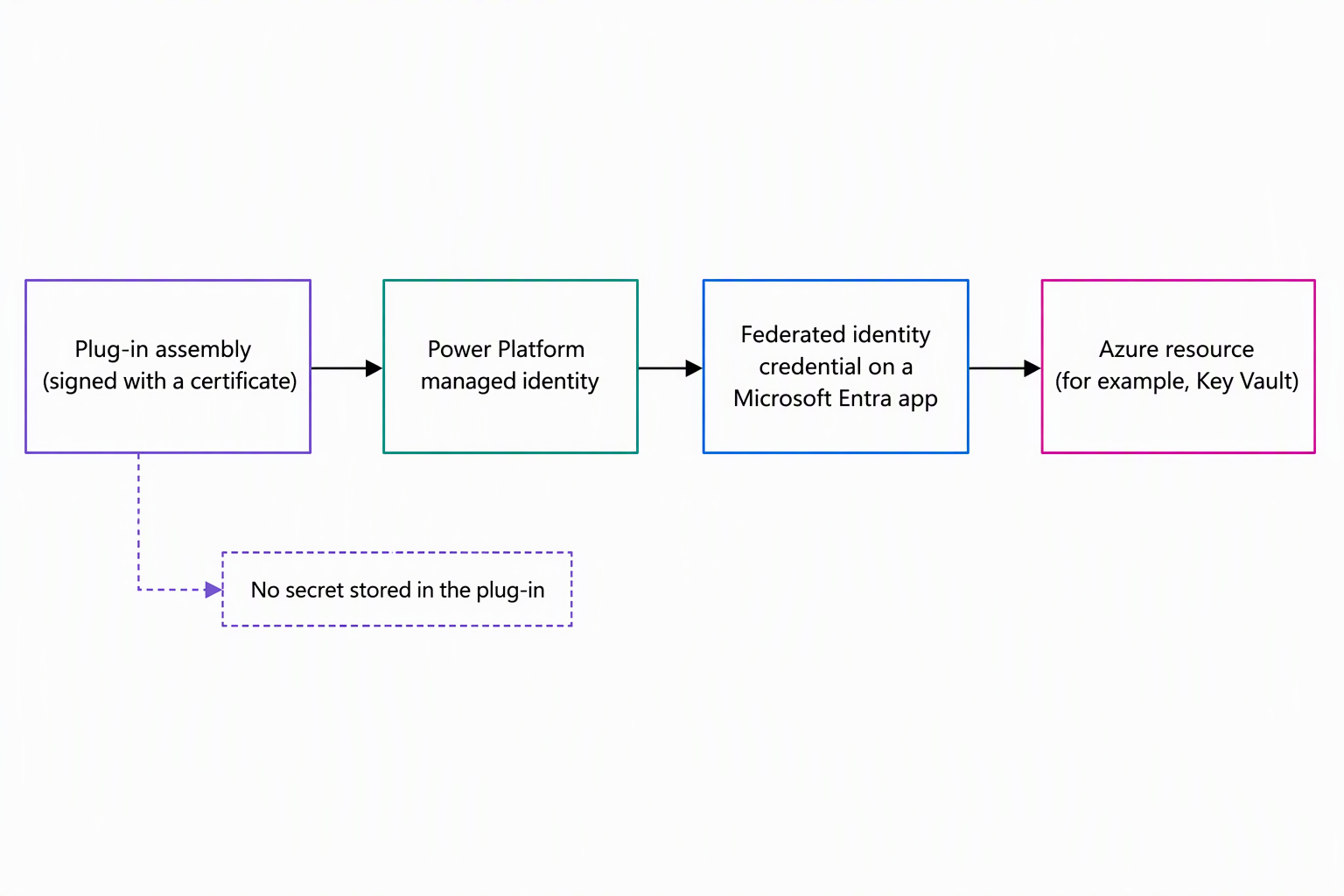
| Stage | What happens | Who owns it |
|---|---|---|
| 1. Create the identity | You create a UAMI or app registration in Microsoft Entra ID, capturing a client ID and tenant ID | Microsoft Entra ID admin |
| 2. Build and sign the plug-in | The plug-in requests a token at run time instead of reading a stored secret, and you sign the assembly or package with a certificate | Plug-in developer |
| 3. Configure the federated identity credential | You link the FIC on the identity to the signed plug-in, proving this exact plug-in in this exact environment is trusted | Microsoft Entra ID admin |
| 4. Bind a managed identity record in Dataverse | You create a managed identity record and bind it to the plug-in assembly or package | Dataverse customizer |
| 5. Grant access on the Azure resource | The identity gets permission on the target resource, such as a Key Vault access policy | Azure resource owner |
| 6. Validate | The plug-in runs, acquires a token, and reaches the resource with no separate credential involved | Plug-in developer |
A detail worth knowing rather than memorizing: the identifier format linking the certificate to the FIC has two versions. The current recommended setup uses the newer one, because it works reliably across certificate name formats where the older one can fail. That's a configuration detail to get right during setup, not something the plug-in's logic needs to know about.
Production also calls for a certificate from a trusted issuer; a self-signed certificate works for development and testing, but it's not a substitute for one in production.
Try it yourself: Open the Microsoft Entra admin center and look at an existing app registration's Certificates & secrets pane. Find where a federated credential would attach, and compare that to where a client secret would attach. Notice that nothing in the federated credential view asks for a value to protect.
Separate authentication from authorization
A detail that's easy to blur: managed identity answers "who is this plug-in," not "what can it do." Stage 3 in the table above proves identity. Stage 5, granting access on the Azure resource itself, is a completely separate decision, and skipping it's a common reason a freshly configured managed identity still fails to reach a resource.
For the availability-check plug-in, that means the identity still needs an explicit role assignment or access policy on Azure Key Vault before a token does it any good. Authentication without authorization produces a trusted caller with nothing to do. Keeping the two decisions distinct also keeps the blast radius small: revoking the Key Vault access policy doesn't touch the trust relationship, and vice versa, so the team can tighten one without disturbing the other.
Decide when it's the right fit
Managed identity fits when a plug-in calls an Azure resource that supports Azure managed identity, like Azure Key Vault, and the team wants to stop owning a credential's lifecycle. It doesn't help when the target isn't an Azure resource that supports managed identity. For the equipment-provisioning solution, the availability-check call is squarely the first case: an Azure-hosted service, currently gated by a key the team doesn't want to keep rotating.
Reflect: Across this module, the eligibility-check plug-in got faster, and the reservation logic became a callable operation. The approval moment also became an event other systems can subscribe to, and now the availability check authenticates without a stored secret. Which of those four changes would you prioritize first if you inherited a plug-in solution tomorrow, and why?
A plug-in solution that started as a working prototype now looks different on every axis a production review checks. It performs under load, and it exposes a reusable operation instead of only reacting to one table.
Its downstream systems also react independently instead of depending directly on approval logic, and it authenticates to Azure without a secret anyone has to guard. None of those changes replaced the original logic; each one hardened a seam that only shows up once real volume, real integrations, and real scrutiny arrive.