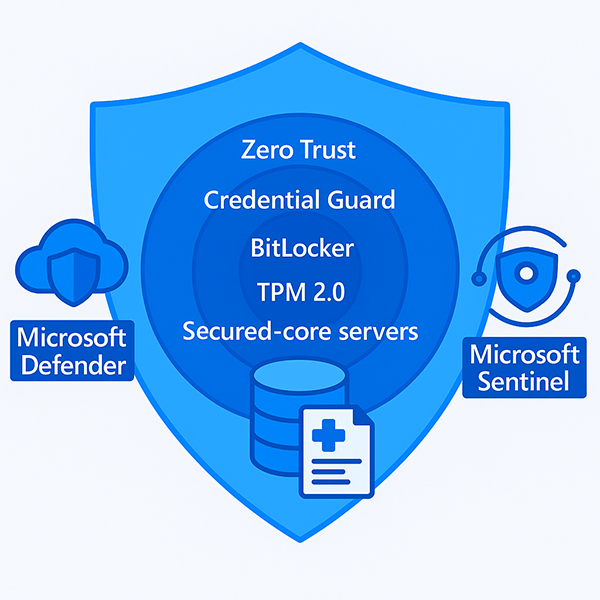
Security and protection
Azure Local delivers multi-layered security based on Microsoft’s hyperscale cloud architecture, providing robust protection for on-premises data centers.
Key security technologies and protections include:
- Secured-core technology with silicon-assisted security for critical workloads and sensitive data
- Microsoft Defender for infrastructure component protection and threat response
- Security event and log analysis using Microsoft Sentinel or other security information and event management (SIEM) platforms
Azure Local offers several features to harden operations and protect workloads, such as:
- Cryptographic operations supported by a virtual Trusted Platform Module (TPM 2.0) for encryption and hardware-based root of trust
- Privileged access controls that can be restricted and time-bound, with fine-grained privileges
- Credential Guard for isolating credentials within a Virtual Secure Mode–protected container
- Datacenter Firewall and Software-Defined Networking (SDN) to contain and mitigate the impact of security breaches
Confidential data must be protected against unauthorized access, regardless of where it's stored. Azure Local supports data protection through features such as BitLocker, which safeguards data on lost, stolen, or decommissioned devices.
Zero Trust capabilities are built in, starting at the chip level, and include:
- Trusted Boot
- Cryptography stacks
- Validated certificates
- Hardware-backed attestation to ensure the integrity and authenticity of workloads and devices
Secured-core technology combines hardware, firmware, and software features to deliver multi-layered protection. Azure Local includes:
- TPM 2.0
- Virtualization-Based Security (VBS)
- Secure Boot
These features establish a root of trust from firmware to operating system.
Azure Local complies with industry-standard security policies and procedures, meeting the needs of regulated organizations. Compliance features include:
- Over 300 security settings enabled by default, with drift control and continuous monitoring
- Application Control enforced by default
- Multifactor authentication (MFA) required for resource management actions
- Design to meet CIS, DISA STIG, and other regulatory requirements
- Support from the Microsoft Security Response Center for security-related issues
Important
Ensure MFA is enabled for all users with management access, not just administrators. Learn more at Plan for mandatory Microsoft Entra multifactor authentication (MFA).
User scenario
Multi-layered security features—Secured-core servers, TPM 2.0, BitLocker, Credential Guard, and Zero Trust—protect patient data. Microsoft Defender and Microsoft Sentinel provide threat detection and compliance reporting. Over 300 security settings are enabled by default, and MFA is enforced for all resource management actions.