Evaluate Conditional Access policies and client app conditions
A user in Relecloud's engineering group signs in without an expected multifactor authentication (MFA) prompt. That alone doesn't prove MFA was bypassed. A prior MFA claim already in the token, an existing session, policy state, assignments, the target resource, the client app, or another policy can all explain the same result. Evaluate every applicable policy first, then inspect the sign-in record itself.
Combine multiple policies with AND logic
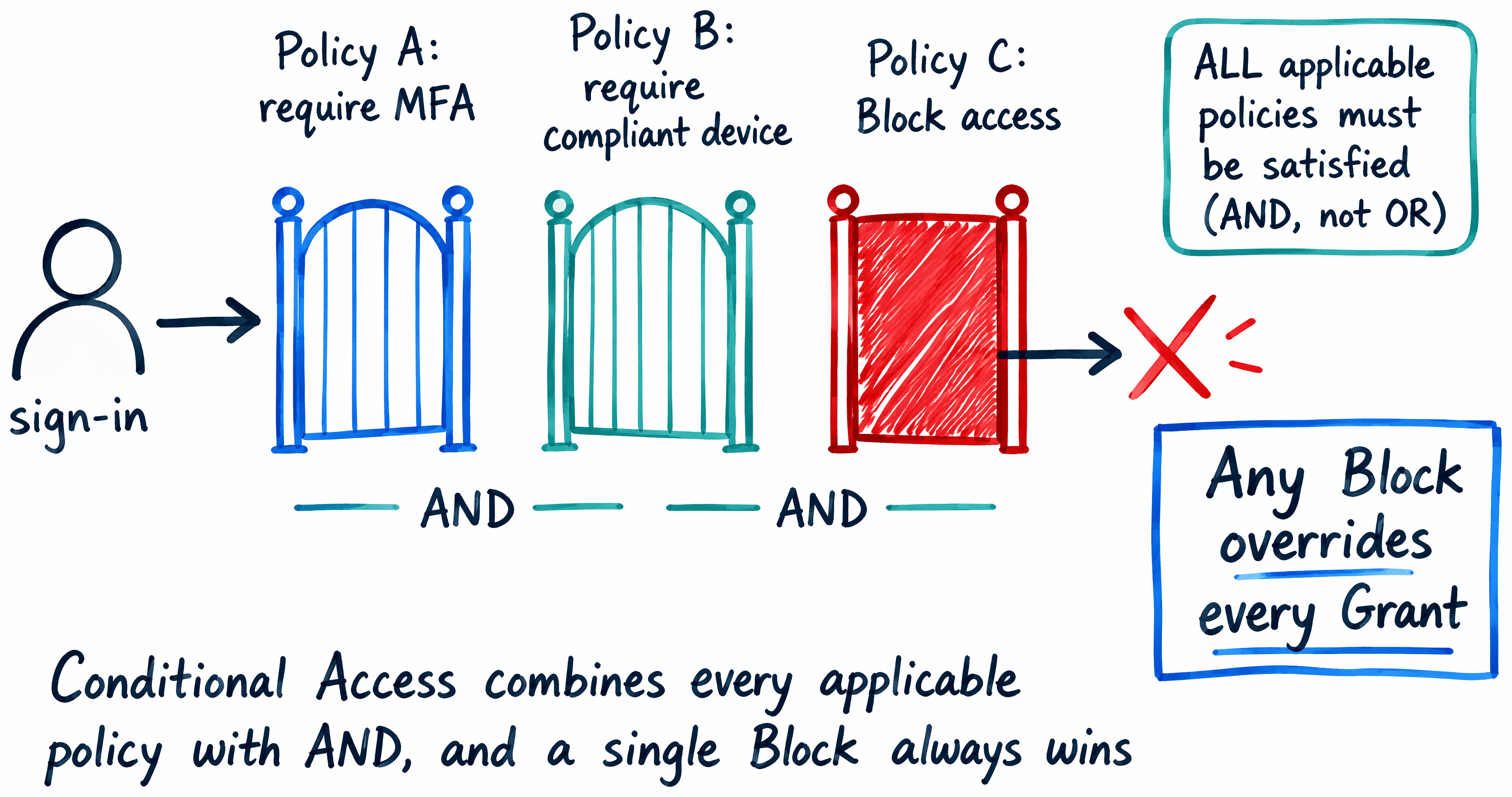
Multiple Conditional Access policies can apply to one sign-in. All applicable policies must be satisfied. The assignments and conditions within each policy determine whether it applies, and the grant controls from applicable policies combine with AND logic.
Block access takes precedence. If any applicable policy blocks access, another policy that grants access after MFA doesn't override the block. Review the complete policy set rather than one policy in isolation.
Separate modern clients from legacy clients
The Client apps condition distinguishes modern authentication clients from legacy authentication clients. Browser, mobile, and desktop clients typically use modern authentication. Older protocols, such as Exchange ActiveSync, can use legacy authentication.
Legacy authentication clients don't support MFA or pass device-state information. An applicable policy that requires MFA or a compliant device therefore blocks the sign-in. A policy that excludes or doesn't select the legacy client category is Not applied instead.
| Aspect | Modern authentication clients | Legacy authentication clients |
|---|---|---|
| Examples | Browser, mobile app, desktop client | Older protocols, such as Exchange ActiveSync |
| MFA and device state | Can present MFA and device claims | Can't present MFA or device claims |
| Applicable grant control | Can satisfy the control | Is blocked when the control can't be satisfied |
Learn more about client app conditions and policy evaluation.
Don't treat a missing prompt as proof of anything yet
A missing MFA prompt can mean the policy didn't apply. It can also mean an earlier MFA claim already in the token satisfied the requirement. Session controls or another policy can affect the experience too. Don't judge policy scope or enforcement from the prompt alone.
For the selected sign-in, verify these facts:
- Policy state and assignments.
- User, target resource, and client app.
- Each policy's result, including Not applied or a
Report-only:result. - Authentication Details, including the method sequence and any satisfied by claim in the token reason.
- Device Info, session context, and the final sign-in result.
Authentication details can be incomplete while logs aggregate. Recheck the event before drawing a conclusion.
Think it through: Two policies target a user. One requires MFA for all client apps. The other requires a compliant device for modern clients. Which policies apply to a legacy-client sign-in from an unmanaged device? How does the result change for a modern client, and what does the sign-in record show to confirm your answer?
Confirm the result before you change anything
Policy configuration tells you what should happen. The sign-in record shows what Microsoft Entra actually evaluated. A missing MFA prompt by itself doesn't confirm a bypass or a successful MFA challenge. Check the policy state, each policy's result, the authentication details, the device details, and the final result together before you change any policy's scope.
The next unit walks through that same verification process against a real sign-in, using the Sign-in logs, the Conditional Access tab, the Sign-in diagnostic, and the What If tool.