Enable integrated cache
Enabling the Integrated Cache
Enabling the integrated cache is done in two primary steps:
- Creating a dedicated gateway in your Azure Cosmos DB for NoSQL account
- Updating your SDK code to use the gateway for requests
Create a dedicated gateway
First, you must provision a dedicated gateway in your account. This action can be done using the portal and the Dedicated Gateway pane.
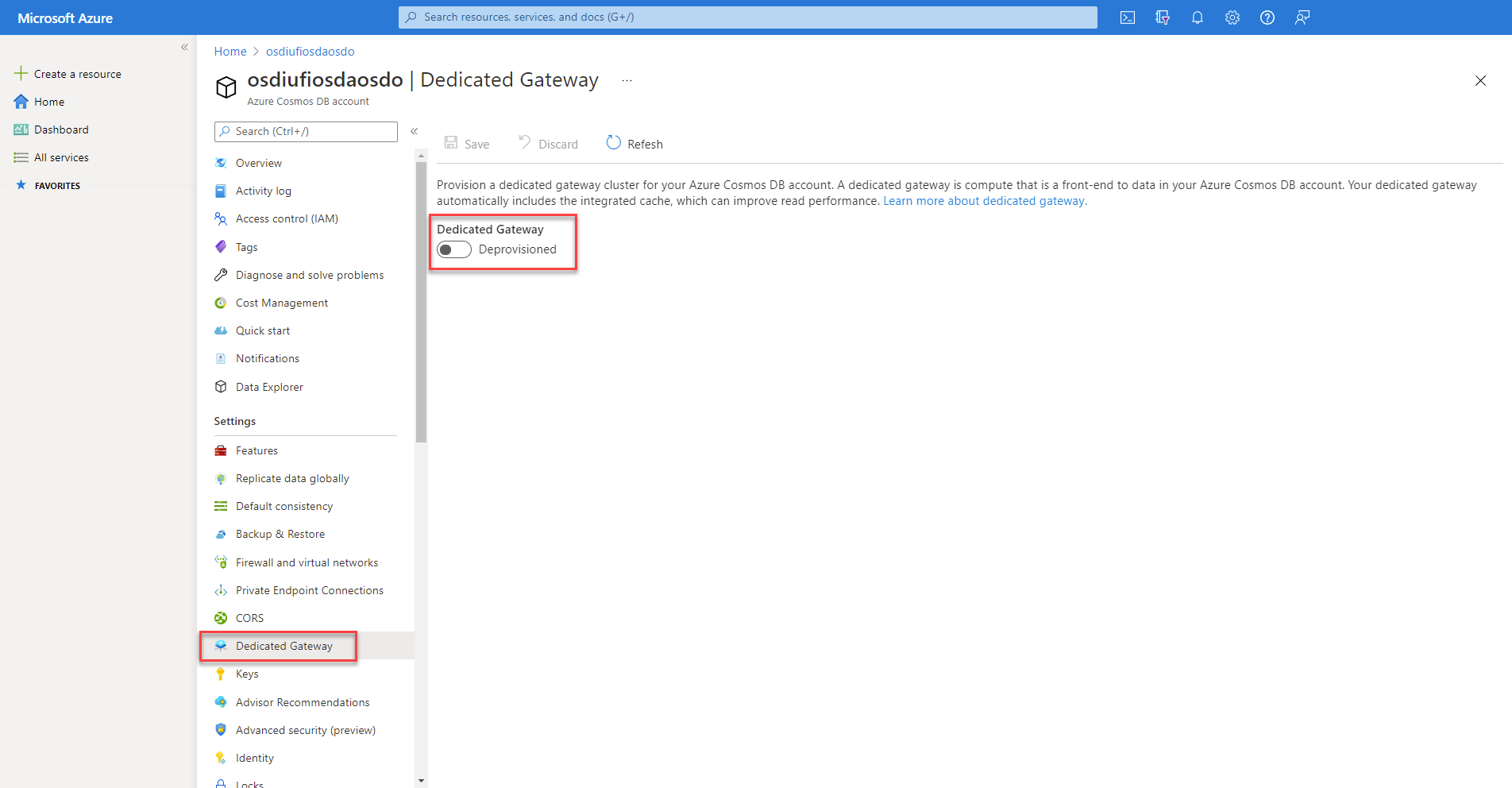
As part of the provisioning process, you're asked to configure the number of gateway instances and an SKU. These settings determine the number of nodes and the compute and memory size for each gateway node. The number of nodes and SKU can be modified later as the amount of data you need to cache increases.
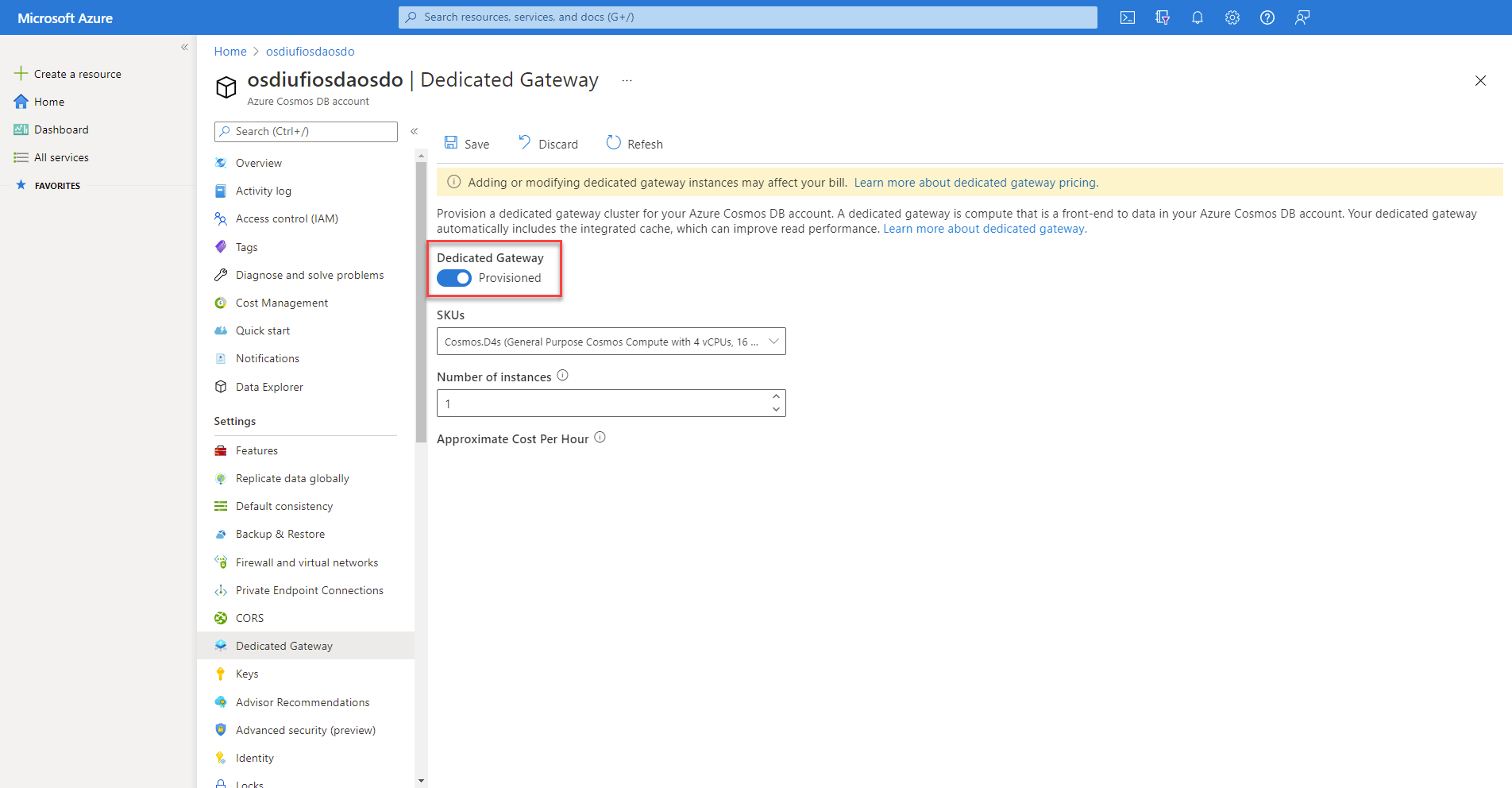
Once the new gateway is provisioned, you can get the endpoint for the gateway.
Note
The gateway endpoint is distinct from the typical endpoint used with an Azure Cosmos DB for NoSQL client.
Update .NET SDK code
For the .NET SDK client to use the integrated cache, you must make sure that three things are true:
- The client uses the dedicated gateway endpoint instead of the typical endpoint
- The client is configured to use Gateway mode instead of the default Direct connectivity mode
- The client’s consistency level must be set to session or eventual
First, ensure that the endpoint is set to the dedicated gateway’s endpoint. Typically, Azure Cosmos DB for NoSQL endpoints are in the format of <cosmos-account-name>.documents.azure.com. For the dedicated gateway, the endpoint is in the structure of <cosmos-account-name>.sqlx.cosmos.azure.com.
Instead of using an account key, configure the SDK to use a managed identity for authentication. The updated code follows.
using Azure.Identity;
using Microsoft.Azure.Cosmos;

string endpoint = "https://<cosmos-account-name>.sqlx.cosmos.azure.com/";

CosmosClientOptions options = new()
{
    ConnectionMode = ConnectionMode.Gateway,
    ConsistencyLevel = ConsistencyLevel.Session // or ConsistencyLevel.Eventual
};

// Use DefaultAzureCredential to authenticate with managed identity.
CosmosClient client = new(endpoint, new DefaultAzureCredential(), options);
Note
Ensure that your application has a managed identity enabled and that the managed identity has been granted the Cosmos DB Built-in Data Contributor role on the Azure Cosmos DB account.
Configure point read operations
To configure a point read operation to use the integrated cache, you must create an object of type ItemRequestOptions. In this object, you can manually set the ConsistencyLevel property to either ConsistencyLevel.Session or ConsistencyLevel.Eventual. You can then use the options variable in the ReadItemAsync method invocation.
string id = "9DB28F2B-ADC8-40A2-A677-B0AAFC32CAC8";
PartitionKey partitionKey = new("56400CF3-446D-4C3F-B9B2-68286DA3BB99");

ItemRequestOptions requestOptions = new()
{
    ConsistencyLevel = ConsistencyLevel.Session
};

ItemResponse<Product> response = await container.ReadItemAsync<Product>(id, partitionKey, requestOptions: requestOptions);
To observe the RU usage, use the RequestCharge property of the response variable. The first invocation of this read operation uses the expected number of request units. In this example, it would be one RU for a point read operation. Subsequent requests don't use any request units as the data is pulled from the cache until it expires.
Console.WriteLine($"Request charge:\t{response.RequestCharge:0.00} RU/s");
Configure queries
To configure a query to use the integrated cache, create an object of type QueryRequestOptions. In this object, you should also manually change the consistency level. Then, pass in the options variable to the GetItemQueryIterator method invocation.
string sql = "SELECT * FROM products";
QueryDefinition query = new(sql);

QueryRequestOptions queryOptions = new()
{
    ConsistencyLevel = ConsistencyLevel.Eventual
};

FeedIterator<Product> iterator = container.GetItemQueryIterator<Product>(query, requestOptions: queryOptions);
You can also observe the RU usage by getting the RequestCharge property of each FeedResponse object associated with each page of results. If you aggregate the request charges, you get the total request charge for the entire query. Much like with point reads, the first query uses the typical number of request units. Any extra queries use no request units until the data expires in the cache.
double totalRequestCharge = 0;
while(iterator.HasMoreResults)
{
    FeedResponse<Product> response = await iterator.ReadNextAsync();
    totalRequestCharge += response.RequestCharge;
    Console.WriteLine($"Request charge:\t\t{response.RequestCharge:0.00} RU/s");
}

Console.WriteLine($"Total request charge:\t{totalRequestCharge:0.00} RU/s");