Describe MLflow deployment capabilities
LLM deployment decisions are a core part of LLMOps. In Azure Databricks, MLflow is the primary tool for deploying and managing language models. While MLflow is a comprehensive platform for the entire machine learning lifecycle, in this context we'll focus on how it handles LLM experimentation, reproducibility, and deployment.
When integrated with Azure Databricks, MLflow provides an environment for managing Large Language Models from development to production. Let's explore how to deploy LLMs using MLflow.
Create endpoints to serve your models
When you want to make an LLM available for use, you need to deploy it and then serve it through an endpoint. Deploying means setting up the model on infrastructure where it can run. Serving means the endpoint is ready to receive requests (like prompts) and return responses (generated text).
MLflow handles both deployment and serving through its integration with Azure Databricks' Model Serving feature. You can start by using one of the foundation models already available in Azure Databricks:
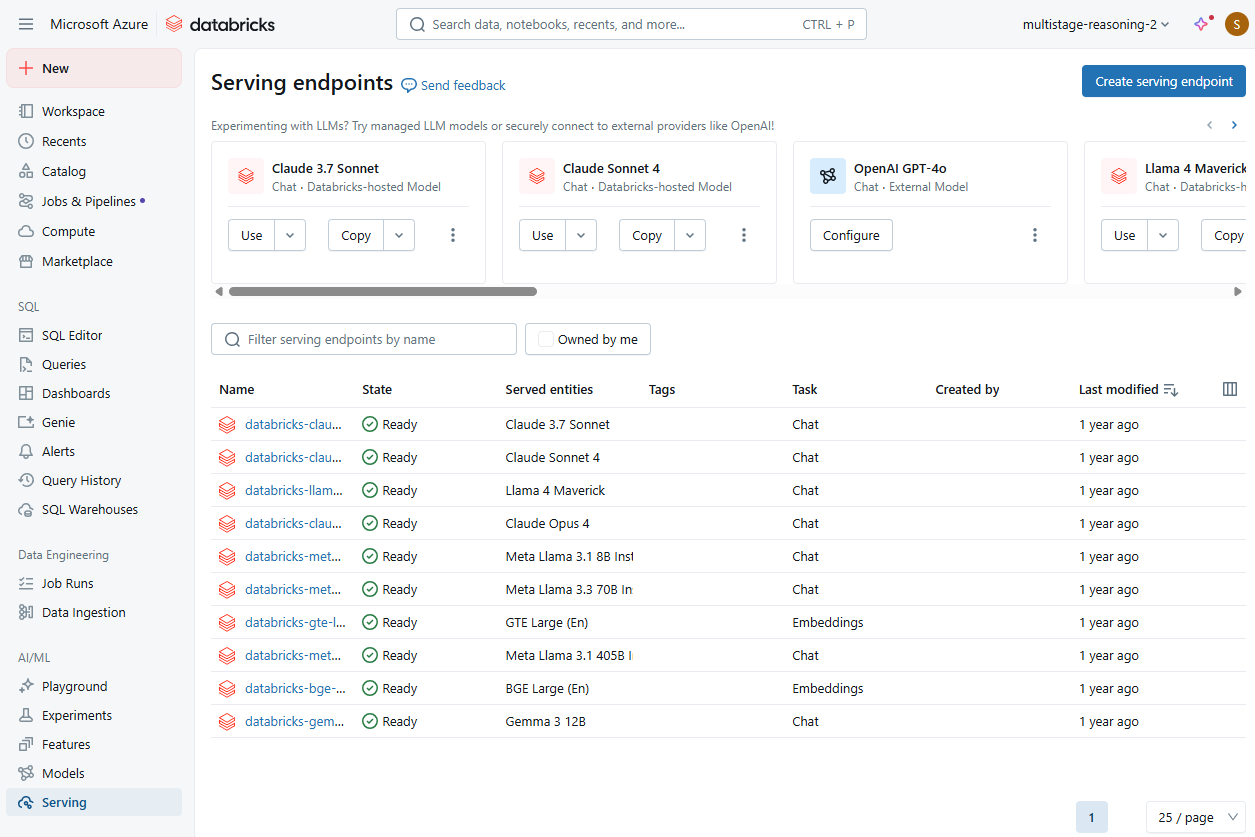
Alternatively, you can create a new serving endpoint to deploy another LLM you want to work with. Using the Databricks UI, you specify which language model you want to create an endpoint for.
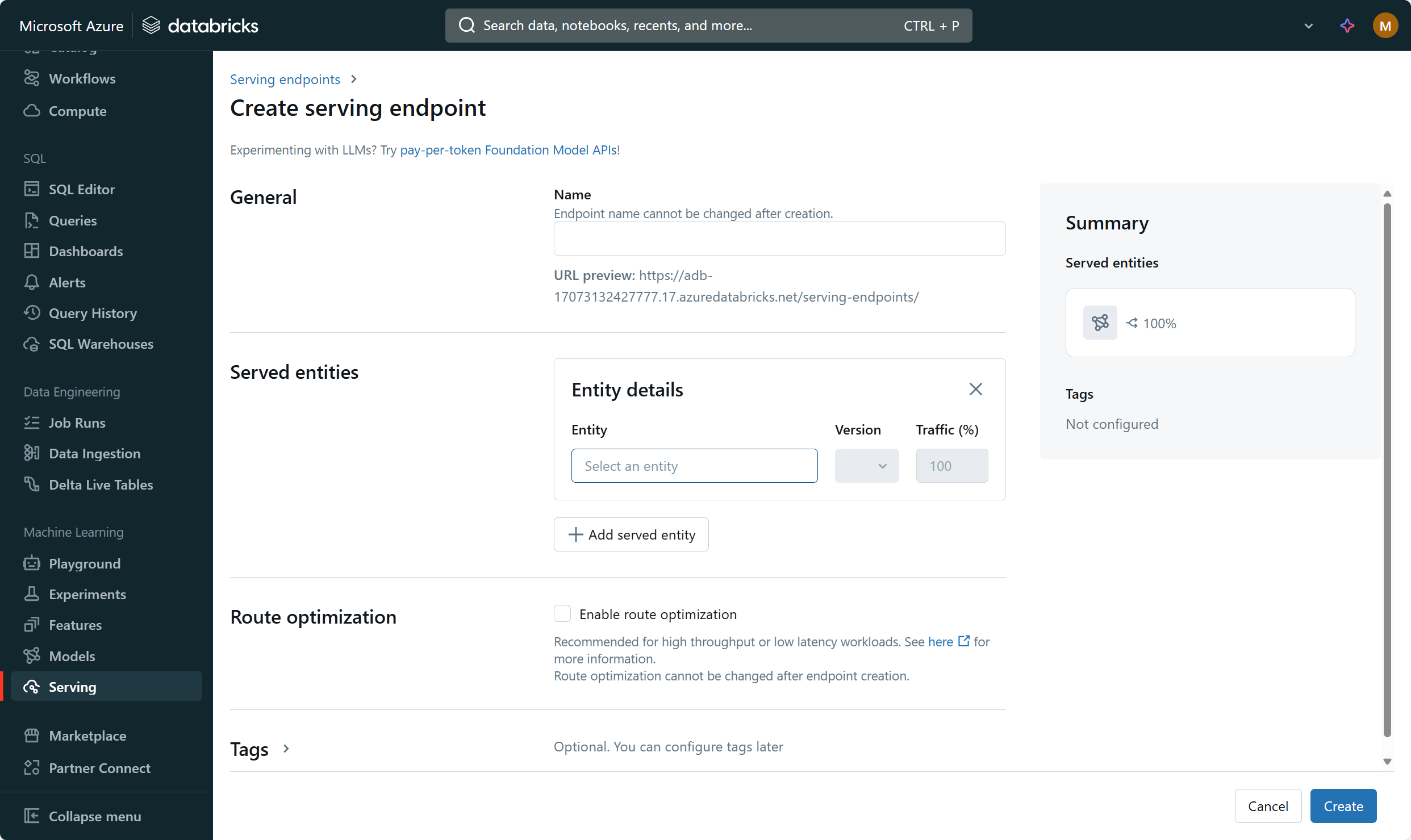
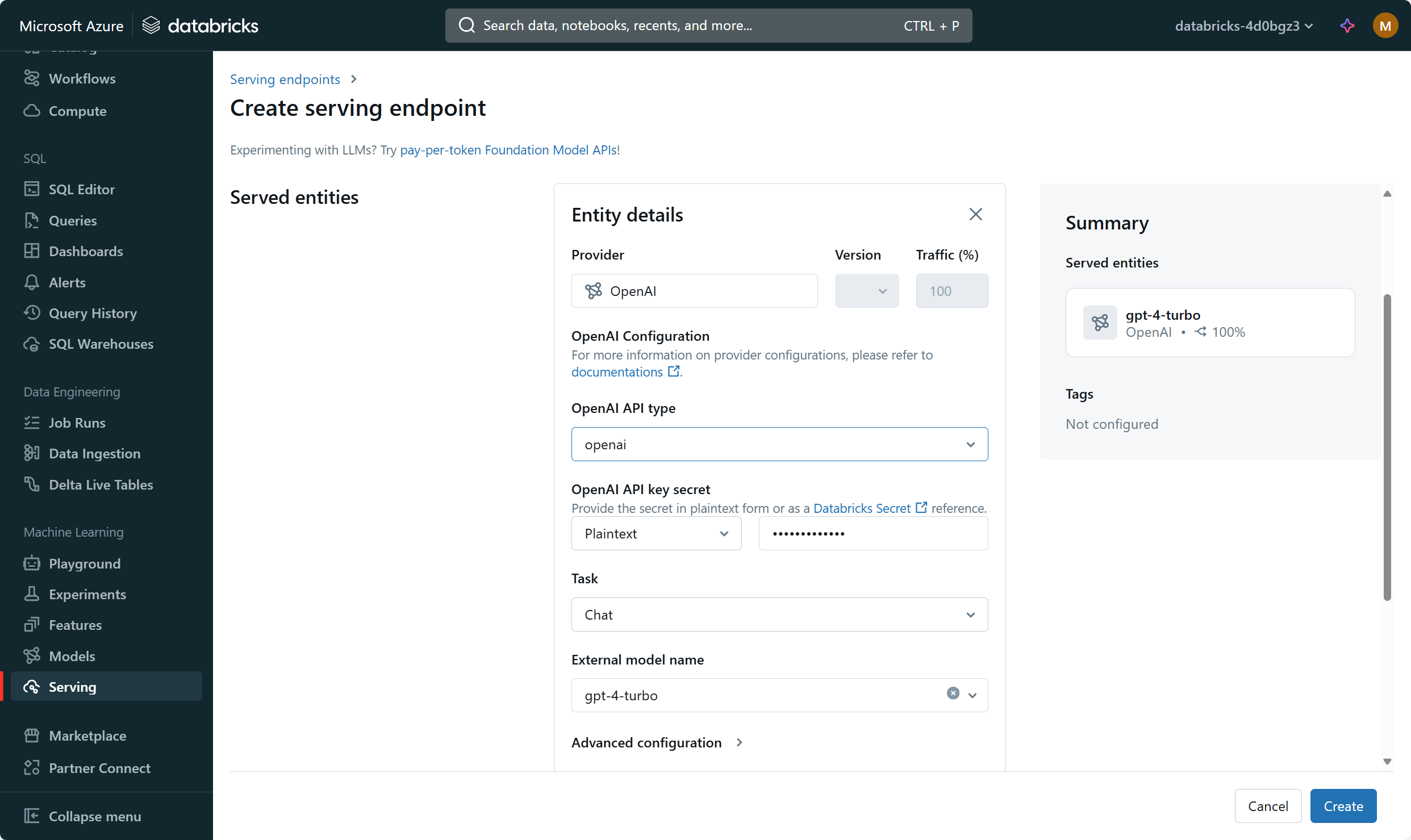
For example, you can connect to an external model like OpenAI's GPT-4. When you configure this connection, you're setting up Databricks to access the model:
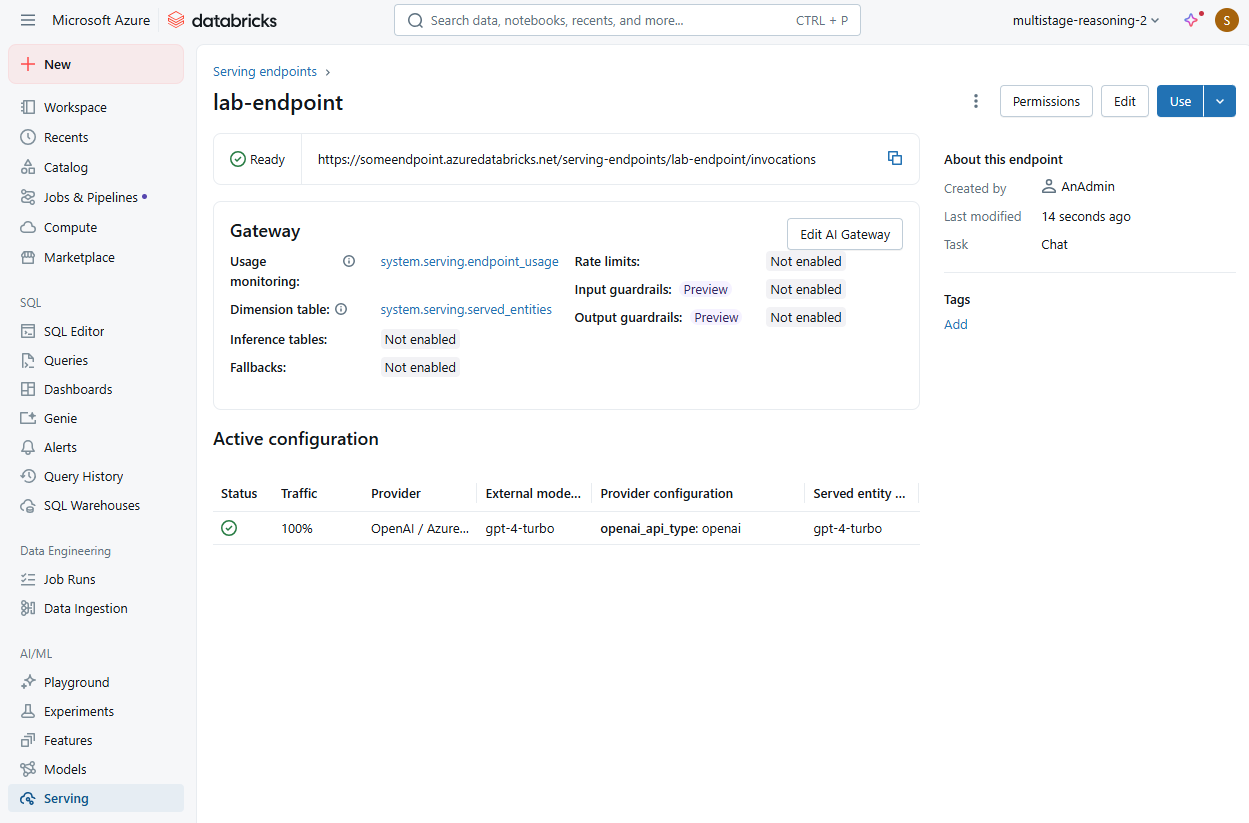
Once you create the endpoint, MLflow deploys the model setup and makes it ready to serve requests. You can then review all metadata and use the endpoint URL to send prompts and receive generated responses:
Tip
Learn more about how to create generative AI model serving endpoints.