Plan and prepare for Teams deployment
Before enabling Microsoft Teams, confirm that your Microsoft 365 Education tenant is ready.
Verify Microsoft 365 Education licensing
- Sign in to the Microsoft 365 admin center.
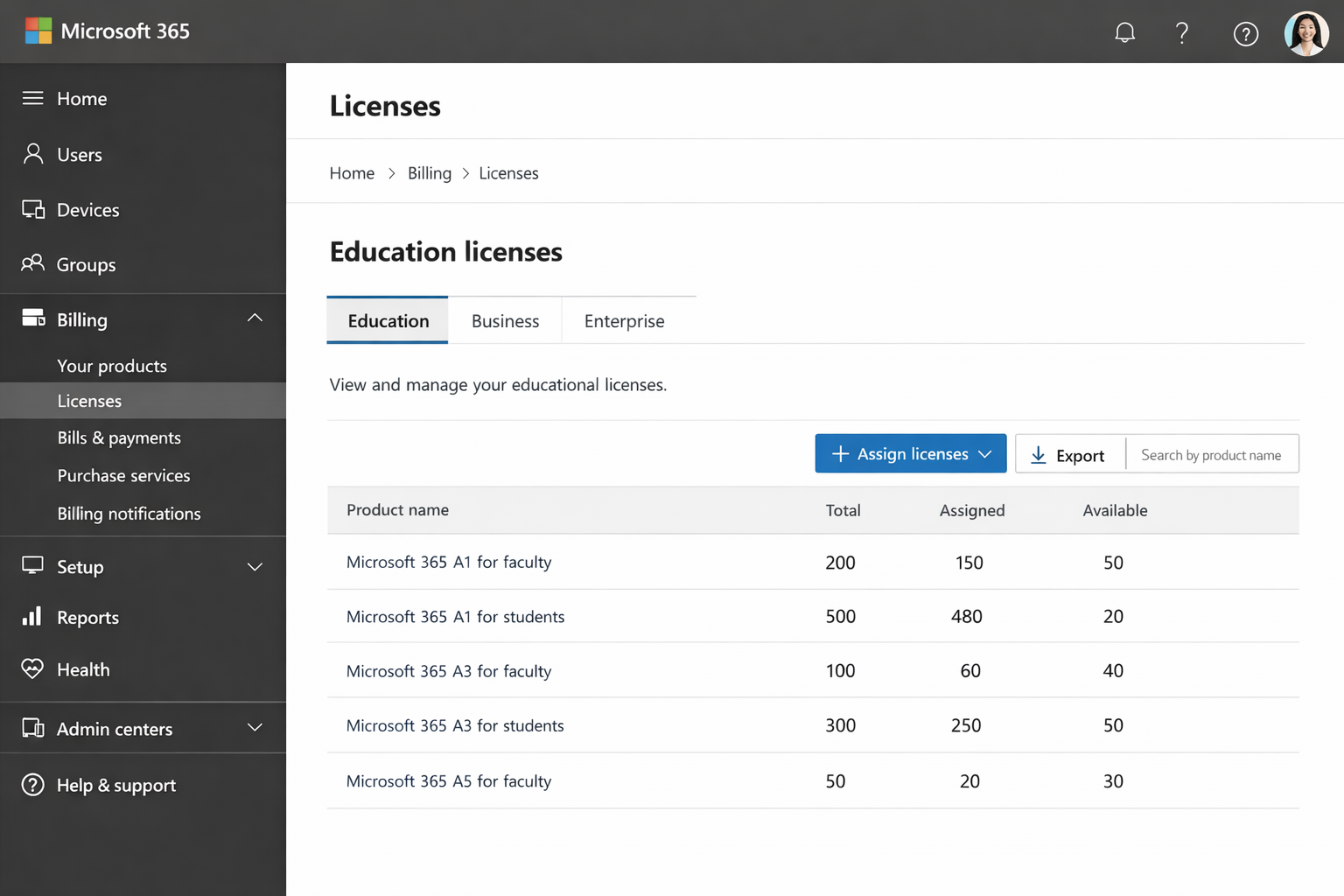
- Go to Billing > Licenses.
- Confirm Microsoft 365 Education A1, A3, or A5 licenses are available and assigned.
Note
Teams for Education is included with Microsoft 365 Education licenses and must be assigned to users before Teams can be enabled.
Confirm Teams availability
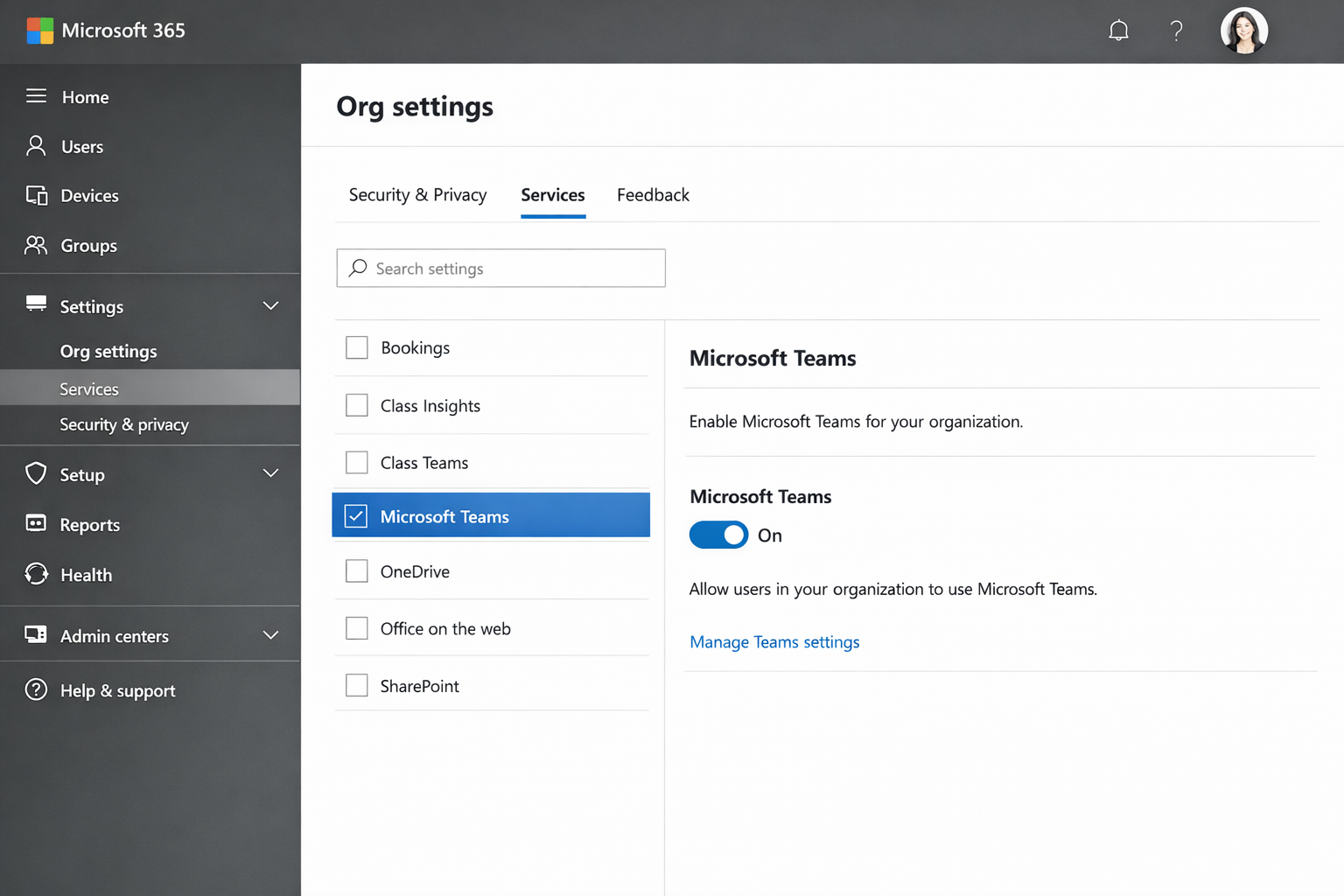
In the Microsoft 365 admin center, go to Settings > Org settings > Microsoft Teams.
Verify that Microsoft Teams is turned on for the organization.
Save changes if updates are made.
Tip
Enable Teams before configuring policies to avoid deployment issues later.