When to use Microsoft Foundry on Windows
Microsoft Foundry on Windows supports building AI-powered applications that run on Windows devices and can participate in hybrid AI architectures that combine local and cloud processing.
Tip
Microsoft Foundry on Windows is most useful when application requirements are influenced by latency, data handling, hardware diversity, or hybrid architecture decisions.
Because AI workloads vary across applications, deciding whether to use Microsoft Foundry on Windows depends on factors such as performance requirements, data handling considerations, hardware availability, and overall solution architecture.
Evaluating these factors can help developers determine whether Microsoft Foundry on Windows aligns with the needs of a specific scenario.
The sections below walk-through common scenarios where Microsoft Foundry on Windows is a good fit. Each scenario highlights a different consideration—such as on-device AI, hybrid architectures, or hardware diversity—to help you decide what makes sense for your application.
Use Microsoft Foundry on Windows when on-device AI provides clear advantages
Some AI workloads benefit from running directly on the device instead of relying entirely on cloud services.
Local execution can reduce response time by running inference close to the user and available hardware. This can be important for scenarios that involve real-time interactions, such as image processing, audio analysis, or interactive productivity features.
Running models on the device can also support data handling requirements. When inference occurs locally, application data doesn't need to be transmitted to external services, which can help address privacy considerations or regulatory constraints.
The following example illustrates how developers can explore local AI capabilities by using developer tools before integrating them into an application. In this scenario, a developer uses AI Dev Gallery to try Windows AI APIs locally, evaluating features such as text generation or text recognition without relying on cloud-based inference.
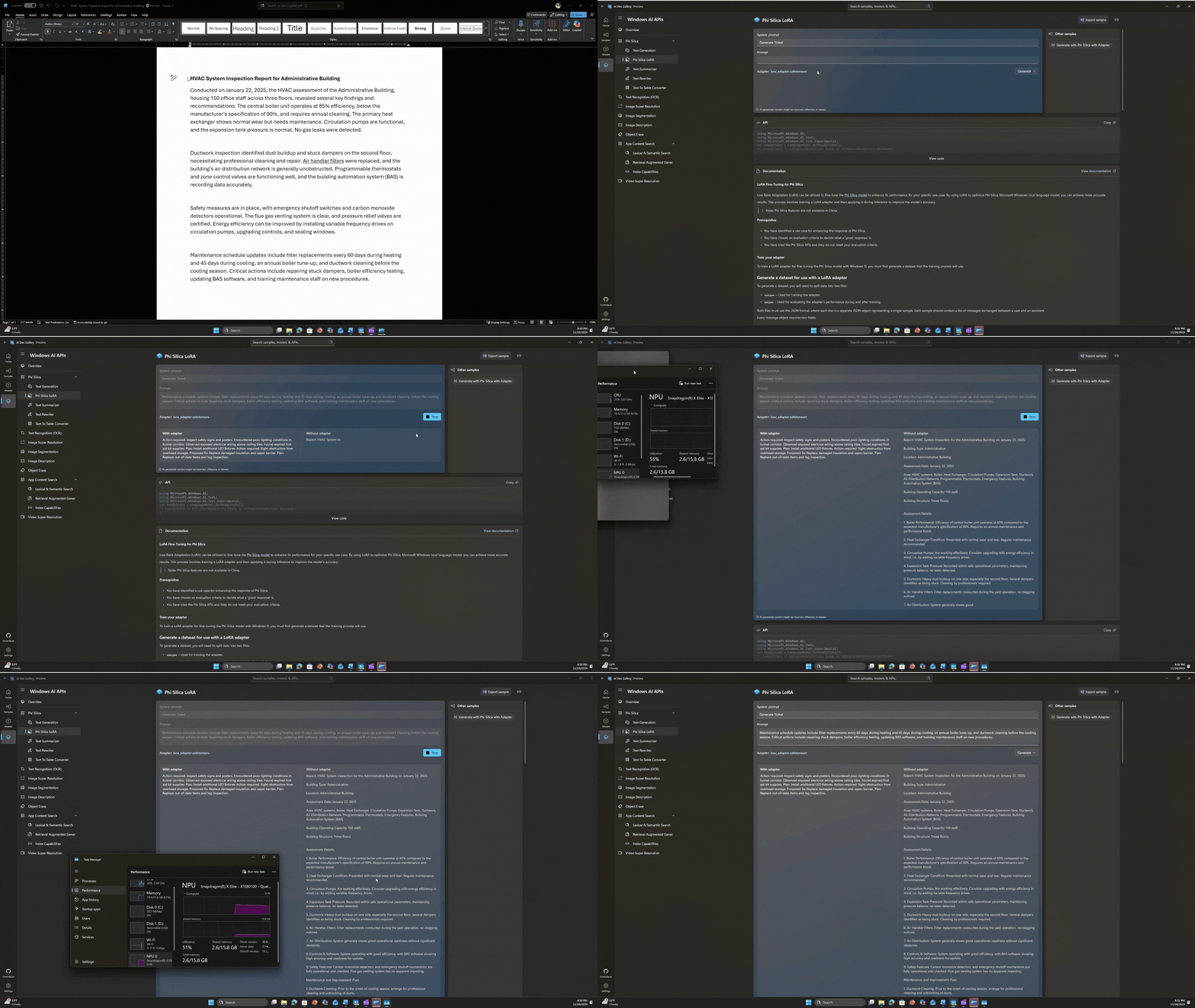
Common scenarios where local AI may be appropriate include:
- Real-time interactions that require low latency
- Applications that process sensitive or regulated data
- Scenarios with limited or unreliable network connectivity
- Environments where cloud usage needs to be constrained
In these cases, Microsoft Foundry on Windows provides options for integrating AI capabilities directly into Windows applications while using local hardware resources.
Use Microsoft Foundry on Windows when building hybrid AI solutions
Many applications use a hybrid AI architecture that combines local processing with cloud-based services.
In this approach, some workloads run on the device while others rely on cloud infrastructure. This allows applications to distribute AI workloads based on factors such as performance, scale, and cost.
For example, a developer building an application for processing sensitive financial data may choose to run inference locally to keep data on the device, while using cloud services for aggregated analysis across multiple systems.
Common hybrid patterns include:
- Lightweight inference tasks can run locally to reduce response time
- Large-scale analysis or aggregation can run in the cloud
- Privacy-sensitive operations can remain on the device
Microsoft Foundry on Windows supports hybrid architectures by enabling local execution of built-in models, open-source models, and custom models, while still allowing applications to connect to cloud-based AI services when required.
This model can be useful for organizations that want to introduce AI capabilities incrementally or avoid designing applications that depend entirely on cloud infrastructure.
Use Microsoft Foundry on Windows when targeting diverse hardware environments
Windows applications often need to run across a wide range of devices and hardware configurations, including enterprise laptops, workstations, and specialized edge systems.
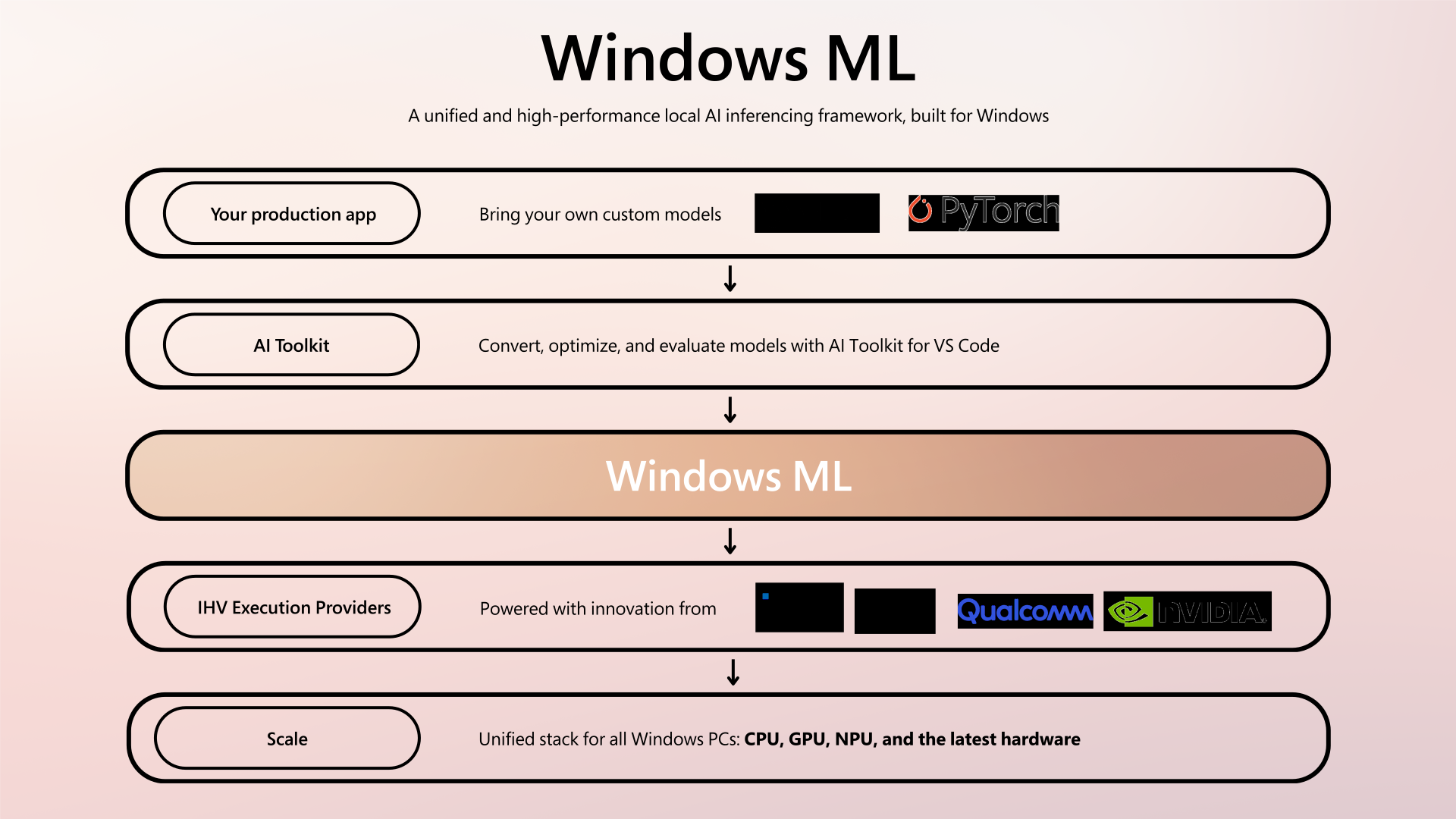
Microsoft Foundry on Windows provides a consistent AI platform that supports deployment across diverse hardware environments.
Through components such as Windows ML, developers can run models across available hardware without maintaining separate implementations for different device configurations. This approach helps support AI deployments across large and varied fleets of Windows devices.
Use Microsoft Foundry on Windows when modernizing existing Windows applications
Organizations often want to add AI capabilities to existing Windows applications rather than create new systems.
Microsoft Foundry on Windows supports multiple integration approaches, ranging from task-based APIs to open-source and custom models. This allows applications to incorporate AI features incrementally.
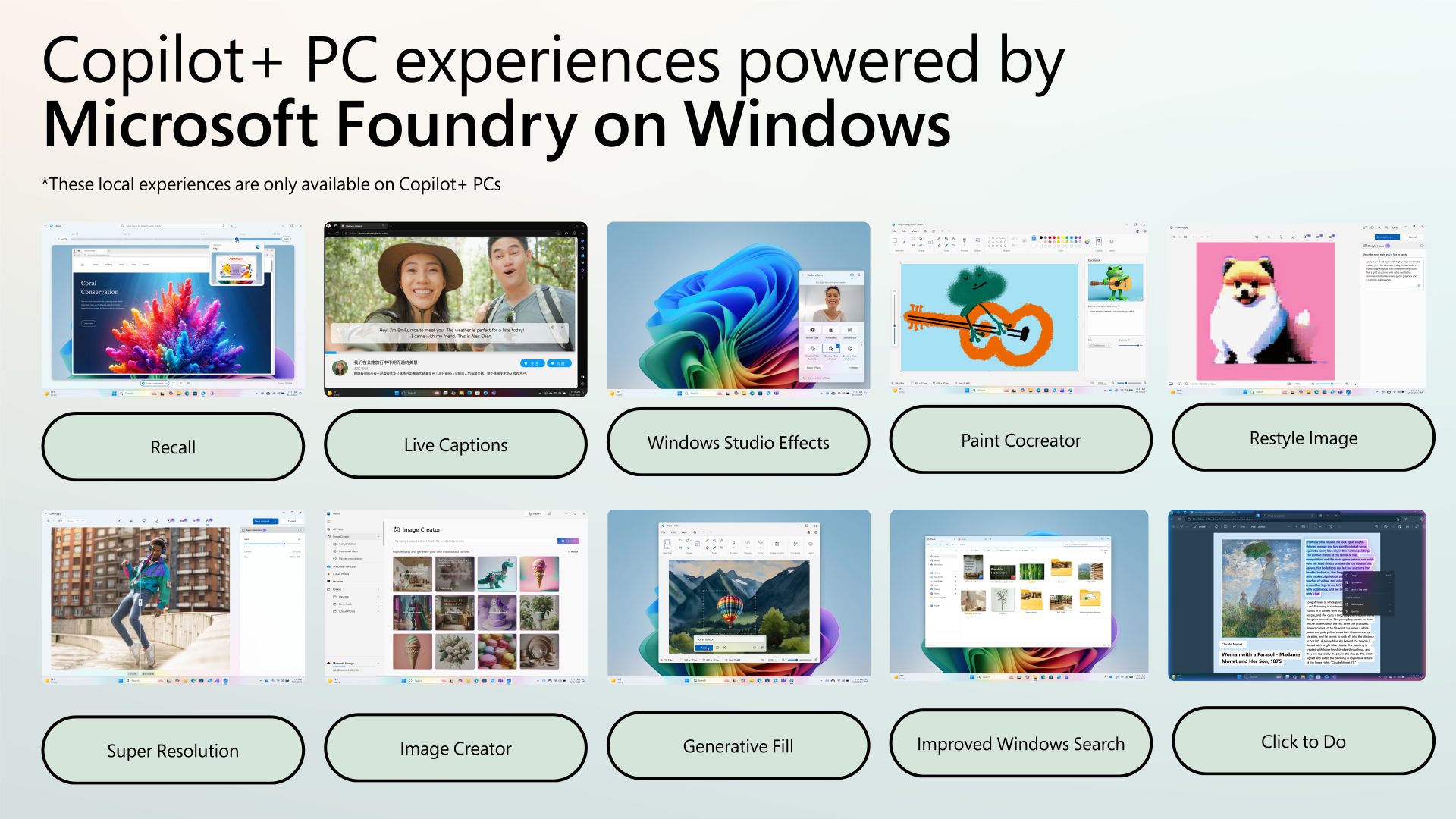
For example, developers can:
- Add text or image processing features using Windows AI APIs
- Integrate open-source models by using Foundry Local
- Deploy custom machine learning models by using Windows ML
These options allow teams to introduce AI capabilities while maintaining existing application structure and deployment practices.
Evaluating your scenario
The following questions can help guide this decision. To choose the right deployment decision for the right requirement.
| Question | Consideration |
|---|---|
| Does the application benefit from local execution? | Latency, offline use, or data sensitivity |
| Are privacy or regulatory requirements important? | On-device inference may help |
| Will the app run across diverse hardware? | CPU, GPU, and NPU support matters |
| Is a hybrid architecture required? | Balance between local and cloud workloads |
If these considerations apply, Microsoft Foundry on Windows provides a practical foundation for developing and deploying AI workloads locally across Windows devices—helping you evaluate where local AI fits into your own development scenarios.
Learn more about Windows Foundry
To explore Microsoft Foundry on Windows in more detail, including tools, APIs, and developer resources, visit:
https://developer.microsoft.com/en-us/windows/ai/
This page provides a central entry point for understanding how Microsoft Foundry on Windows supports local AI development across Windows devices.