Report layouts
The visual layout determines the content and format of a report when it's viewed and printed. You build the layout of a report by arranging data items and columns and specifying the general format, such as text font and size.
A report that is viewed, printed, or saved from a Dynamics 365 Business Central client must have a report layout.
There are three types of report layouts:
Layouts using report definition language (RDL)
Word report layouts
Excel report layouts
You can also extend an existing report, for example, to add a new layout.
A report layout controls content and format of the report, including which data fields of a report dataset appear on the report and how they're arranged, text style, images, and more. From Business Central, you can change which layout is used on a report, create new layout, or modify the existing layouts.
In Business Central, the term "report" also covers externally facing documents, such as sales invoices and order confirmations that you send to customers as PDF files.
You can also use report layouts to add content to email messages. For example, report layouts can save time and help ensure consistency by reusing the same content when you communicate with your customers. To use custom report layouts with email, the file type for the layout must be Word. You can't use the RDLC file type.
Learn more in Set Up Reusable Email Texts and Layouts.
Layout types
There are four types of layouts that you can use on reports:
Word
RDLC
Excel
External
Word
Word layouts are based on Word documents (.docx file type). Word layouts enable you to design report layouts by using Microsoft Word. A Word layout determines the report's content - controlling how that content elements are arranged and how they look. A Word layout document typically uses tables to arrange content, where the cells can contain data fields, text, or pictures.
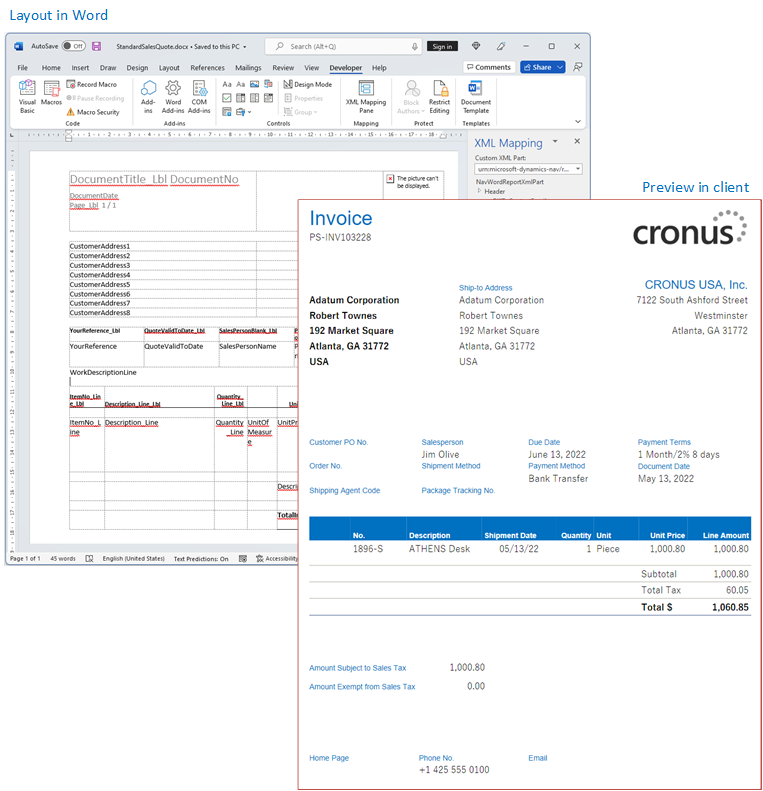
Learn more in Work with Word Layouts.
Excel
Excel layouts are based on Microsoft Excel workbooks (.xlsx file type). They let you create reports by using familiar Excel features for summarizing, analyzing, and presenting data with tools like formulas, PivotTables, PivotCharts, and more.
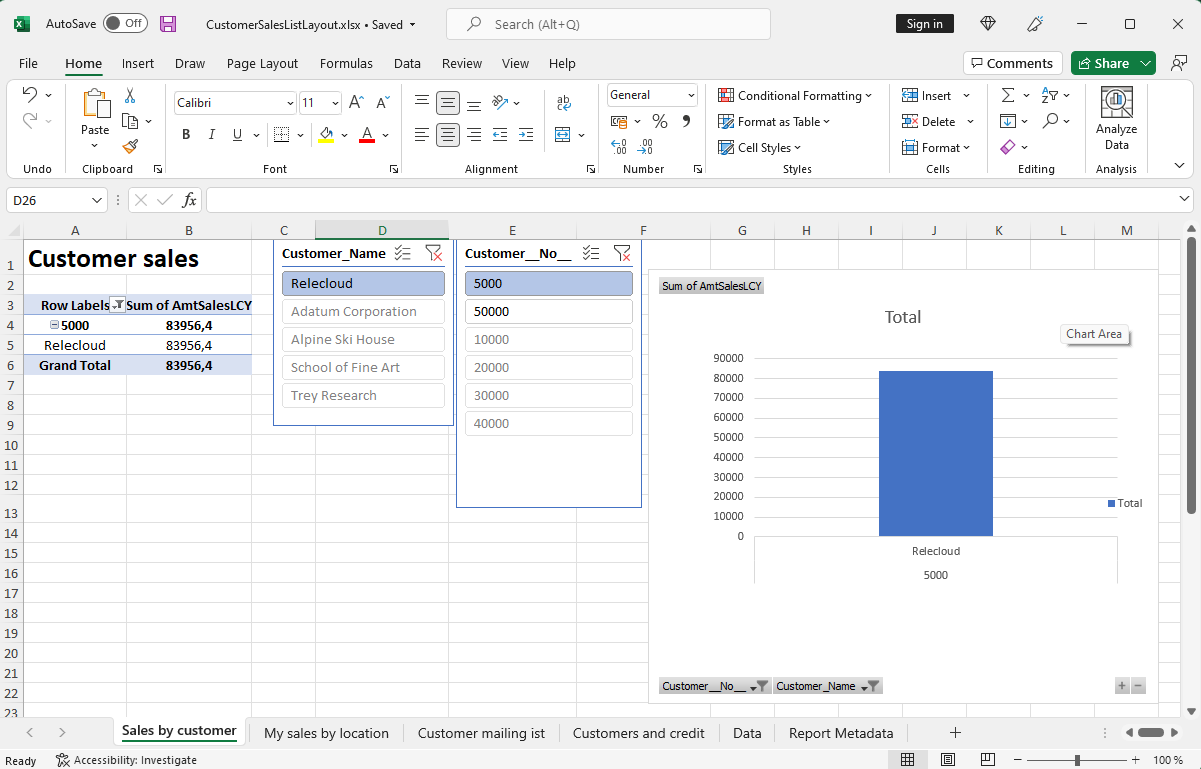
Learn more in Working with Microsoft Excel layouts.
RDLC
RDLC layouts are based on client report definition layout files (.rdl or .rdlc file types). These layouts are created and modified by using SQL Server Report Builder or Microsoft RDLC Report Designer. The design concept for RDLC layouts is similar to Word layouts, where the layout determines what fields to show and how they're arranged. However, designing RDLC layouts is more advanced than Word layouts.
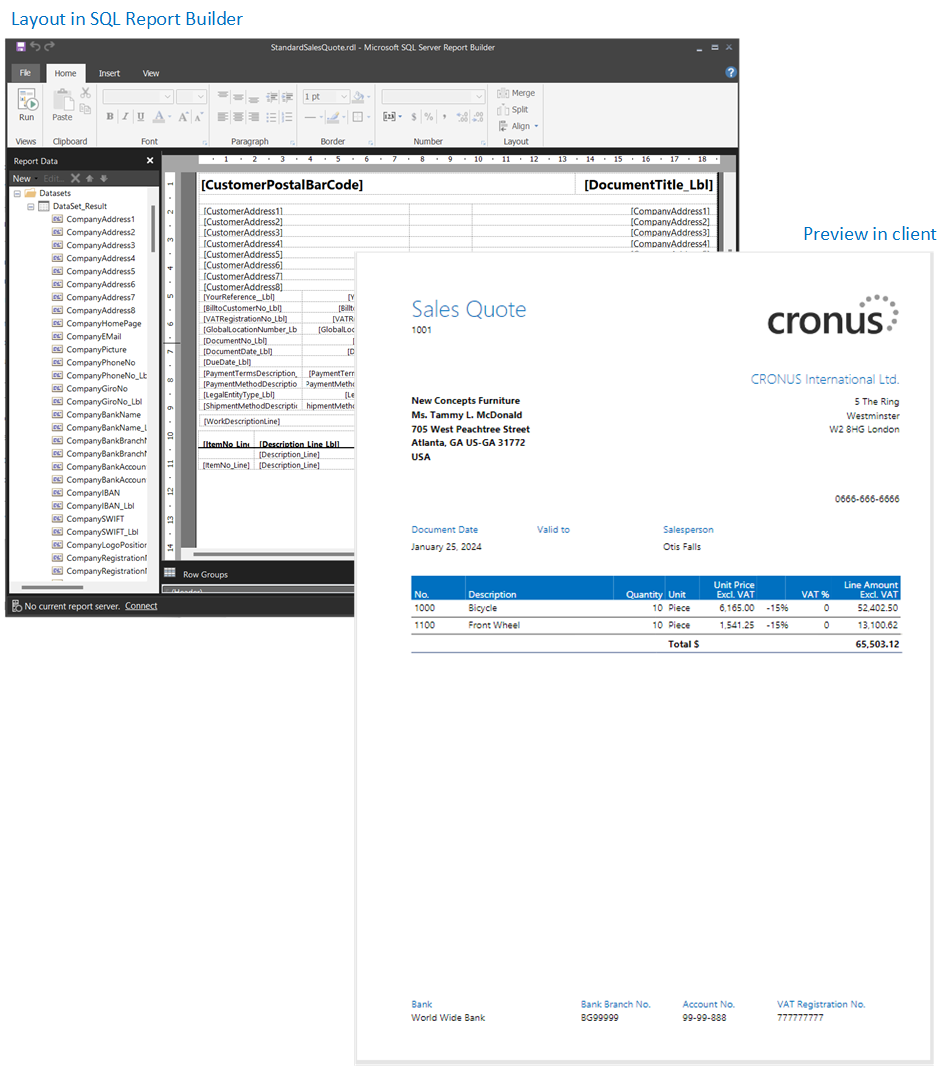
Learn more in Working with RDLC Layouts.
External
An external layout type refers to an advanced type that's specially designed for specific reports. The reports and the layouts themselves are typically provided by partners, not Microsoft. The actual file type of the layout varies depending on the provider.
Learn more in Developing a custom report render.
Layout sources
In addition to the type, layouts are further divided into three categories, based on their source or origin.
Extension layouts: Extension layouts are layouts that are part of an extension that's been installed on the environment. These layouts are typically standard layouts provided by Microsoft, for example, in the base application. Or, they could be layouts that are included in extensions from other software providers. You can recognize extension layouts on the Report Layouts page because the extension name and publisher is shown in the Extension column.
User-defined layouts: The other source of layouts is the end-user. From inside Business Central, a user with proper permissions can add new layouts in various ways. For example, you could start from an existing extension layout or another user-defined layout. On the Report Layouts, user-defined layouts have an empty Extension column.
Learn more in Get started creating report layouts.
- Custom layouts: Custom layouts are also layouts that are created by users. The difference is that these layouts are created from the legacy Custom Report Layouts page, and they can only be Word and RDLC type. Although you can still create custom layouts, they're being phased out in favor of user-defined layouts.
Learn more in (Legacy) Create and Modify Custom Report Layouts.
Lear more about which type is best for you in Decide what type of layout you want.