Understand application lifecycle management in Microsoft Intune
Application lifecycle management in Microsoft Intune is the process of managing an app from the moment it is introduced into the environment until it is eventually removed. Microsoft’s current lifecycle model starts when an app is added to Intune and continues through additional phases until the app is removed. This model makes app management an ongoing operational process, not just a one-time installation task.
Intune supports app management across Android, iOS/iPadOS, macOS, and Windows. It also supports multiple app types, including store apps, line-of-business apps, built-in apps, and web apps, which allows administrators to use one management platform for a wide range of application scenarios.
The five stages of the Intune app lifecycle
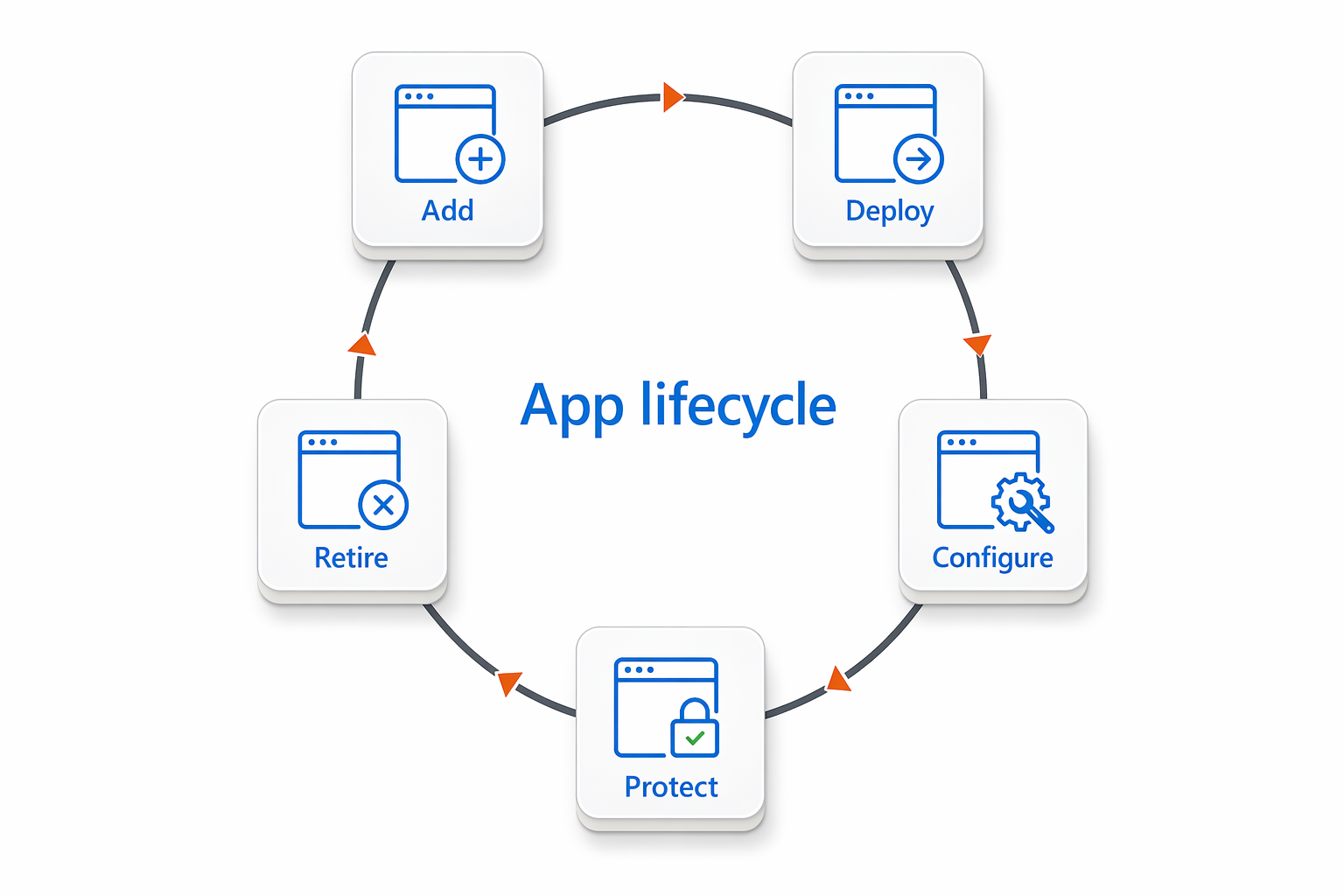
The Intune app lifecycle can be understood as five main stages that guide how apps are managed from start to finish. These stages help administrators add apps, deliver them to users and devices, configure settings, protect organizational data, and remove apps when they are no longer needed.
The following diagram shows these five stages as a continuous lifecycle loop.
Add
The lifecycle begins when an administrator adds an app to Intune. This step establishes the app as a managed object in Intune. From that point on, the administrator can control how the app is deployed, configured, protected, and eventually retired.
Deploy
After an app is added, it is assigned to users or devices. Deployment is the stage where the app is delivered to its target audience and made available according to the organization’s requirements. In some cases, such as Apple environments, Intune can also work with app store integrations to deploy and track volume-purchased apps.
Configure
After deployment, apps often need to be configured so they work correctly in the organization. Intune supports app configuration and update management as part of the lifecycle. Examples include app configuration policies for iOS and iPadOS apps and management settings for apps such as Microsoft Edge. Configuration improves consistency and reduces setup effort for users. Instead of requiring users to enter settings manually, administrators can predefine important values so the app is ready to use in a controlled and predictable way.
Protect
Protecting organizational data is a core part of the lifecycle. Intune uses tools such as Conditional Access and app protection policies to help secure access and control how data is handled inside apps. Conditional Access can limit access based on conditions such as device compliance, while app protection policies can restrict actions such as copying organizational data into unmanaged apps. This stage is especially important for personal devices. Intune can protect organizational data in supported apps even when the device itself is not enrolled, which makes it well suited for BYOD scenarios.
Retire
The final lifecycle stage is retirement. This is the point at which an app is no longer needed, has been replaced, or should be removed from active use. Retiring an app can include uninstalling it from devices and removing it from ongoing management. Retirement is just as important as deployment because outdated or unused apps can create support, security, and management challenges. Removing apps that no longer serve a business purpose helps keep the environment clean and easier to maintain.