Product life cycle management
When managing your formula-based products, you might have some that are still in a prototype stage. As such, you'll need to restrict the business processes that are allowed on that product. Product life cycle management allows you to administrate the product data enterprise-wide. You'll have the ability to control the availability of product versions throughout the supply chain process. Moreover, you can dictate the product version for specific business processes, and you can make your own life cycle states to accommodate those business processes.
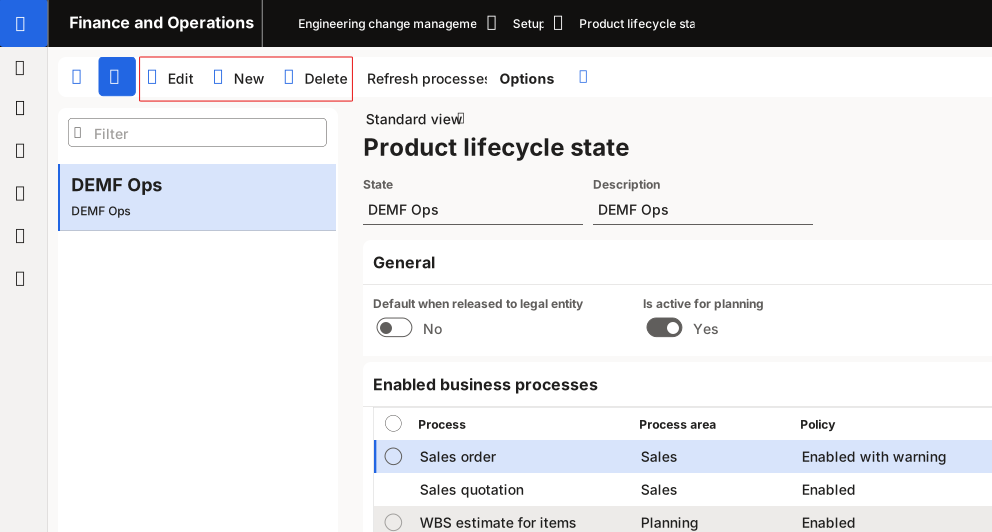
To change or add product life cycle states, go to Engineering change management > Setup > Product lifecycle state, where you can create a new life cycle by selecting New on the Action Pane and then setting the desired fields. To edit an existing life cycle state, select it in the list pane and then select Edit on the Action Pane. You can delete an existing life cycle state by selecting it on the list pane and then selecting Delete on the Action Pane.
For more information, see Product lifecycle states and transactions - Supply Chain Management | Dynamics 365 | Microsoft Learn.