Deploy Azure Cosmos DB for NoSQL as an agent conversation store
The video introduces the key concepts covered on this page.
Your AI agent now authenticates to Azure services using managed identities without storing any credentials, and RBAC roles enforce least-privilege access to backend resources. However, the agent still needs a durable store for conversation history that supports real-time queries while maintaining regulatory compliance. Traditional relational databases struggle with the unpredictable query patterns and global distribution requirements of AI workloads—chatbot sessions spike during business hours across different time zones, users expect instant access to conversation history from any device, and compliance teams mandate automatic data expiration after 90 days to satisfy regulations.
Azure Cosmos DB for NoSQL addresses these challenges by providing a globally distributed, low-latency database optimized for document storage and flexible querying. Unlike traditional databases that require complex sharding strategies and manual replication configuration, Cosmos DB distributes your data automatically across Azure regions with single-digit millisecond read and write latency at the 99th percentile. This performance becomes critical when your AI agent retrieves conversation context to generate personalized responses—a 500-ms database query delay translates directly to noticeable lag in the chat interface, degrading user experience, and reducing task completion rates by 25% according to Contoso's user research.
With this foundation in place, you need to design a data model that supports efficient conversation retrieval while distributing workload evenly across Cosmos DB's physical partitions. Consider how your agent queries conversation data: most requests fetch all messages for a specific user's active session, and analytics jobs aggregate messages across time ranges to identify common support articles. This access pattern suggests a document structure where each conversation turn (user message plus agent response) exists as a separate document containing userId, sessionId, timestamp, userMessage, agentResponse, and optional metadata like sentiment scores or article classifications.
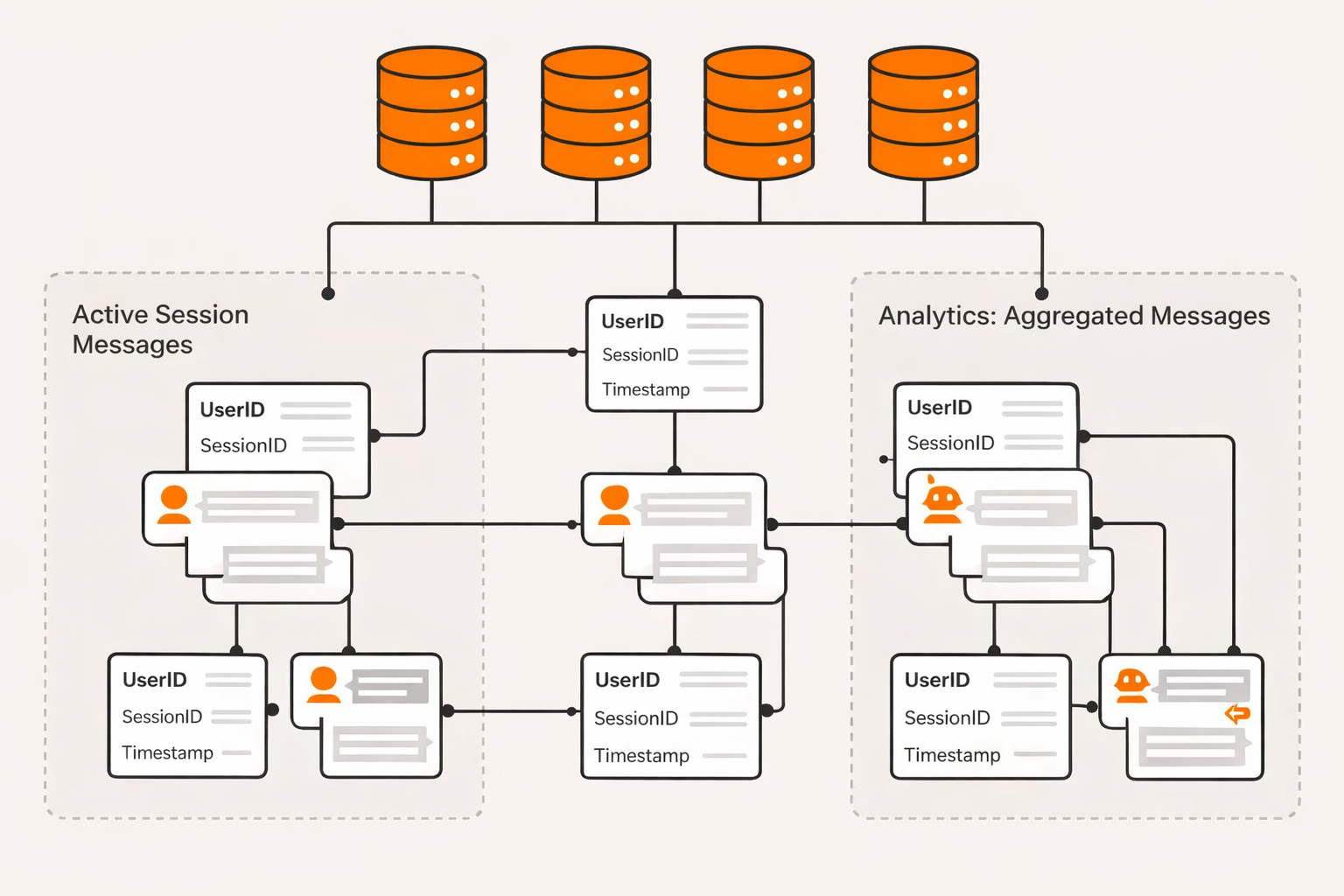
Building on this structure, the partition key selection becomes your most important performance decision. Cosmos DB uses the partition key to distribute documents across physical partitions and route queries to the correct storage nodes. Choosing userId as the partition key ensures that all conversations for a single user reside on the same partition, enabling efficient retrieval of conversation history without cross-partition queries. This approach works well when your application has millions of users with relatively balanced activity—each user generates a similar number of conversations per month, preventing any single partition from becoming a hot spot that degrades performance for all users.
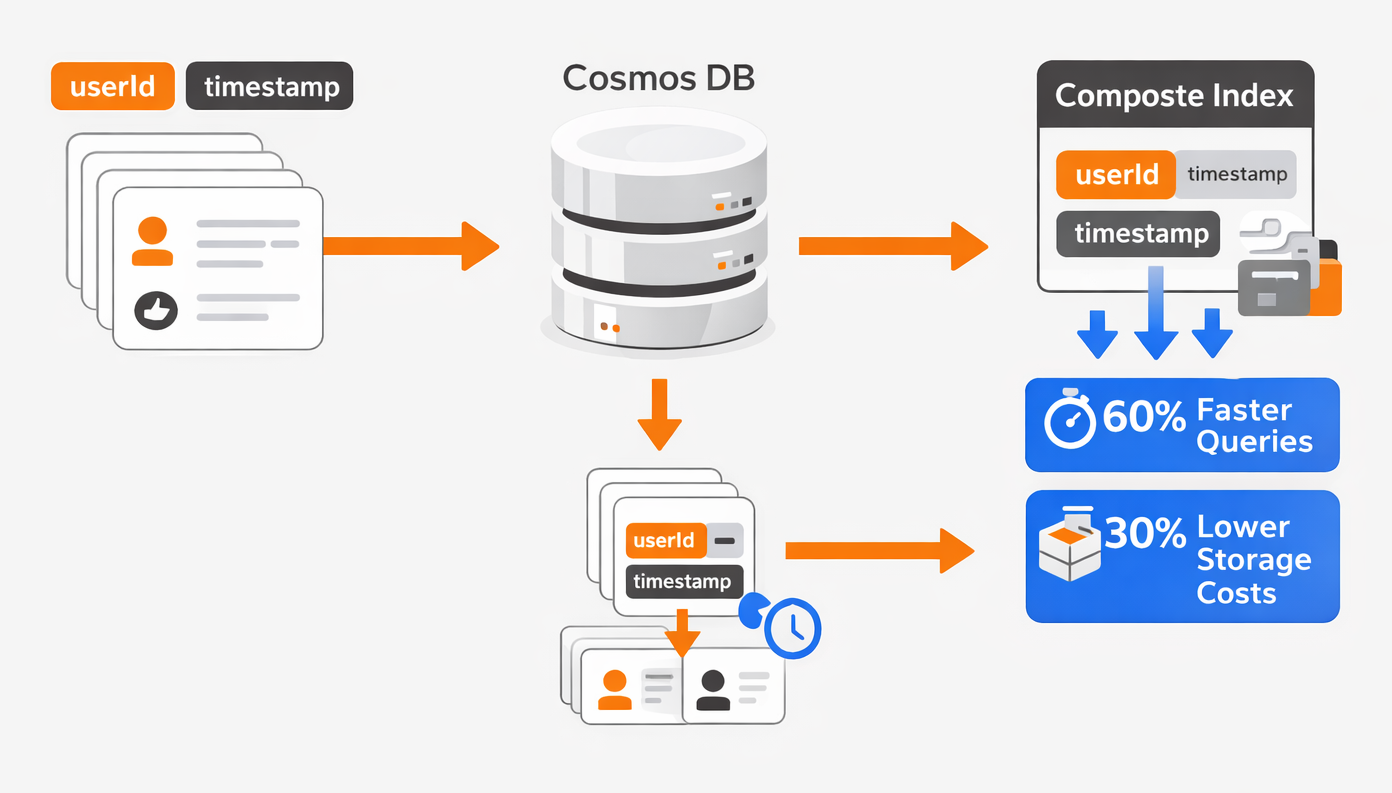
At the same time, you must configure indexing policies that accelerate the agent's most common queries. By default, Cosmos DB automatically indexes every property in your documents, which ensures fast query performance but increases write latency and storage costs. For conversation stores, you optimize this by creating composite indexes on frequently queried field combinations such as userId and timestamp, enabling efficient range queries like 'retrieve all messages for user Alice from the last 24 hours.' This targeted indexing reduces query latency by 60% compared to default indexing while decreasing storage costs by 30%.
Consider what happens when you configure consistency levels to balance latency, availability, and data durability guarantees. Cosmos DB offers five consistency levels ranging from Strong (every read sees the most recent write globally) to Eventual (reads may return slightly stale data). For AI agent conversations, Session consistency provides the optimal balance: it guarantees that a user always sees their own writes immediately (read-your-writes consistency), but doesn't require global synchronization for other users' conversations. This setting reduces read latency by 40% compared to Strong consistency while maintaining the intuitive behavior users expect—after sending a message, they immediately see it in their conversation history.
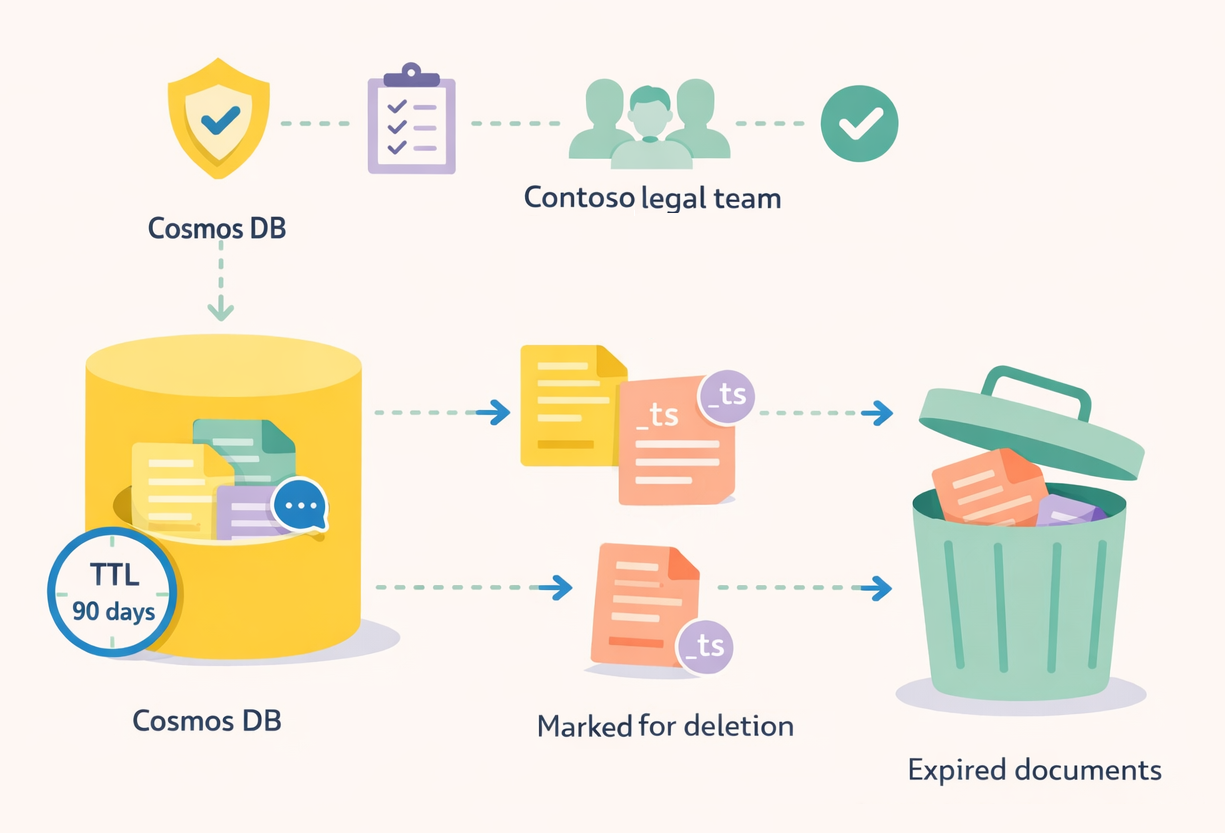
This becomes especially important when you implement data retention policies to satisfy regulatory requirements. Cosmos DB's time-to-live (TTL) feature automatically expires and deletes documents after a specified duration without requiring batch deletion jobs or stored procedures. You configure a 90-day TTL at the container level, and Cosmos DB marks documents for deletion based on their _ts (timestamp) property, removing expired conversations during background maintenance cycles.
Now that you understand how to configure partition keys, consistency levels, and retention policies, consider the cost optimization strategies that make Cosmos DB viable for production AI workloads. Cosmos DB bills based on provisioned throughput measured in Request Units per second (RU/s), where each read operation consumes approximately one RU and each write consumes 5-10 RU depending on document size. With autoscale throughput, you specify a minimum and maximum RU/s range (for example, 400-4000 RU/s), and Cosmos DB adjusts capacity automatically based on real-time request volume. During overnight hours when conversation volume drops by 80%, autoscale reduces provisioned throughput to the minimum, cutting costs by 70% compared to static provisioning while maintaining performance during peak hours.
With these configurations in place, you're ready to deploy a Cosmos DB account and container that provides the secure, scalable conversation store your AI agents require. The upcoming exercise walks you through creating the database account with Session consistency, provisioning a container with userId partition key and 90-day TTL, assigning your agent's managed identity the Cosmos DB Data Contributor role, and validating keyless connectivity by writing and retrieving a test conversation document. This hands-on experience consolidates all the concepts you've learned about RBAC, managed identities, and Cosmos DB configuration into a working infrastructure deployment.
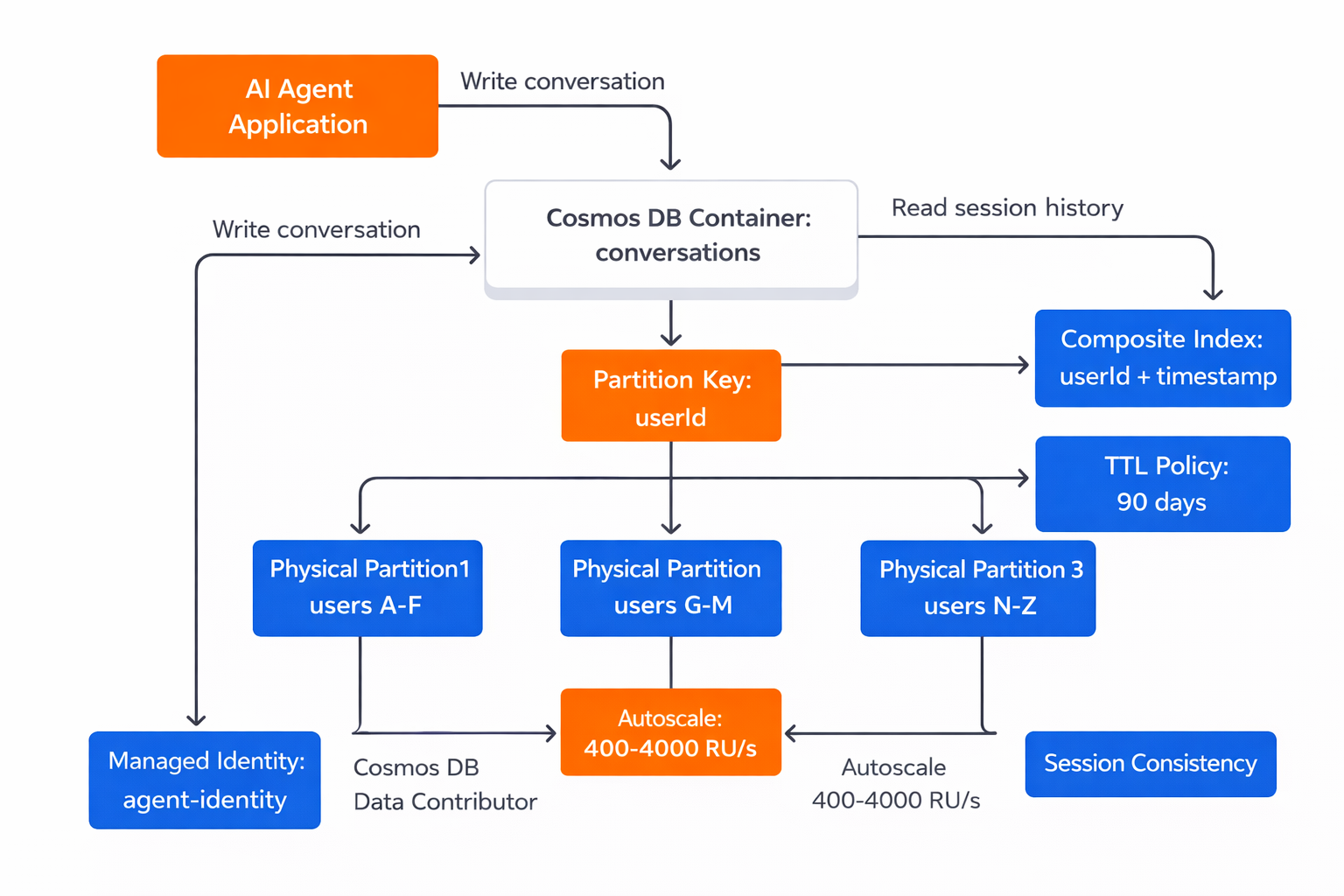
Azure Cosmos DB for NoSQL configuration as an AI agent conversation store with performance and governance optimizations
More resources
- Choose a partition key in Azure Cosmos DB - Comprehensive guide explaining partition key selection strategies, hot partition prevention, and synthetic key patterns
- Consistency levels in Azure Cosmos DB - Detailed explanation of all five consistency levels with latency comparisons, availability guarantees, and use case recommendations
- Time to Live (TTL) in Azure Cosmos DB - Instructions for configuring TTL at container and document levels with examples of automatic data expiration
- Provision autoscale throughput on Azure Cosmos DB - Guide to configuring autoscale throughput with cost comparisons and best practices for minimum and maximum RU/s selection