Explore the model catalog
Tip
See the Text and images tab for more details!
The Foundry Models catalog serves as your central hub for discovering and comparing AI models. With over 1,900 models available from various providers, you need effective ways to filter and find models that match your specific requirements.
The model catalog includes two broad categories of model:
Foundry Models sold directly by Azure
These models are billed directly through your Azure subscription, and include Azure OpenAI models as well as models from Microsoft and other providers.
Foundry Models from partners and community
These models are provided by trusted partners and the community; each with their own licensing and pricing.
Finding models in the model catalog
The model catalog user interface in the Foundry Portal provides an easy way to search for the right model for your needs. Each model has a model card showing its key information; including the provider, capabilities, benchmark metrics, responsible AI considerations, and deployment options.
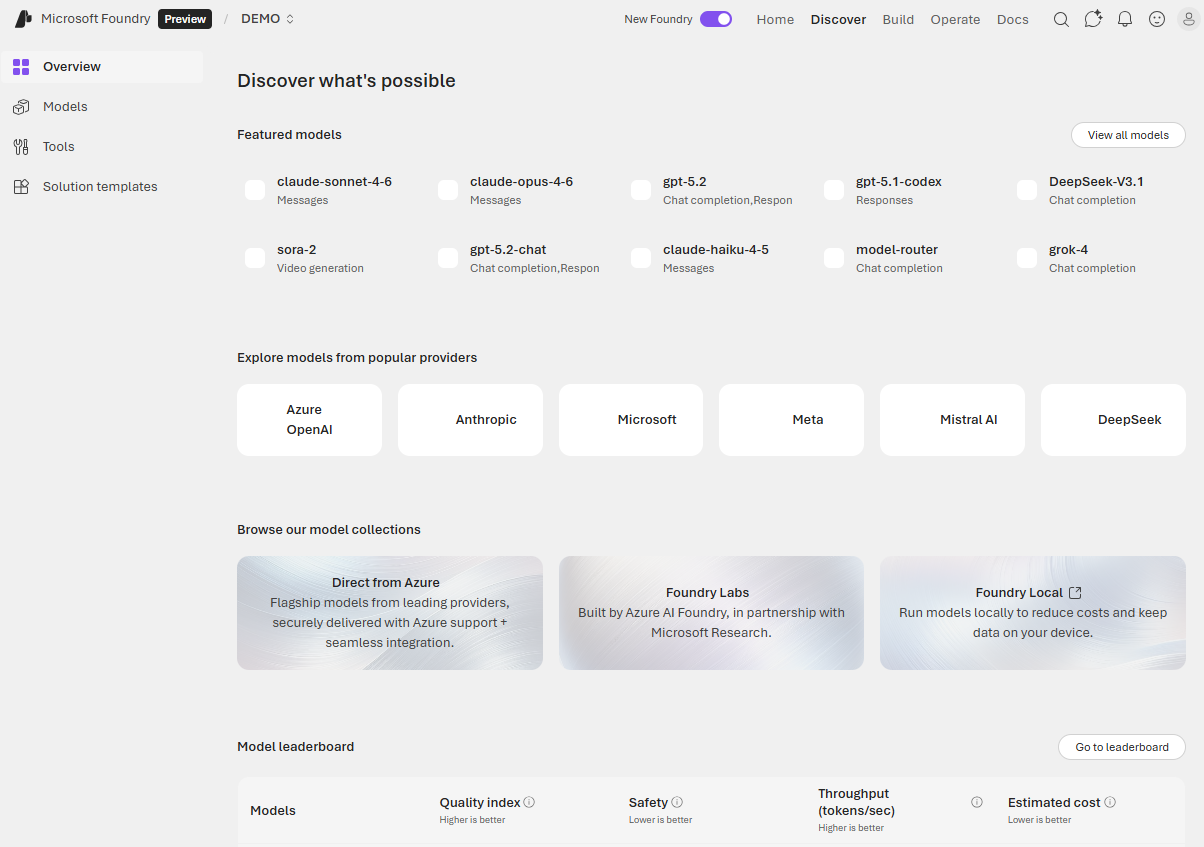
You can search for models by keyword, and you can filter based on the following attributes:
- Collection: Models are organized into collections, such as models that are provided directly in Azure, or models in the Hugging Face repository.
- Capabilities: Specific model abilities, including reasoning (complex problem-solving), tool calling (API and function integration), or multimodal processing (text, images, audio).
- Source: The model provider, including Azure OpenAI, Microsoft, Cohere, Mistral, Meta, Anthropic, and others.
- Inference tasks: Specific tasks like text generation, summarization, translation, image-generation, speech synthesis, or other common AI tasks.
- Fine-tuning methods: Supported techniques for fine-tuning a model.
- Industry: Models trained on industry-specific datasets. These specialized models often outperform general-purpose models in their respective domains.
Understand generative AI model types
As you explore the catalog, you encounter different categories of models designed for various use cases. In broad terms, you can categorize language models as:
- Large Language Models (LLMs) like GPT-5, Mistral Large, and Llama 3 70B that are designed for tasks requiring deep reasoning, complex content generation, and extensive context understanding. These models excel at sophisticated applications but require more computational resources.
- Small Language Models (SLMs) like Phi-4, Mistral OSS models, and Llama 3 8B that offer efficiency and cost-effectiveness while handling common natural language processing tasks. They're ideal for scenarios where speed and cost matter more than handling the most complex reasoning tasks. SLMs can run on lower-end hardware or edge devices.
Chat completion and reasoning models
Most language models in the catalog are chat completion models designed to generate coherent, contextually appropriate text responses. These models power conversational interfaces and content generation applications.
For scenarios requiring higher performance in complex tasks like mathematics, coding, science, strategy, and logistics, reasoning models like Claude Opus 4.6 provide enhanced problem-solving capabilities. These models can break down complex problems and show their reasoning process.
Specialized models
The catalog also includes task-specific models:
Embedding models like text-embedding-3-large, text-embedding-3-small, and Cohere's embedding models convert text into numerical representations. These models enable semantic search, recommendation systems, and Retrieval Augmented Generation (RAG) scenarios where you need to find relevant information based on meaning rather than exact keyword matches.
Image generation models like GPT-image-1 create images from text descriptions. Use these for generating marketing materials, illustrations, or design mockups.
Video generation models like Sora 2 create video content from text descriptions.
Image analysis models like GPT-4.1 can accept multimodal input, including text and images; and generate natural language output based on prompts that include images for analysis.
Text to speech models like GPT-4o-tts can convert text-based input to synthesized speech.
Speech to text models like GPT-4o-transcribe can convert audio data containing speech into text transcriptions.
Regional and domain-specific models
Some models are optimized for specific languages, regions, or industries. When you need specialized performance in a particular domain or language, these models often outperform general-purpose alternatives. Examples include models trained on medical literature, legal documents, or specific language corpora.