Evaluate model performance
Tip
See the Text and images tab for more details!
Evaluating your deployed model ensures it meets quality standards, provides accurate responses, and continuously improves over time. The Microsoft Foundry portal offers multiple approaches to evaluation, from manual testing to automated metrics and comprehensive evaluation flows.
Why evaluate models
Evaluation serves several critical purposes in generative AI application development:
Quality assurance identifies issues and ensures your model provides accurate, relevant responses. Discovering problems during evaluation rather than production protects your users and your organization's reputation.
User satisfaction improves when models consistently deliver helpful, appropriate responses. Evaluation helps you understand how users experience your application and where improvements make the biggest impact.
Continuous improvement comes from analyzing evaluation results to identify enhancement opportunities. Regular evaluation as you update prompts, add features, or retrain models ensures ongoing quality.
Compliance and safety verification confirms your model adheres to policies, avoids generating harmful content, and respects user privacy and data protection requirements.
Manual evaluation approaches
Manual evaluation involves human reviewers assessing model responses. While time-intensive, manual evaluation provides insights automated metrics can't capture.
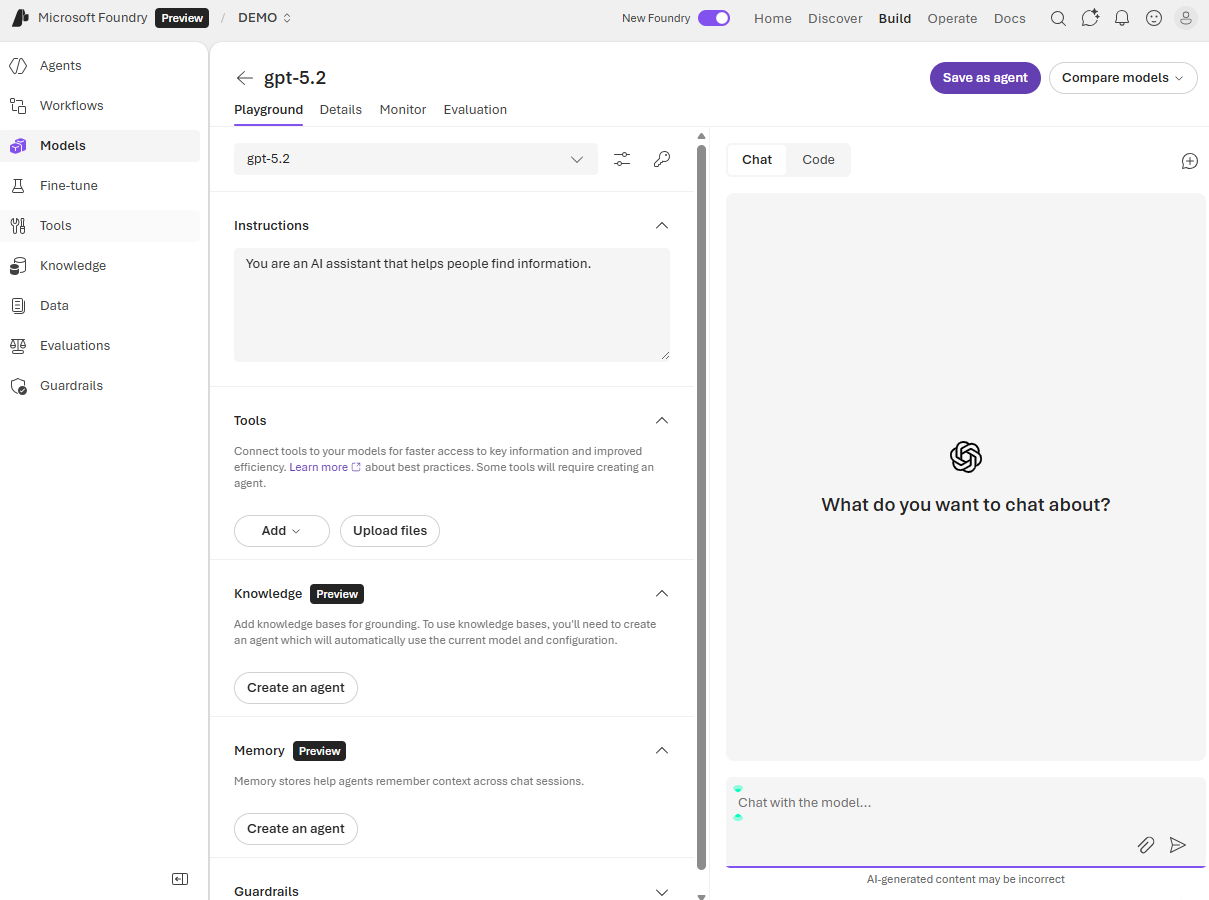
Interactive testing in the playground lets you explore model behavior qualitatively. You enter diverse prompts, observe responses, and note issues like incorrect information, inappropriate tone, or failure to follow instructions. This exploratory testing helps you understand a model's strengths and limitations.
To help optimize your application design, you can test models side by side in the playground, synchronizing system instructions and prompts to compare their responses.
Structured review involves creating a set of test cases representing your application's use cases. Human evaluators rate responses based on criteria like:
- Relevance: Does the response address the question or request?
- Informativeness: Does it provide sufficient detail and useful information?
- Engagement: Is the response interesting and appropriately conversational?
- Accuracy: Are facts and statements correct?
- Safety: Does the response avoid harmful, biased, or inappropriate content?
Evaluators typically use rating scales (such as 1-5) for each criterion. Aggregate ratings across multiple test cases provide quantitative measures of overall quality.
User studies collect feedback from actual or representative users interacting with your application. User feedback reveals real-world issues you might miss in controlled testing, such as confusing phrasing, missing context, or unmet expectations.
Manual evaluation complements automated approaches by capturing subjective quality aspects like user satisfaction, contextual appropriateness, and brand alignment that metrics alone can't measure.
Automated evaluation metrics
Automated evaluation uses standard metrics to assess your model's outputs automatically. These evaluations scale efficiently and provide consistent, objective measurements.
The Microsoft Foundry portal supports several categories of evaluation metrics, including:
Generation quality metrics evaluate overall response quality:
- Groundedness: Determines whether responses are based on provided context rather than speculation. Groundedness Pro offers binary assessment (grounded or not grounded) useful for factual accuracy requirements.
- Relevance: Measures whether responses address the user's question or request appropriately.
- Coherence: Assesses whether responses flow logically and maintain consistent ideas.
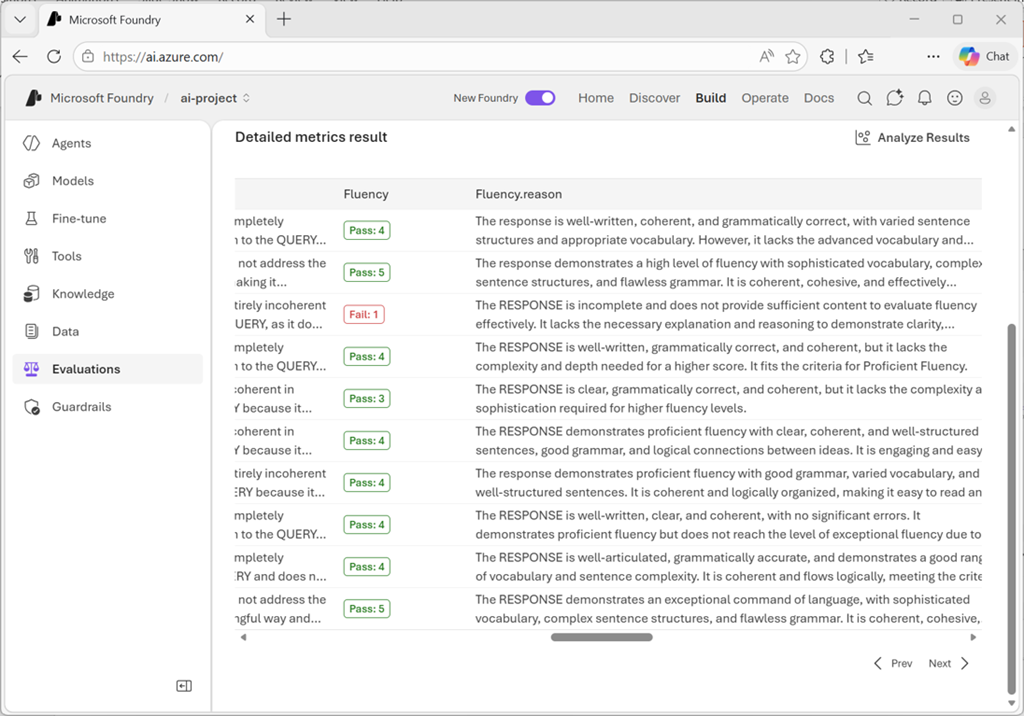
- Fluency: Evaluates linguistic correctness and natural language quality.
Risk and safety metrics identify potential harmful content:
- Self-harm content: Detects responses discussing or encouraging self-harm
- Hateful and unfair content: Identifies bias, discrimination, or hateful statements
- Violent content: Flags responses containing or promoting violence
- Sexual content: Detects inappropriate sexual content
- Protected material: Identifies potential copyright or proprietary content reproduction
- Indirect attack (jailbreak): Assesses vulnerability to manipulation attempts
For content harm metrics, results aggregate as defect rate—the percentage of responses exceeding a severity threshold (typically Medium). For protected material and indirect attack, defect rate calculates as (true instances / total instances) × 100.
When using AI-assisted evaluation, you specify a GPT model to perform the assessment. This evaluator model analyzes your deployed model's responses and assigns scores based on the selected criteria.
Natural language processing metrics
NLP metrics provide mathematical-based evaluation without requiring an evaluator model. These metrics often need ground truth data—expected or correct responses for comparison.
F1-score measures the ratio of shared words between generated and ground truth answers, balancing precision (avoiding incorrect words) and recall (including important words). F1-score is valuable for tasks like text classification and information retrieval.
BLEU (Bilingual Evaluation Understudy) compares n-grams (word sequences) between generated and reference texts, commonly used for machine translation evaluation.
METEOR (Metric for Evaluation of Translation with Explicit Ordering) extends BLEU by accounting for synonyms, stemming, and paraphrasing, providing more flexible comparison.
ROUGE (Recall-Oriented Understudy for Gisting Evaluation) emphasizes recall over precision, making it particularly useful for summarization tasks where covering key points matters more than avoiding extra words.
GLEU (Google-BLEU) is a variant of BLEU designed for sentence-level evaluation.
NLP metrics work well when you have definitive correct answers or reference texts. They're less suitable for open-ended generation where many valid responses exist.
Create comprehensive evaluations
The Microsoft Foundry portal's Evaluation feature lets you run systematic evaluations using test datasets and multiple metrics simultaneously.
You can base your evaluation on one of the following:
- Model: Evaluate a deployed model with prompts you specify. The system generates outputs during evaluation.
- Agent: Evaluate an agent's responses with user-defined prompts.
- Dataset: Evaluate pre-generated outputs already present in your test dataset.
When evaluating a model or agent, you need a dataset to provide inputs for assessment. You have three options:
- Upload new dataset: Provide a CSV or JSONL file containing test cases from your local storage.
- Use existing dataset: Select from datasets you've previously uploaded to your project.
- Generate synthetic dataset: If you lack test data, the system can generate sample data based on a topic description you provide. You specify the resource to generate data, the number of rows, and a prompt describing the desired data. You can also upload files to improve relevance to your specific task.
For dataset evaluation where outputs are pre-generated, select or upload your dataset containing both inputs and model-generated responses.
After configuring the metrics you want to calculate, the field mappings for the evaluation data, and the system prompt for the model; you can start the evaluation job - which may take some time to run asynchronously, processing each row in your test dataset against the selected metrics.
Review evaluation results
When evaluation completes, the results show aggregate scores for the metrics you selected and details of each test prompt.
Explore the evaluator library
The Evaluator library provides a centralized location to view and manage all available evaluators. Access it from your project's Evaluation page by selecting the Evaluator library tab.
In the evaluator library, you can:
- View Microsoft-curated evaluators for quality, safety, and performance
- Examine evaluator details including name, description, parameters, and associated files
- Review annotation prompts for quality evaluators to understand how metrics are calculated
- Check definitions and severity levels for safety evaluators
- Manage custom evaluators you've created for specific scenarios
The library supports version management, letting you compare different versions, restore previous versions if needed, and collaborate with others on custom evaluators.
Iterate based on evaluation
Evaluation results inform your next steps:
When scores are lower than required, consider:
- Prompt engineering: Refining instructions and system messages
- Different models: Trying models optimized for your use case
- RAG integration: Adding retrieval capabilities to ground responses in your data
- Fine-tuning: Training the model on your specific domain (if supported)
Each of these steps can grow in complexity (and sometimes cost), so take that into consideration when planning improvements.
When safety metrics show concerns:
- Content filters: Implementing Azure AI Content Safety services
- Prompt hardening: Adding safety instructions to system messages
- Output validation: Checking responses before displaying to users
Regular evaluation as you make changes tracks improvements and ensures quality doesn't regress. Establish evaluation benchmarks early in development, then re-run evaluations after modifications to measure impact objectively.
By combining manual testing, automated metrics, and comprehensive evaluation flows, you build confidence that your model performs well, safely serves users, and meets your application's quality requirements.