Generate and interpret device and compliance reports
Reports turn raw device status into operational decisions. In Intune, you can generate inventory and compliance reports to answer questions like: Which devices haven’t checked in? Which OS versions are still in use? Why are devices noncompliant and is it isolated or widespread? You can then use those insights to target remediation, validate rollouts, and support audits.
Report enrolled devices inventory in Intune
The Intune admin center doesn’t provide a dedicated “Inventory report” under Reports, but you can still produce inventory-style exports by using Devices lists with columns, filters, and export:
- In the Microsoft Intune admin center, select Devices > All devices.
- Select Columns and choose the fields you want included (or remove fields you don’t need). Select Apply.
- Select Filter and apply criteria such as OS, ownership, or other device attributes. Select Apply.
- Select Export, then select Yes to confirm.
- Intune generates and downloads a zipped, comma-separated value (.csv) file. Open it in Excel to view, sort, filter, and share.
Device compliance summary report
Follow these steps to view for an overall view of the compliance posture:
- In the Microsoft Intune admin center, select Reports.
- Under Device management, select Device compliance.
- On the Summary Tab, select Generate.
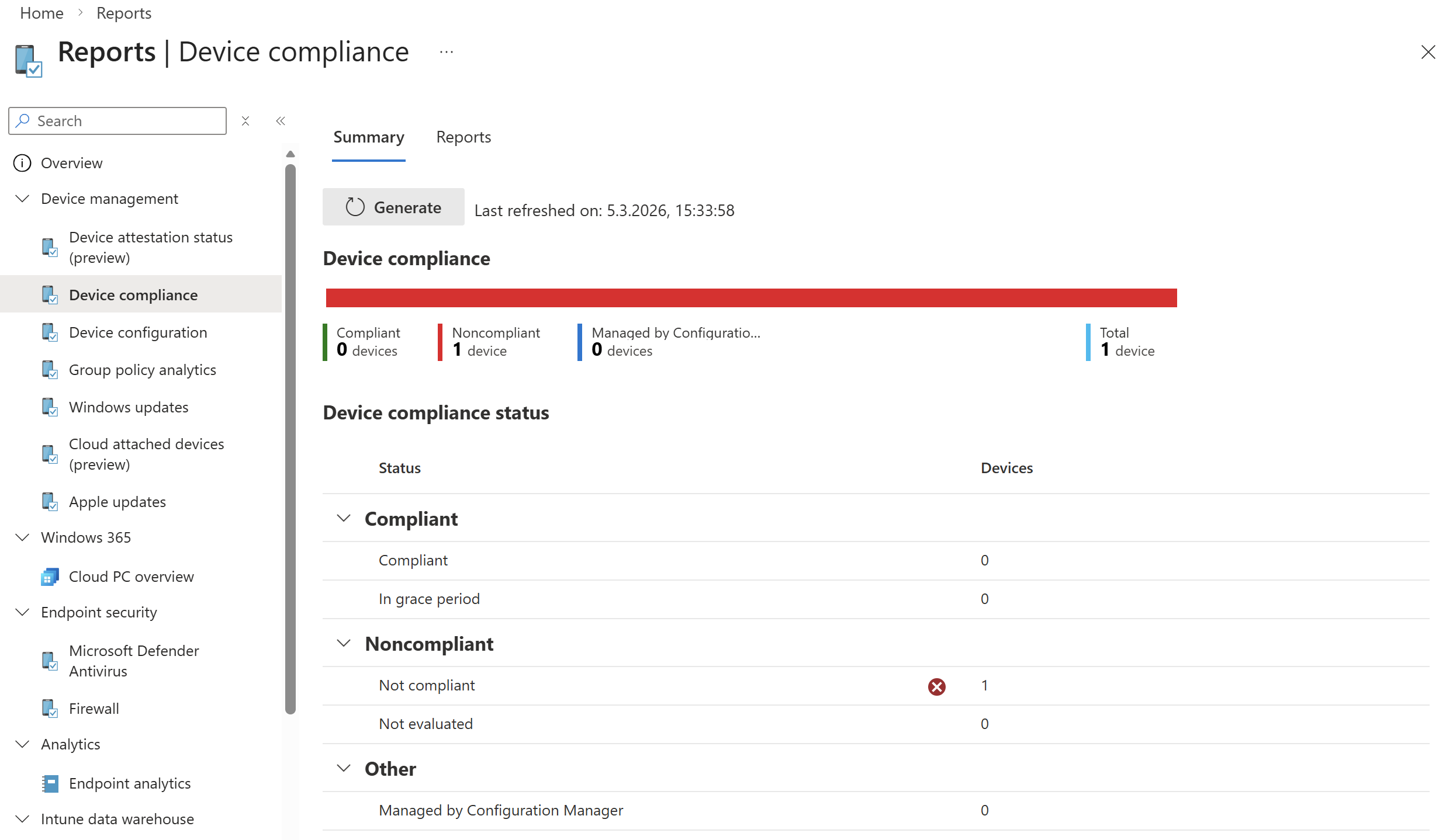
Device compliance report
The device compliance report provides a broad, traditional overview of compliance data and is optimized for large datasets. It shows all device compliance states, offers both detailed records and aggregated metrics.
- In the Microsoft Intune admin center, select Reports.
- Under Device management > Device compliance.
- On the Reports Tab, select Device compliance.
- Apply filters like Compliance status, OS, Microsoft Managed Desktop and Ownership.
Device compliance trends
Use trends to move beyond snapshots and identify patterns over time (for example, compliance dips after a policy change or OS update wave).
Go to Reports > Device compliance > Reports tab > Device compliance trends.