Review administrator settings
You're assigned administrator responsibilities in mPower. Before creating users or modifying configurations, you need to understand the administration workspace and identify where user management, Quality Control, and data maintenance functions are located.
Reviewing administrator settings helps you understand the current configuration and determine which administrative tools are available to support your organization.
Administrator settings overview
Administrators access the administration workspace through the Admin area. The administration workspace serves as the central location for managing users, groups, settings, QC algorithms, data cleanup activities, and application information.
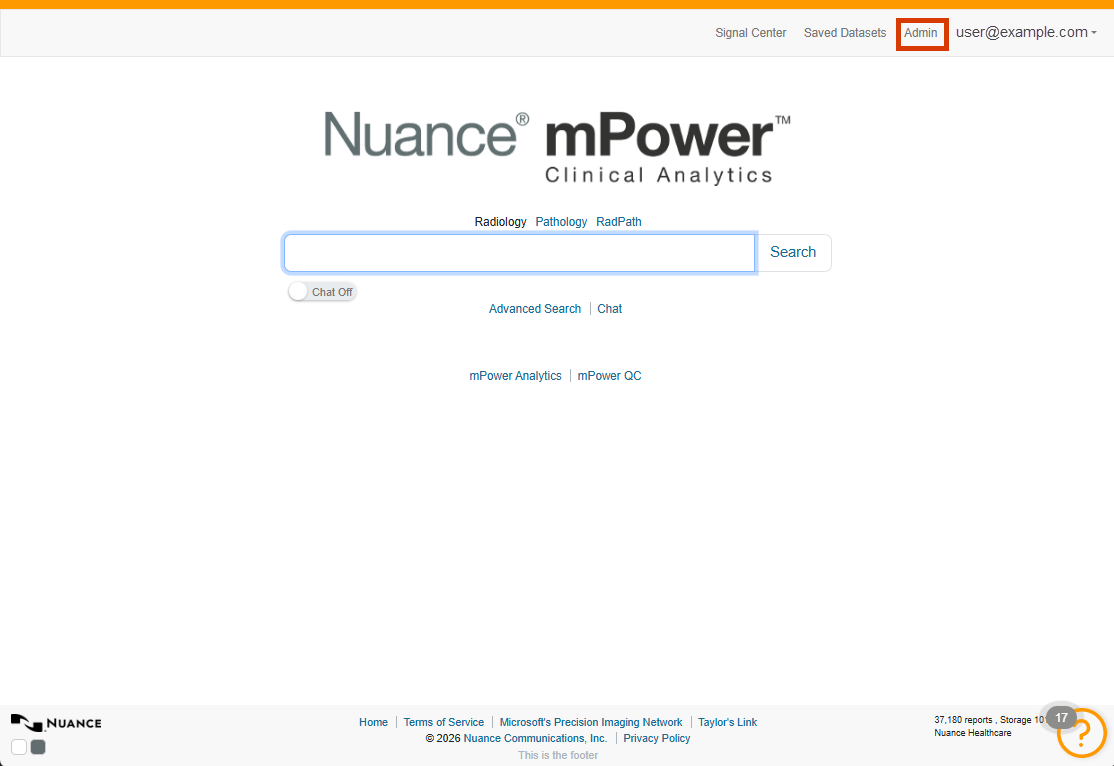
The administration area is organized into several functional sections, including Users, Settings, Mappings, Application Info, and Integrity Checks. Understanding these areas helps administrators locate configuration options and perform administrative tasks efficiently.
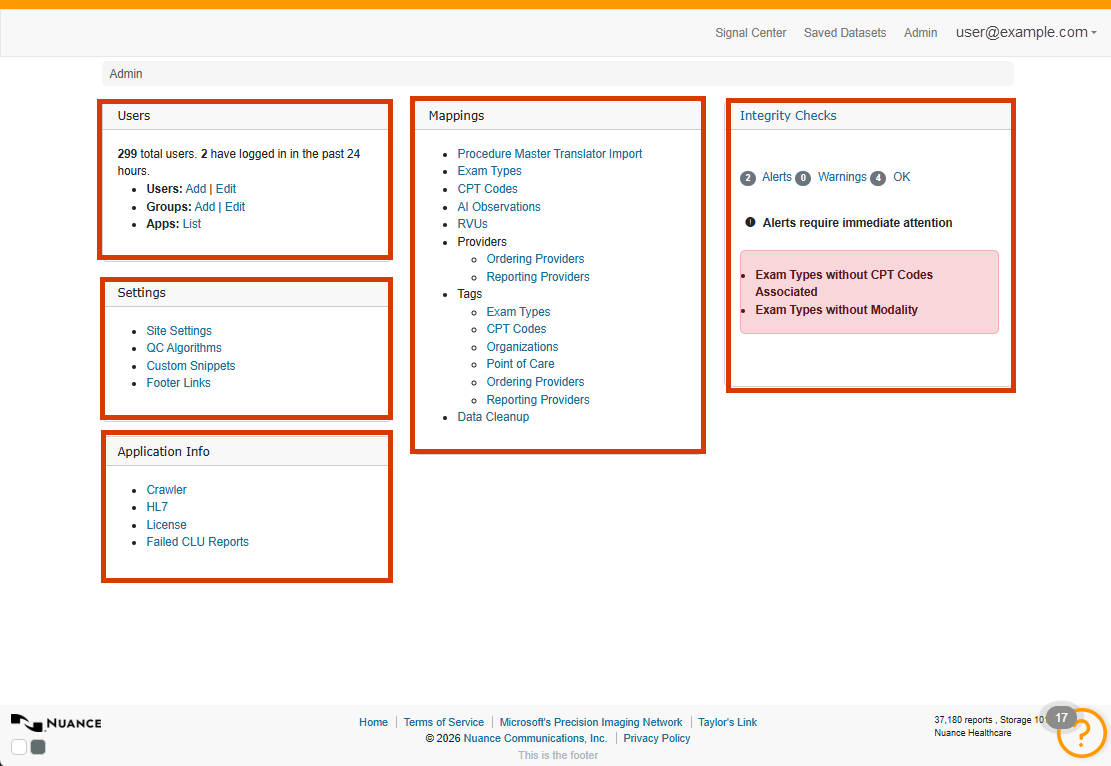
Review user administration settings
The Users area contains tools for managing user accounts, group memberships, and application access. Administrators use these settings to control who can access mPower and what capabilities each user receives.
Review configuration settings
The Settings area contains site configuration options, QC algorithm management, custom snippets, and footer links. These settings help administrators maintain the system and control the behavior of key features.
Review data management options
Mappings and Data Cleanup tools support ongoing maintenance activities, helping administrators manage reference data, maintain consistency, and resolve data issues.