Configure quality control algorithms
Your organization uses Quality Control processes to identify and evaluate specific reporting events. Administrators must understand which algorithms are available and how they are configured.
QC algorithms define the categories used to identify Quality Control events within the system.
Configure Quality Control algorithms
The QC Algorithms page displays information about available algorithms, including their type, category, status, and event activity. Administrators use this information to review and manage QC configurations.
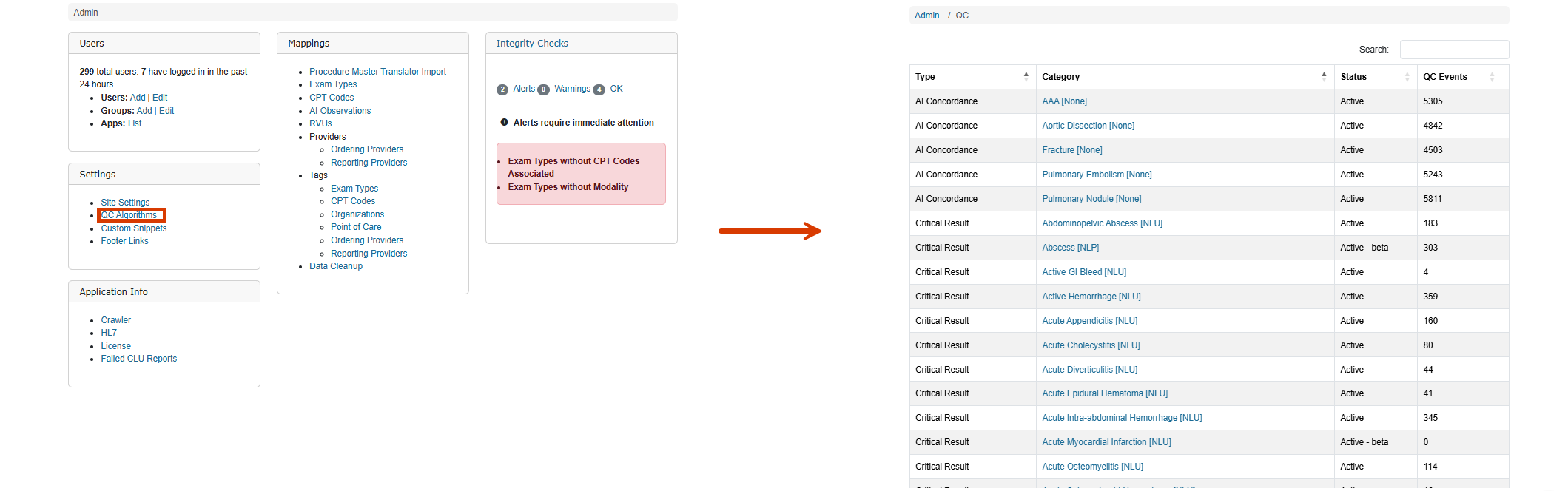
Review algorithm information
Algorithms are organized by type and category. Examples include Critical Result, Follow-Up, Measurement, Mismatch, MIPS, and Score and Assessment categories.
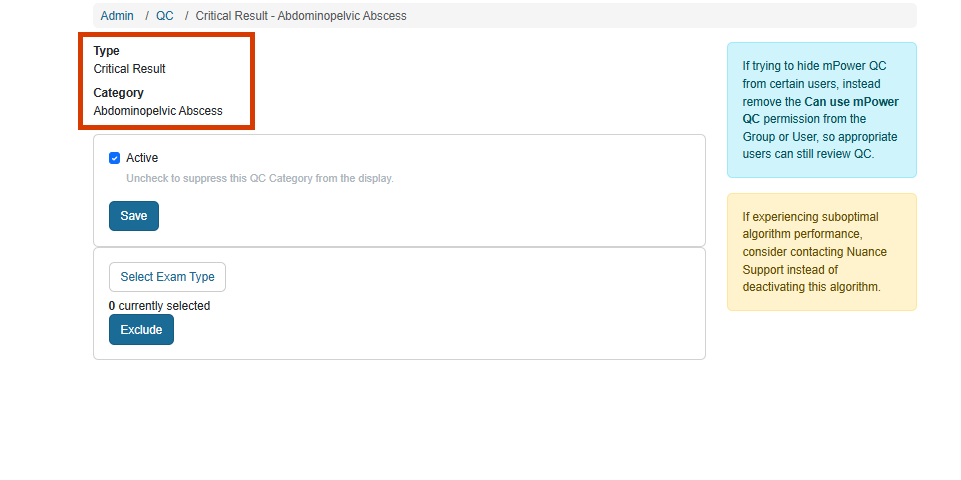
Review algorithm activity
The QC Events value indicates activity associated with an algorithm, providing visibility into how frequently events are being identified.
Manage algorithm configuration
Selecting an algorithm opens the management page where administrators review settings and configure exclusions.
Activate and deactivate Quality Control algorithms
Algorithm management includes a setting that determines whether a QC algorithm is active. Administrators can enable or disable algorithms based on organizational requirements.
Review algorithm status
Algorithms can appear as Active, Active-Beta, or Inactive. Reviewing status helps administrators understand which algorithms are currently available for use.
Enable algorithms
Select the active setting to make the algorithm available for identifying QC events.
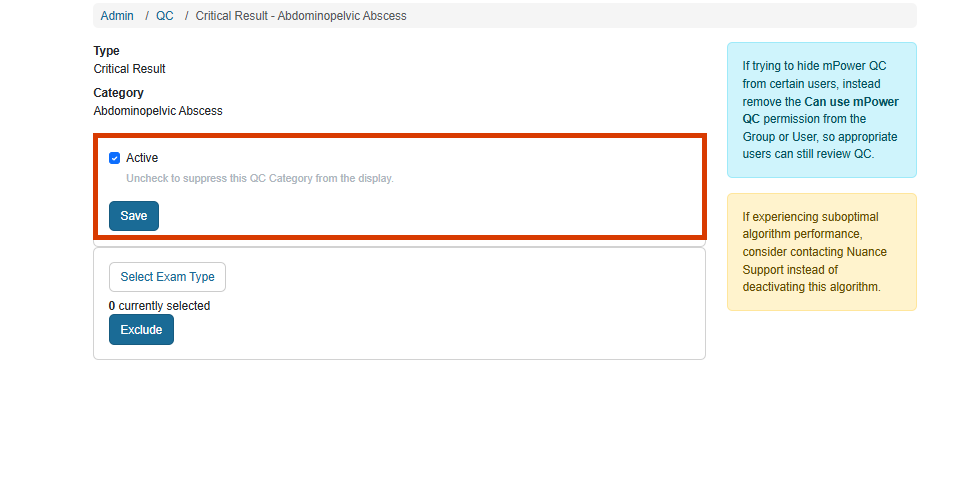
Disable algorithms
Clear the active setting to suppress the QC category from display and remove it from active use.
Manage Quality Control exam code exclusions
Configure QC algorithms to exclude selected exam types. Administrators use exclusion settings to refine how quality events are identified.
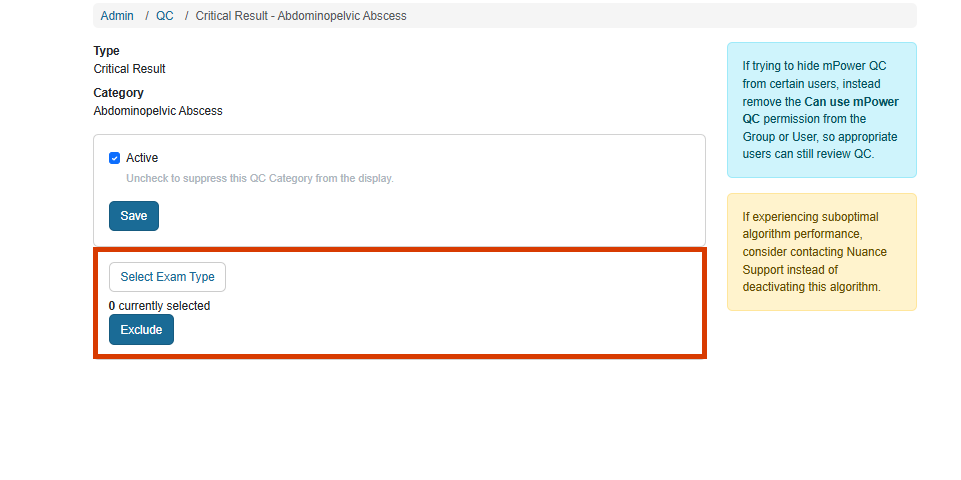
Review exclusion settings
Algorithm management displays exam type exclusion options associated with the selected QC category.
Select excluded exam types
Administrators use the exam selection process to identify exam types that should be excluded from algorithm evaluation.
Maintain evaluation accuracy
Periodically review exclusion settings to help ensure algorithms stay aligned with your organizational and operational requirements.