Access the Resource Center
As an administrator, you might need product documentation, troubleshooting guidance, training materials, or release information. Instead of searching multiple locations, use the Resource Center to access these resources from one location.
What is the Resource Center?
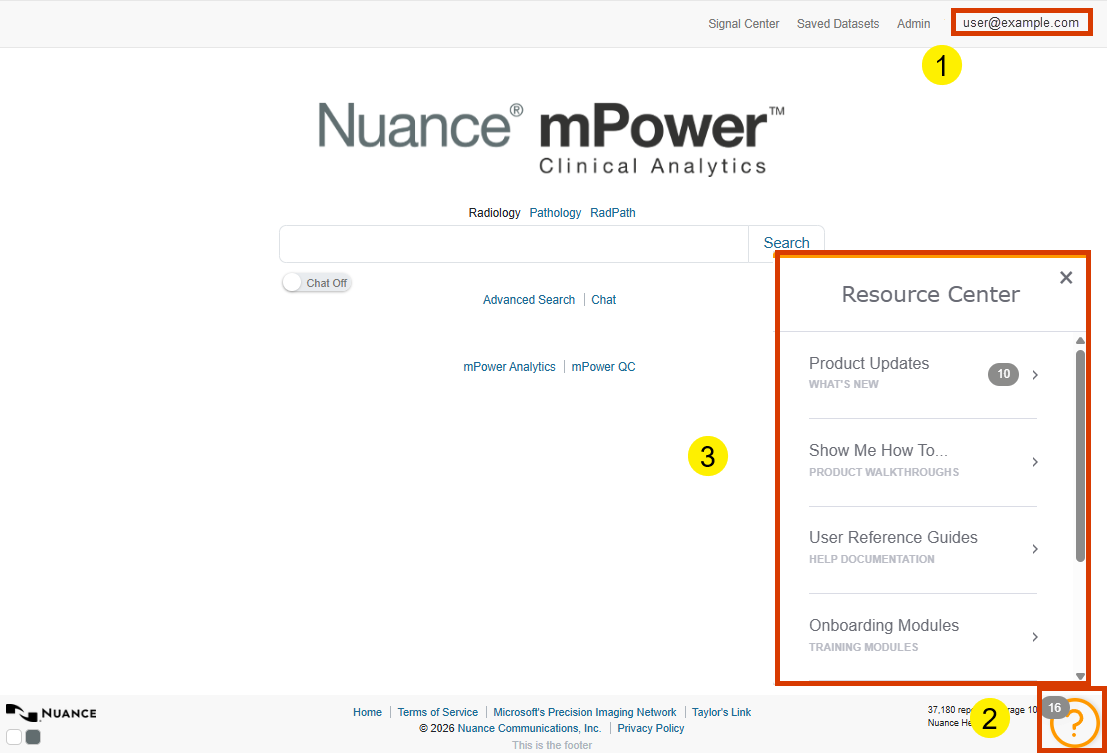
The Resource Center is a centralized collection of materials that support users and administrators working in mPower, including:
Product updates
Product walkthroughs
Reference documents
Training videos
Support information
Access the Resource Center
To access the Resource Center:
Sign in to mPower.
Go to the Resource Center section by selecting the ? icon.
Browse available categories or collections.
The Resource Center helps you discover and access content from a central location, so you spend less time searching for information.
Find resources efficiently
Administrators frequently use the Resource Center to:
- Locate user documentation.
- Review product updates.
- Access training materials.
- Find troubleshooting guidance.
- Reference support information.
When you become familiar with these resources, you can reduce resolution times when supporting users.