Review data cleanup
Over time, the system can accumulate data that active records no longer reference. Administrators need to understand the available cleanup tools and determine when to use them.
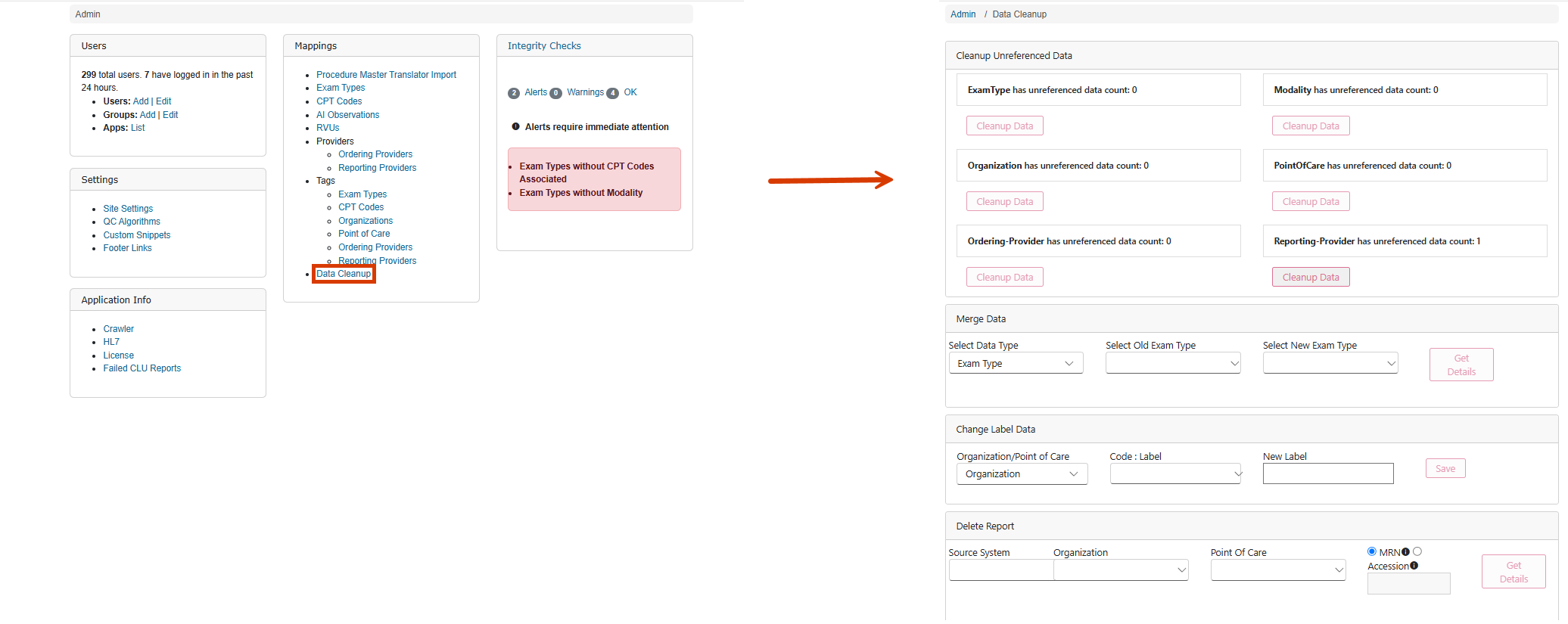
Review unreferenced data cleanup options
The Data Cleanup area contains tools that help administrators manage unreferenced or redundant information. These tools support overall data quality and consistency.
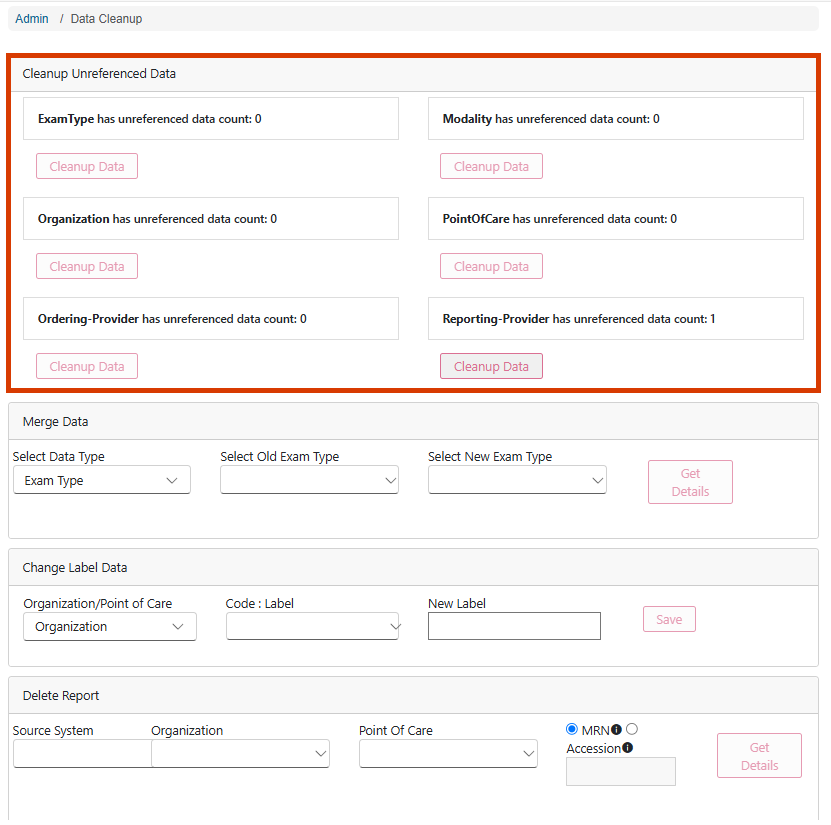
Review cleanup tools
Data Cleanup includes options for merging data, changing labels, and managing records. By reviewing these tools, administrators can determine appropriate maintenance actions.
Evaluate maintenance needs
Administrators should periodically review available cleanup options to identify opportunities to improve data quality and consistency.
Support long-term data quality
Routine maintenance activities help ensure users work with accurate and meaningful information.
Merge data records
The Data Cleanup area includes a Merge Data capability that combines related data records. Administrators can merge modalities, organizations, points of care, and provider-related data where appropriate.
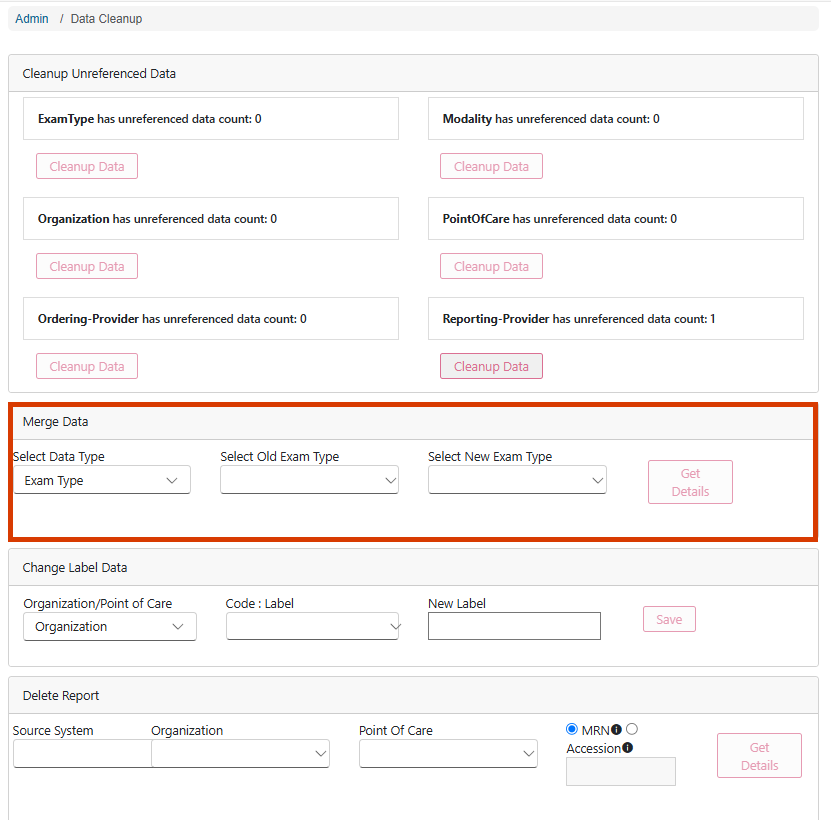
Identify records for consolidation
Administrators review information to determine whether records should be combined.
Merge related data
The merge process supports consolidation of data so that related information is maintained consistently.
Verify merged results
After merging records, administrators should confirm that data relationships remain accurate.
Update label data
The Change Label Data feature enables administrators to modify display names associated with Organizations and Points of Care.
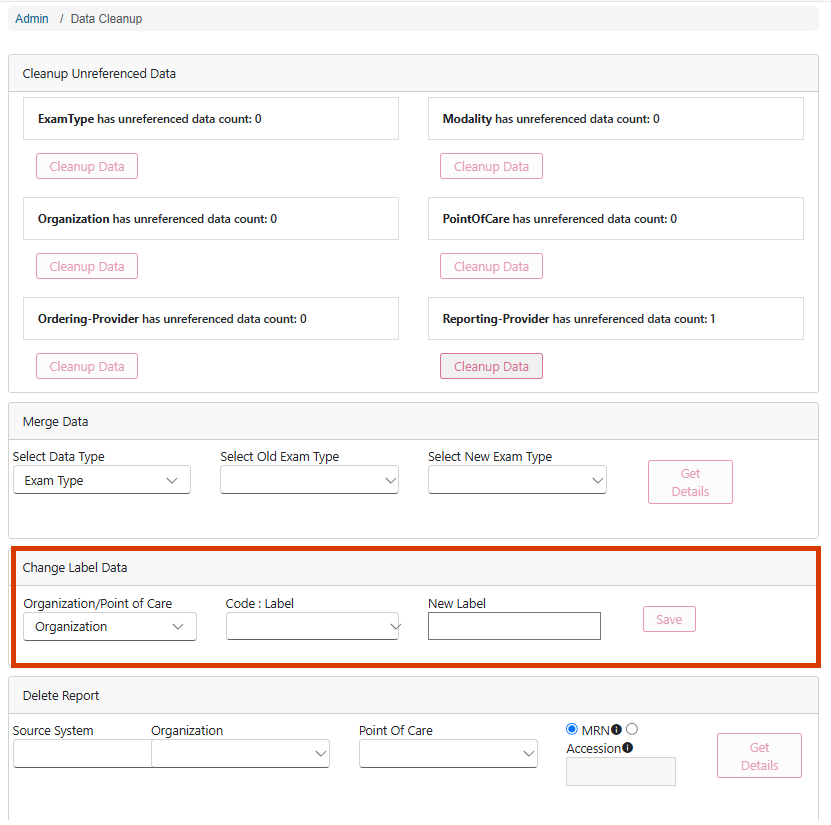
Review existing labels
Administrators can review label information to identify inconsistencies or outdated naming conventions.
Update display names
Label updates help ensure users see consistent terminology across reports and filters.
Maintain naming standards
Consistent label data improves usability and helps maintain confidence in reporting results.