Introduction
A radiology quality team is responsible for monitoring report quality, patient safety events, and documentation consistency across a large volume of clinical reports. Manually reviewing every report requires significant effort and can make it difficult to identify issues in a timely manner.
mPower QC helps organizations monitor quality-related events by using Natural Language Understanding (NLU) technology to analyze report content and identify reports that might require further review. Quality teams can use dashboards and review workflows to focus their attention on events that have the greatest impact on quality and patient safety.
Understand mPower QC
mPower QC is a quality monitoring application within mPower that helps identify reports containing potential quality, safety, and documentation concerns.
Instead of requiring users to manually review all reports, mPower QC analyzes report content and identifies events that might require attention. Results are presented through dashboards and review queues that support consistent quality monitoring and investigation activities.
Quality teams, operational leaders, and reviewers can use QC information to evaluate trends, investigate findings, and support quality improvement initiatives.
Access mPower QC
To open mPower QC:
- Sign in to mPower.
- Select mPower QC from the main navigation.
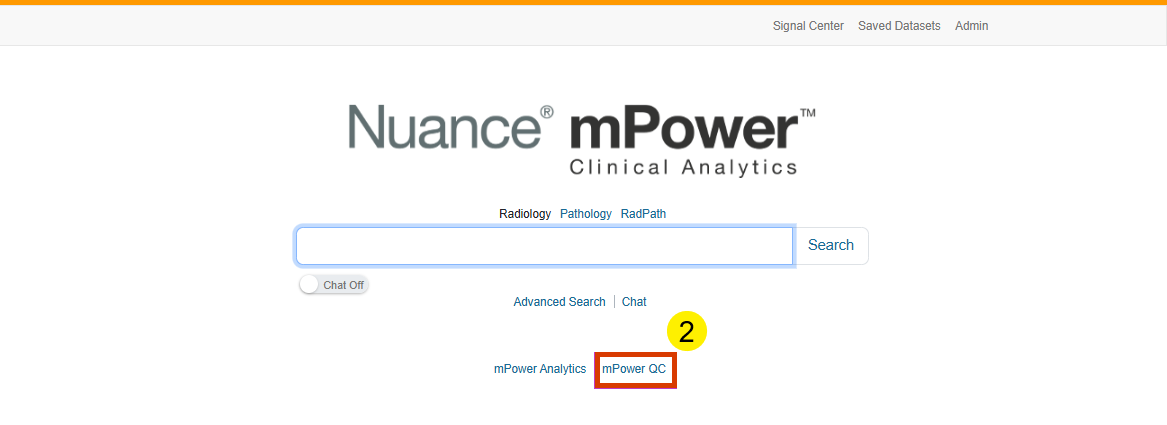
The QC home page displays dashboards, review queues, and other quality-monitoring resources that are available based on your assigned permissions.
Review available dashboards
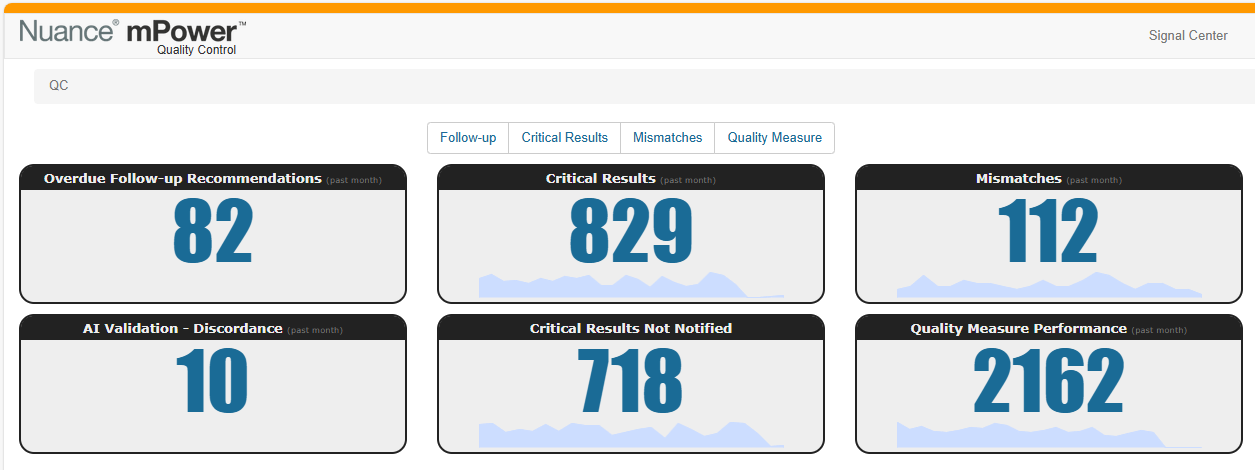
When you open mPower QC, the available dashboards provide visibility into the quality measures applicable to your role.
The dashboard includes:
- Follow-up recommendations
- Critical results
- Documentation mismatches
- Quality measure events
These dashboards help users identify trends, evaluate activity levels, and determine where further review might be required.
Review available queues
Review queues organize reports that QC algorithms identify.
Users can access assigned worklists and focus their review efforts on reports associated with specific event types.
Review AI Validation availability
Some organizations might enable the AI Validation dashboard.
When enabled, the dashboard appears alongside other QC dashboards and supports validation activities associated with AI-generated results.
Review quality-related events
mPower QC scans reports and identifies content associated with established quality monitoring criteria.
The system focuses on several common event categories that quality and patient safety teams frequently review:
- Follow-up recommendations
- Critical results
- Documentation mismatches
- Quality measure events
These categories help your organization focus on reports that might require review, validation, or follow-up action.
Support quality improvement activities
Information identified through mPower QC can support a variety of quality-focused activities.
Teams might use QC results to:
- Identify trends in reporting practices
- Monitor critical communication events
- Review documentation consistency
- Evaluate follow-up recommendation activity
- Support patient safety initiatives
By focusing attention on reports associated with quality events, teams can investigate findings more efficiently and prioritize reviews based on organizational goals.