Find the right data for each question
Microsoft 365 offers several reports about usage-based AI, and each one answers a different kind of question. Starting with the wrong report wastes time and can lead to the wrong conclusion. Start with the question, and then choose the source.
Four types of questions
Most questions about usage-based AI fall into one of four types:
- Spending: How many credits did we consume, where did they go, and who's close to a limit?
- Usage: Who uses the service, how often, and do they return?
- Value: What did the work produce?
- Governance: What did an agent access, and is it operating within policy?
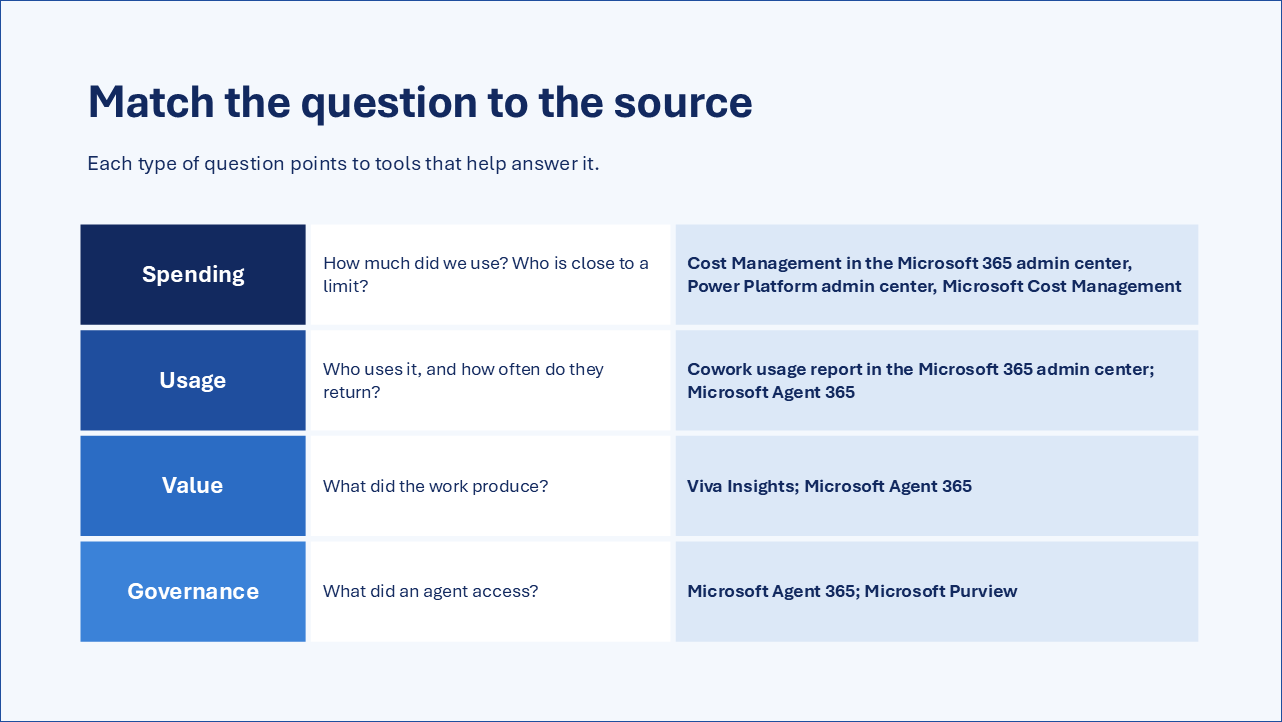
Match the question to the source
| Question type | Source | What it answers |
|---|---|---|
| Spending | Cost Management in the Microsoft 365 admin center (Copilot > Cost Management) | Credit consumption by spending policy, group, user, agent, and service, and which policies and users are close to their limits |
| Spending | Power Platform admin center | Copilot Studio consumption by environment and agent |
| Spending | Microsoft Cost Management | Billed and accrued charges for the Azure subscription linked to the billing policy |
| Usage | Cowork usage report in the Microsoft 365 admin center | Active users, total tasks, average tasks per user, and how many users return |
| Value | Viva Insights | Assisted hours and broader business impact |
| Governance | Microsoft Purview and Agent 365 | What content an agent accessed |
Some questions need more than one source. For example, "Is the pilot worth what it costs?" needs a spending source and a value source. The next unit covers how to connect the two. For organizations with access, Agent 365 Business Analytics brings spending, usage, and value together in one place built for business leaders.
When the numbers don't match
Sooner or later, two reports show different totals for what seems to be the same thing. A mismatch is rarely a billing error. Reports refresh at different times, use different units, and count different things. Before you raise a billing question, check three things:
- When each report last refreshed. A report exported in the morning doesn't include the afternoon's consumption.
- Whether the figure is in credits or in currency. Cost Management in the Microsoft 365 admin center reports credits. Microsoft Cost Management reports charges.
- Whether the figure counts billable or non-billable usage. Some reports include usage that's covered by a license and isn't billed.
If a difference remains after these checks, reconcile against the invoice. The invoice is the record of what your organization was billed. Dashboards are tools for managing consumption between invoices.
How current the data is
Each source refreshes on its own schedule, so plan reviews around these intervals:
- The Cost Management Overview tab refreshes about every four hours.
- Usage can take up to 24 hours to appear in Microsoft Cost Management.
- Credit consumption data in Viva Insights is one to two days behind and can take about a week to appear after a user is first licensed.
- In Copilot Cowork, the
/costcommand gives an individual user an approximate figure for their own usage.
Tip
When you share a figure, include the source and the time it was retrieved. This prevents most "which number is right?" conversations.
Caldova decision
The finance manager's exported credit report shows a lower total than the live Cost Management dashboard. Before raising a billing question, the IT admin compares the two timestamps. The export is a snapshot from earlier in the day, so the difference is timing, not an error. From now on, Caldova records the source and retrieval time with every figure in its monthly review.