Use Microsoft Defender insights to support endpoint decisions
Endpoint decisions should be based on both management state and security state. A device might be enrolled, compliant, and receiving policies, but still need attention because it is involved in an incident, has vulnerable software, communicated with a suspicious IP address, or appears in a threat analytics report.
Microsoft Defender helps bring security signals together across endpoints, identities, email, cloud apps, and other resources. These insights help endpoint administrators decide which devices need investigation, remediation, policy changes, or access restrictions.
Use incidents and alerts to prioritize devices
Incidents and alerts help identify where active risk exists. In Microsoft Defender, incidents bring related alerts, affected assets, evidence, and investigation details into a single view so analysts can understand the broader attack story. The incident page can also show the attack story, investigation graph, evidence, affected entities, and response actions such as deleting a file or isolating a device.
Endpoint administrators can use incident context to answer questions such as:
- Which devices are involved in active incidents?
- Are repeated alerts linked to the same device group or configuration?
- Does the incident suggest a missing security control?
- Should the device be isolated, remediated, reimaged, or reviewed?
- Should an Intune policy be adjusted to prevent similar issues?
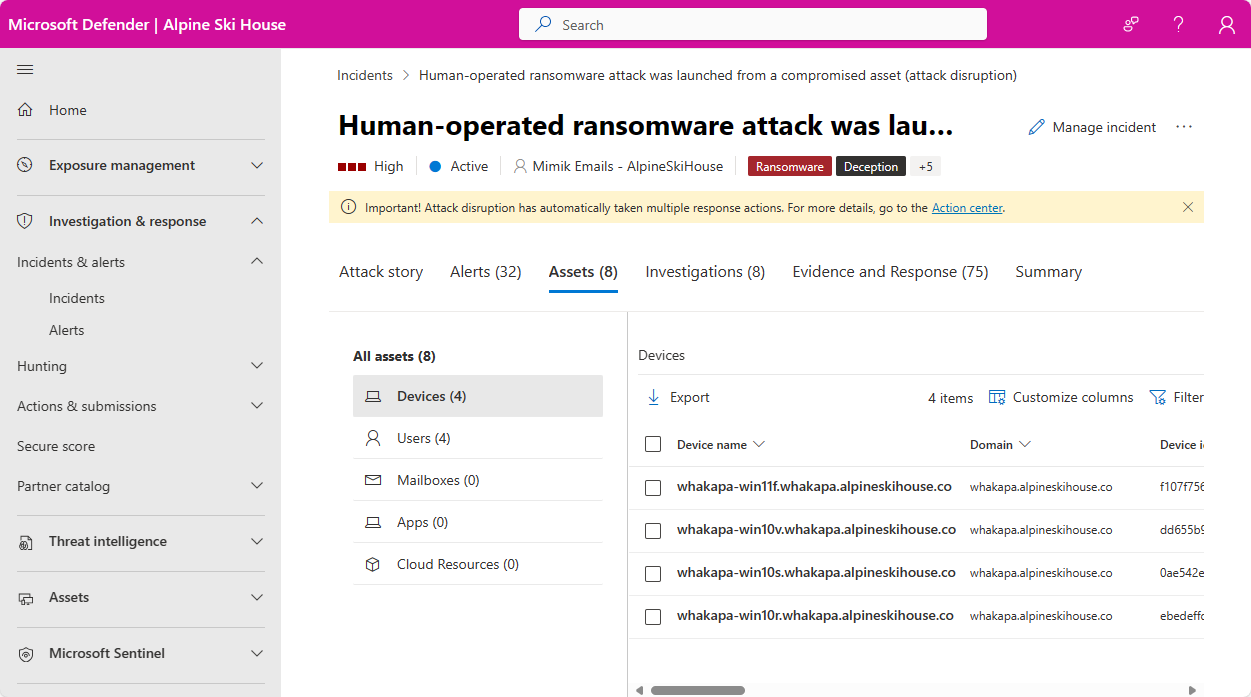
This helps administrators prioritize action based on current risk instead of only relying on compliance or inventory reports.
Review device entity insights
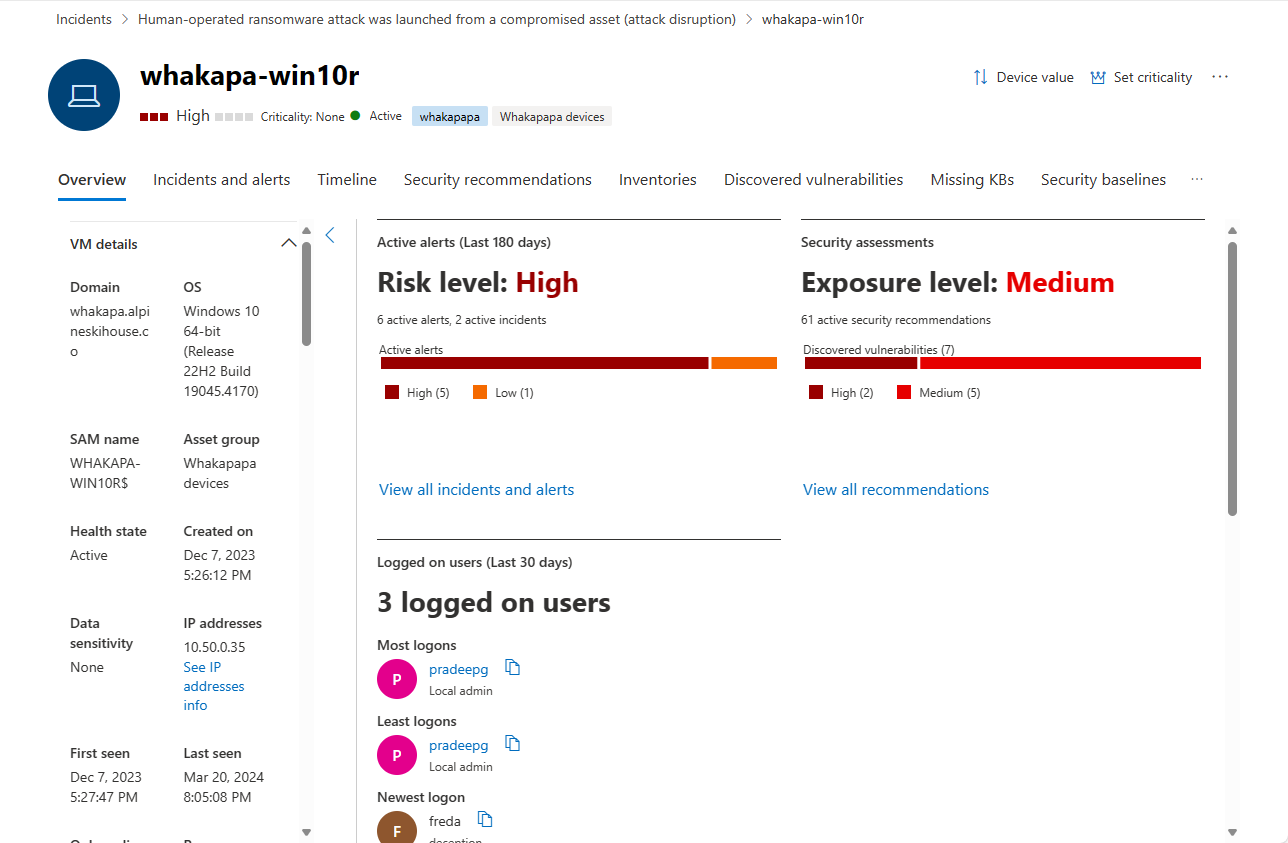
The device entity page in the Microsoft Defender portal provides device-focused security context. It helps analysts investigate suspicious or potentially compromised devices and review related behaviors, events, alerts, and breach scope.
Use device entity insights to support endpoint decisions such as:
- Prioritizing devices with active alerts or exposure.
- Reviewing suspicious behavior on a device.
- Identifying devices that need deeper investigation.
- Deciding whether a device should be isolated or contained.
- Determining whether repeated issues point to a configuration gap.
For example, if several devices in the same group show similar suspicious activity, the issue might require both a security investigation and an Intune policy review.
Use advanced hunting to answer endpoint questions
Advanced hunting in Microsoft Defender is a query-based threat hunting tool that lets analysts explore up to 30 days of raw data to locate threat indicators and entities.
Endpoint teams can use advanced hunting to investigate questions such as:
- Which devices ran a suspicious file?
- Which devices contacted a suspicious domain or IP address?
- Which users signed in to affected devices?
- Are similar events appearing across a device group?
- Which devices show the same suspicious behavior?
The Go hunt action can help query relevant information about a selected entity or event, such as a user or device, across relevant schema tables and around the related time period.
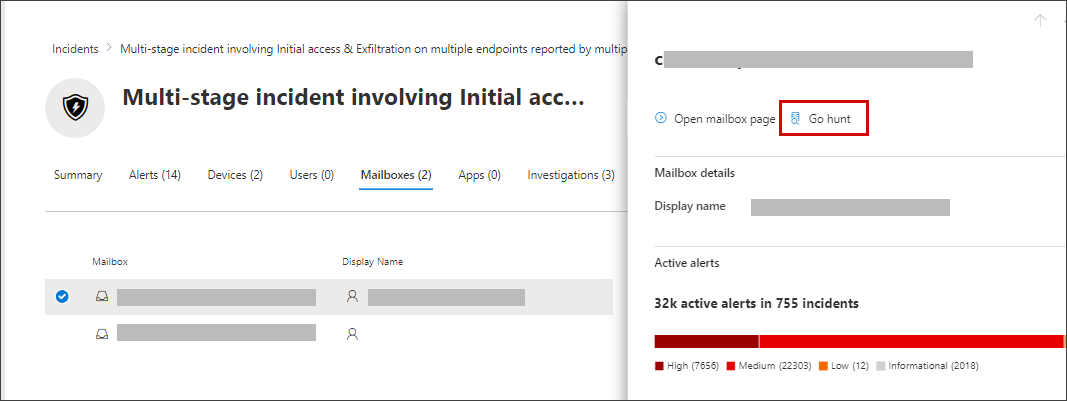
Advanced hunting results can guide endpoint actions such as targeted remediation, policy changes, device isolation, software updates, or further investigation.
Use threat analytics and Secure Score to guide improvements
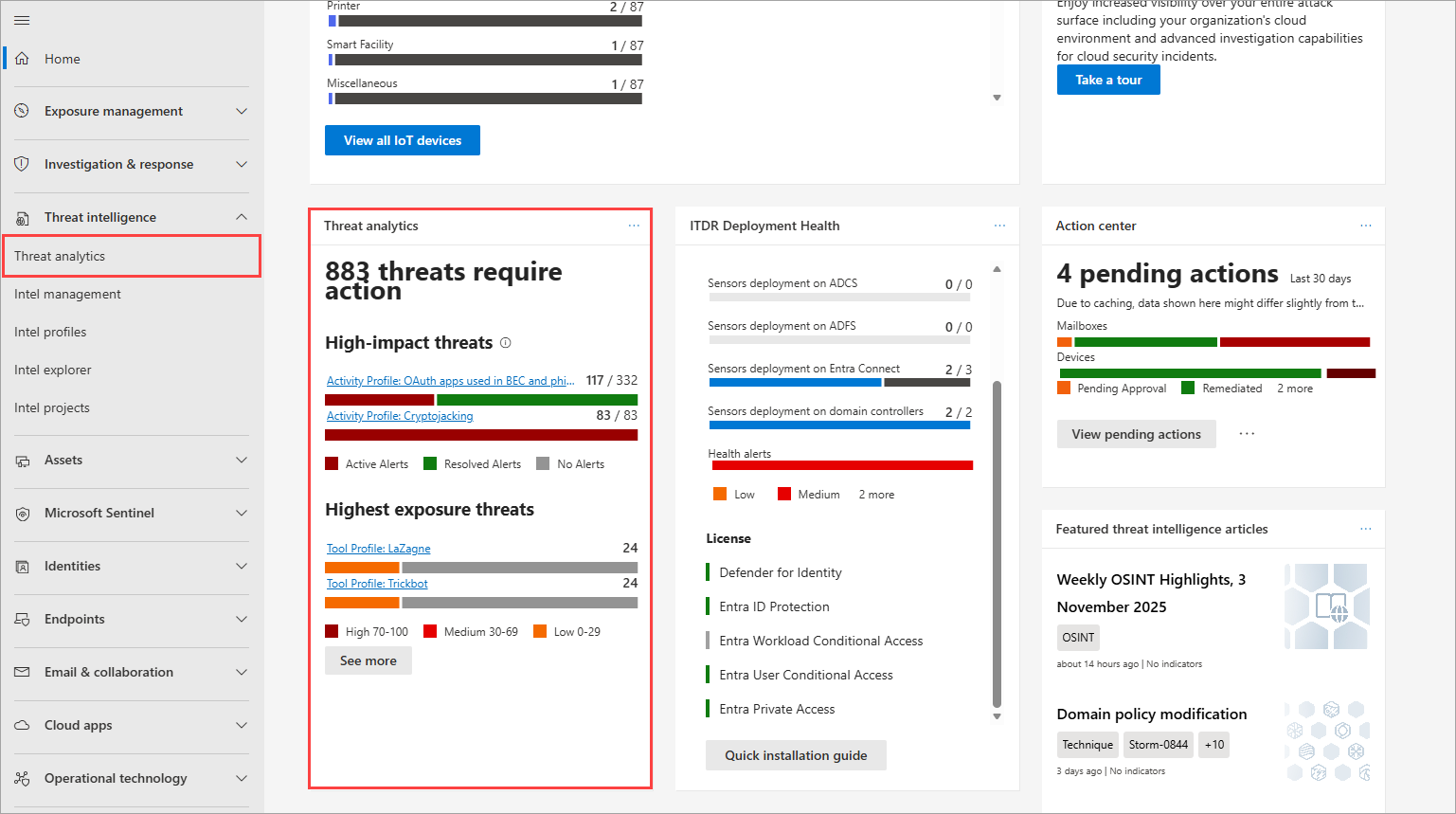
Threat analytics helps security teams understand active threats, campaigns, exposed assets, and recommended actions. The threat analytics dashboard highlights reports relevant to the organization and helps teams review current threat activity and exposure.
Microsoft Secure Score measures an organization’s security posture. A higher score indicates that more recommended actions have been completed. Secure Score is available in the Microsoft Defender portal and helps teams identify actions that can improve security posture.
Turn Defender insights into endpoint actions
Defender insights are most valuable when they lead to clear endpoint decisions. Depending on the finding, administrators might:
- Update endpoint security policies in Intune.
- Adjust Attack Surface Reduction rules.
- Deploy a remediation script.
- Patch vulnerable software.
- Review compliance policies.
- Restrict access from high-risk devices.
- Isolate or investigate a device.
- Replace or reimage a compromised endpoint.
The goal is to connect security visibility with practical endpoint management action. Microsoft Defender identifies risk and provides investigation context, while Intune helps administrators apply policy, compliance, and remediation changes across managed devices.