Explore workforce management capabilities for your contact center
Workforce management in Dynamics 365 Contact Center gives you a complete set of tools to forecast demand, plan shifts, schedule representatives, and monitor performance in real time. These capabilities are part of the broader Workforce Engagement Management (WEM) functionality, included at no extra cost with Dynamics 365 Contact Center Digital + Voice and Customer Service Premium licensing.
You access workforce management settings in the Copilot Service admin center by navigating to Operations > Workforce management. From there, you can configure each functional area described in this unit.
Functional areas of workforce management
Workforce management in Dynamics 365 Contact Center is organized into four areas in the admin center, each covering a distinct part of the staffing lifecycle.
| Area | What it covers |
|---|---|
| Workforce setup | Setting up representatives with the correct security roles, skills, capacity profiles, and proficiency levels so the system can match them to work and shifts appropriately. |
| Forecasting | Volume forecasting to predict future conversation demand, and capacity planning to translate those predictions into representative headcount requirements. |
| Shift and schedule management | Defining shift activity types, building and publishing schedules, and enabling shift-based routing so the unified routing engine respects schedule status when assigning work. |
| Time management | Representative schedule calendar, time-off request types with approval workflows, shift bidding, and shift swapping. |
Set up user management for workforce management
Before you can use any workforce management features, you need to set up your users with the correct security roles and skills. This foundation ensures that the system can match representatives to shifts and route work appropriately.
Assign security roles
Service representatives must have the Omnichannel agent security role, and supervisors must have the Omnichannel supervisor security role. You can create users manually or use bulk upload through the User Management feature in Dynamics 365.
Configure skills and proficiency levels
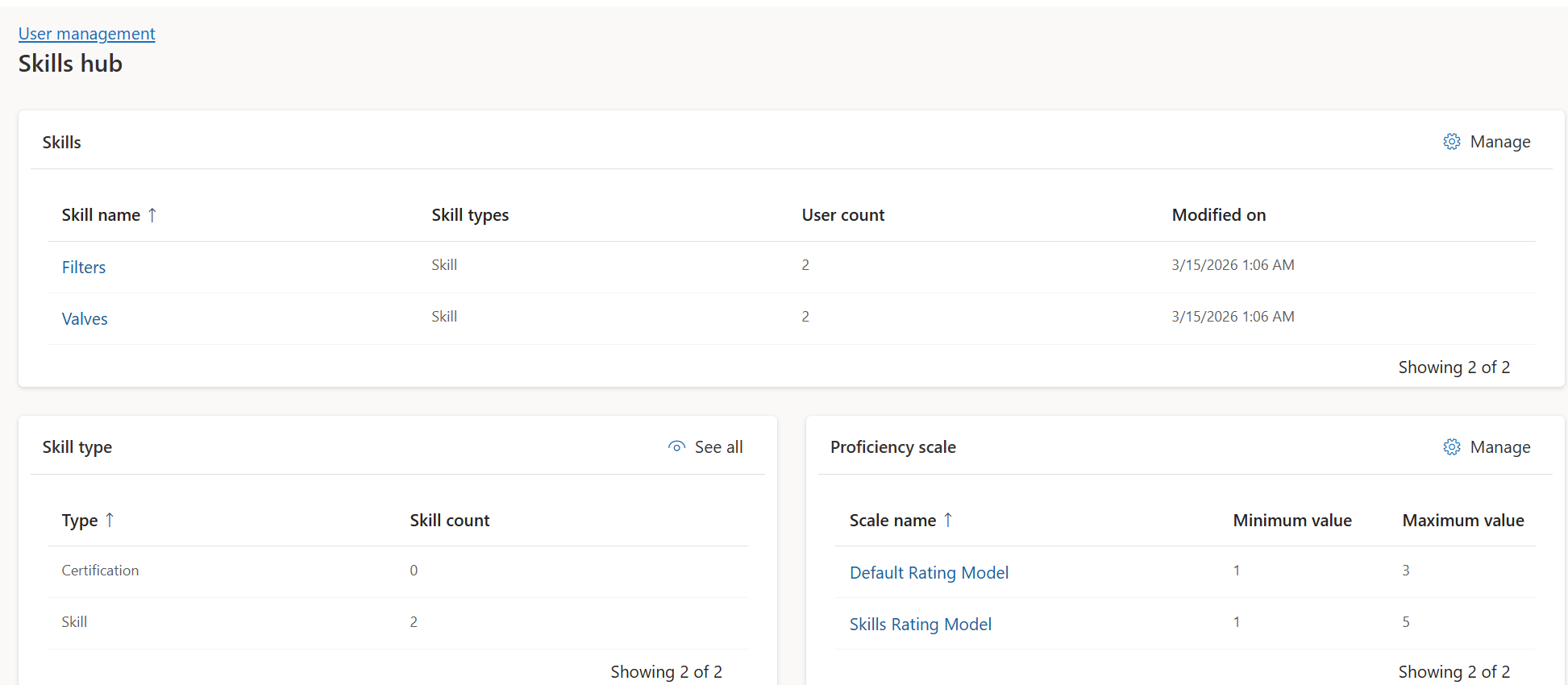
Skills define the capabilities of each representative. You create skills in Copilot Service admin center by navigating to Operations > Workforce management > User management > Skills hub. After you create skills, you assign them to representatives along with proficiency levels through the Enhanced user management page.
Create bookable resources and set work hours
For representatives to appear in shift scheduling, each one must have a bookable resource record. You create this record from the user's Details page on the Omnichannel tab. After you create the bookable resource, you define custom work hours that specify when the representative is available. You can set recurring work hours with different patterns for each day of the week.
Connect to external data
Workforce management supports importing historical data from external systems through CSV file uploads. This capability is useful when you're migrating from another contact center platform or need to incorporate volume data that isn't captured in Dynamics 365.
When you create a forecast scenario, you set the Data source to External and upload your file. The system uses this imported data alongside its forecasting algorithms to generate predictions. You can also import holiday calendars to improve seasonality detection, which helps the system account for predictable demand fluctuations during holidays and special events.
Tip
If you're transitioning from another contact center platform, import at least two years of historical data to give the forecasting engine enough context for accurate seasonality detection.
Shift-based routing
Shift-based routing connects workforce schedules with the unified routing engine. When you enable this feature, the system checks each representative's shift status before assigning work. If a representative is in a non-support activity like a break or training session, the routing engine skips them and assigns the work to an available representative instead. You learn how to enable shift-based routing in the unit on configuring shift management and scheduling.