Exercise: Consolidate PC games in one library
In this exercise, you'll practice using the Xbox app as a central hub by bringing together games installed from different places into a single, unified library. This hands-on walkthrough reinforces how the Xbox app reduces friction when accessing games across multiple launchers.
Take the role of the PC gamer from our scenario. You play games from multiple storefronts, including Xbox, Steam, and the Epic Games Store. Instead of opening separate launcher apps, you want one place where you can browse and launch your installed games, regardless of where they were originally acquired.
Task
Use the Xbox app on Windows to see games from multiple launchers in a single library and launch them from one place.
Steps
Open the Xbox app on your Windows PC: Sign in with your Microsoft account if prompted. The app opens to its main interface, which serves as a single entry point for PC gaming.
Go to your game library: From the Xbox app navigation, open the My Library view to see games currently available on your PC.
Confirm that installed games are detected automatically: The Xbox app integrates with Windows to surface games installed on your system, including titles installed through other PC platforms. You don't need to manually import each game.
Tip
If a recently installed game doesn't appear immediately, restarting the Xbox app can refresh the library view.
Verify that games from multiple platforms appear together: Scroll through your library and look for games installed using other platforms. Notice that these titles appear alongside games acquired through Xbox services.
Add any missing titles to your Xbox app:
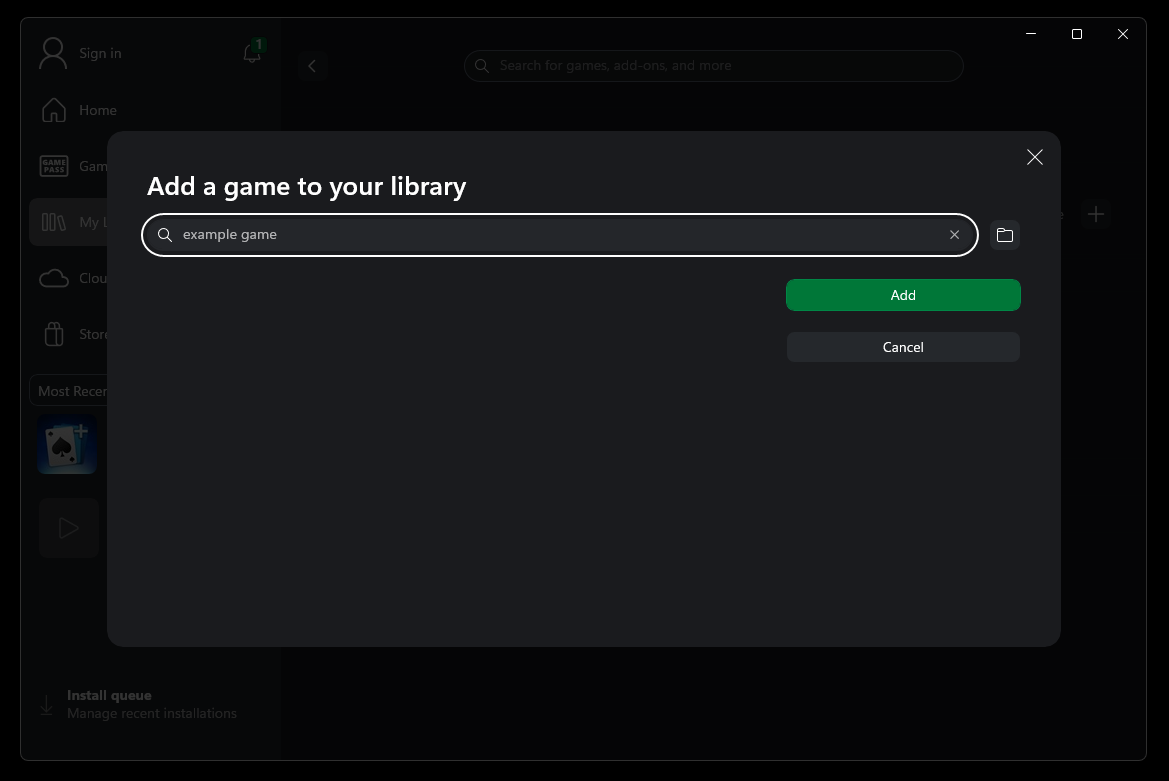
If any of your games aren't detected automatically, you can still add them manually. In the My Library view, select the My games or My apps tab, then select the + button. From the searchable list of packages and executables on your device, choose any titles you want to access from the Xbox app, then select Add.
Launch a non-Xbox game from the Xbox app: Select a game that was installed through another platform and launch it directly from the Xbox app. The game opens as expected, without needing to manually open another launcher first.
Result
You now have a single, consolidated view of your PC game library. Instead of switching between multiple launcher apps, you can use the Xbox app as a central hub to decide what to play next.