Perform operations by using the Dataverse Web API
The introduction mapped out Contoso's equipment-provisioning flow and the reliability challenge behind it. This unit builds on that picture: you move from knowing that Dataverse exposes a Web API to exploring how to deliberately compose requests against it. That way, you can reason about creating, querying, updating, and batching operations on tables like contoso_request and contoso_device with precision.
Target the right resource with the headers every call needs
Every Dataverse environment exposes its data through a RESTful, OData v4 service. Each table in the equipment-provisioning solution has a corresponding entity set, usually the plural form of the table name, that identifies the collection you call. The contoso_request table maps to the contoso_requests entity set, contoso_device maps to contoso_devices, and so on.
You retrieve the full list of entity sets for an environment from the service document if you're ever unsure of the exact name. The entity set name doesn't always match the plural you'd guess.
Because the Web API speaks OData v4, Dataverse expects a consistent set of headers on every call so it knows how to parse the request and format the response. At minimum, you include OData-MaxVersion: 4.0 and OData-Version: 4.0 to pin the protocol version, along with Accept: application/json since the Web API only returns JSON.
Any request that sends a body, such as a create or an update, also needs Content-Type: application/json; charset=utf-8. Get these headers right once, and every request you compose from here follows the same pattern.
Choose the verb that matches the operation you need
With the resource and headers settled, the next decision is which HTTP verb expresses the operation. Dataverse follows standard REST conventions, so the verb you choose tells the Web API exactly what to do with the row.
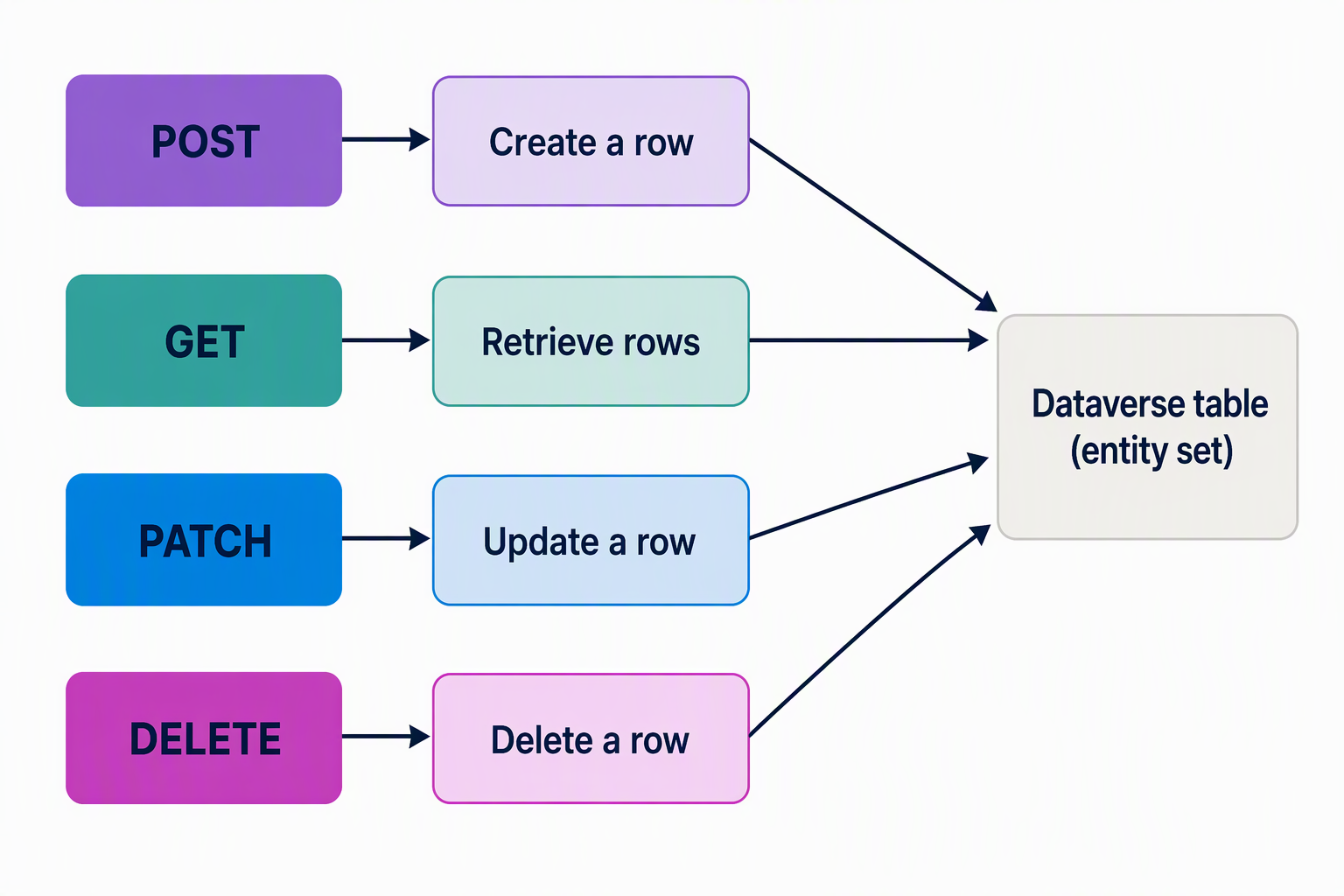
| Operation | HTTP verb | Example target |
|---|---|---|
| Create a row | POST |
contoso_requests (entity set) |
| Retrieve a row or rows | GET |
contoso_requests(<id>) or contoso_requests |
| Update a row | PATCH |
contoso_requests(<id>) |
| Delete a row | DELETE |
contoso_requests(<id>) |
When the employee portal submits a new equipment request, it sends a POST to the contoso_requests entity set:
POST [Organization URI]/api/data/v9.2/contoso_requests HTTP/1.1
OData-MaxVersion: 4.0
OData-Version: 4.0
Accept: application/json
Content-Type: application/json; charset=utf-8

{
    "contoso_name": "Replacement laptop request"
}
A successful create returns 204 No Content by default, with no response body. Instead, the OData-EntityId header carries the URI of the new row, including its generated ID:
HTTP/1.1 204 No Content
OData-Version: 4.0
OData-EntityId: [Organization URI]/api/data/v9.2/contoso_requests(3a1b2c3d-4e5f-6789-abcd-ef0123456789)
If the portal needs the generated row back immediately, say, to display a confirmation number, add the Prefer: return=representation header and a $select query option on the URL. Dataverse then returns 201 Created with the requested columns in the body, instead of making you issue a separate GET to fetch what you created.
When the external inventory service updates device availability after a shipment arrives, it sends a PATCH to the specific contoso_device row instead:
PATCH [Organization URI]/api/data/v9.2/contoso_devices(7f6e5d4c-3b2a-1098-7654-fedcba098765) HTTP/1.1
OData-MaxVersion: 4.0
OData-Version: 4.0
Accept: application/json
Content-Type: application/json; charset=utf-8

{
    "contoso_available": true
}
Notice that the PATCH body includes only the column that changed. Dataverse updates what you send, leaving every other value on the row untouched.
Connect related rows as you create or update them
A request on its own isn't useful until it's tied to the employee who submitted it. Dataverse associates rows across a lookup column by using the @odata.bind annotation on the related navigation property, rather than requiring a separate call to link the two rows afterward.
To associate a new contoso_request with an existing contoso_employee at creation time, the employee portal appends @odata.bind to the lookup's navigation property name and sets it to the target row's URI:
POST [Organization URI]/api/data/v9.2/contoso_requests HTTP/1.1
OData-MaxVersion: 4.0
OData-Version: 4.0
Accept: application/json
Content-Type: application/json; charset=utf-8

{
    "contoso_name": "Replacement laptop request",
    "contoso_Employee@odata.bind": "/contoso_employees(c1a2b3c4-1111-2222-3333-444455556666)"
}
The same annotation works on a PATCH to change which row a lookup points to later, and setting it to null disassociates the two rows. The exact navigation property name (here contoso_Employee) comes from how you defined the relationship between the two tables. It's worth confirming the name in the table's relationship definition before you bind to it.
This pattern scales. You can bind several lookups, or even create related rows in the same request through a technique called deep insert, for one atomic operation instead of several round trips.
Pull related data in one round trip with query options
Creating and updating rows covers half the picture. The coordinator who tracks fulfillment needs to read data back, often shaped and filtered rather than returned whole. OData system query options let you describe exactly what you want in the URL instead of filtering results after the fact.
| Query option | Use it to |
|---|---|
$select |
Limit the response to specific columns |
$filter |
Narrow results to rows matching a condition |
$orderby |
Sort the returned rows |
$top |
Cap the number of rows returned |
$expand |
Include related rows inline, in the same response |
Suppose the coordinator wants every pending request along with the requesting employee's name and the device's current availability. Without $expand, that's three separate calls: one for the requests, one per related employee, one per related device. With $expand, it's one:
GET [Organization URI]/api/data/v9.2/contoso_requests?$select=contoso_name&$filter=contoso_status eq 100000000&$expand=contoso_Employee($select=contoso_fullname),contoso_Device($select=contoso_name,contoso_available) HTTP/1.1
OData-MaxVersion: 4.0
OData-Version: 4.0
Accept: application/json
The response nests the employee and device data directly inside each request record, so the coordinator's dashboard builds its view from a single payload instead of stitching together multiple calls. This same instinct is worth applying anywhere you're tempted to loop over rows making repeated requests: check whether $expand already gets you there in one.
Learn more about the full set of supported OData query options.
Guiding question: Look at a query you'd write against the Contoso data today. Which columns could you drop with
$select, and which related table would$expandlet you fold into the same call?
Reach for FetchXML when query options can't express the shape you need
Some dashboard requests go beyond what $select, $filter, and $expand can shape. Suppose the coordinator needs a count of requests grouped by status rather than the underlying rows, or a join across tables that isn't modeled as a simple lookup. FetchXML is the path to reach for. You send the FetchXML query to the table's entity set using the fetchXml query parameter, with the query XML URL-encoded.
<fetch aggregate="true">
  <entity name="contoso_request">
    <attribute name="contoso_status" alias="status" groupby="true" />
    <attribute name="contoso_requestid" alias="request_count" aggregate="count" />
    <order alias="status" />
  </entity>
</fetch>
GET [Organization URI]/api/data/v9.2/contoso_requests?fetchXml=<URL-encoded query above> HTTP/1.1
OData-MaxVersion: 4.0
OData-Version: 4.0
Accept: application/json
Group several operations into a single request
Some tasks don't map to one row at all. When the coordinator approves a batch of pending requests at once, sending five separate PATCH calls works. But it's five round trips, five chances for a partial failure, and five times the network overhead. The Web API's $batch operation groups multiple requests into a single HTTP call, which Dataverse then executes sequentially in the order you specify, returning the responses in that same order.
Composing a batch request is more involved than a single call: it uses a multipart/mixed content type with a boundary marker separating each inner request. Reach for it when you genuinely need several operations to travel together, not as a default replacement for simple calls. It's the right tool when a client performs several related writes as one logical unit, like the coordinator's bulk approval, rather than when a single create or update would do.
Batch requests raise their own questions about how many operations to group and how to handle a failure partway through. Those questions matter even more once you factor in how Dataverse enforces API limits. The next unit in this module picks up exactly that thread.
Learn more about the structure of batch requests and change sets.
Decide when the Web API is the right surface
The Web API's biggest strength is that it's reachable from anything that can send an HTTP request: a web portal, a script, a mobile app, or a service written in a language that has never heard of Dataverse. That's why it's the natural choice for the employee portal and the external inventory service in this scenario: both are lightweight, language-agnostic integrations that need to read and write rows over HTTP.
That reach comes with tradeoffs, though. Composing raw HTTP requests means you manage headers, serialization, and OData syntax yourself for every call. The next unit introduces the Organization service, a strongly typed alternative built for .NET developers, and the tradeoffs that make one surface a better fit than the other for a given integration.