Perform operations by using the Dataverse SDKs for .NET and Python
The previous unit closed on a contrast: different Dataverse client libraries reduce different kinds of plumbing, but they don't change the platform limits you still need to recognize. This unit builds on that idea. You move from manual retry design to choosing and using the right SDK for a given application. You also recognize how each one builds on the same underlying platform behavior you already explored.
Match the application to the SDK it needs
Contoso's equipment-provisioning solution now has a third kind of consumer. An operations analyst on the facilities team wants to understand usage patterns across all four tables: how often employees actually use their refresh allowance before it expires, which device categories run short first, and whether request volume clusters around specific times of year.
That analyst doesn't write compiled .NET services like the coordinator's approval workflow, and doesn't compose raw HTTP requests like the employee portal. The analyst works in Python, typically inside a notebook, and wants the result in a form that pandas already understands.
This gap is exactly what the Dataverse SDK for Python closes. It lets a Python developer work with Dataverse data directly in Python syntax, with no .NET knowledge required. You install it with a single command:
pip install PowerPlatform-Dataverse-Client
Where the coordinator's approval service reaches for the SDK for .NET because it's a compiled, long-running application that needs compile-time type checking, the analyst reaches for the SDK for Python because the job is data analysis, not application development. Same platform, same underlying tables, different entry point for a different kind of work.
Connect with DataverseClient and read the context manager pattern
The SDK for Python centers on a single class: DataverseClient. It accepts an Azure Identity TokenCredential implementation for OAuth authentication, the same credential-based approach you'd use anywhere else Dataverse requires a token.
from azure.identity import InteractiveBrowserCredential
from PowerPlatform.Dataverse.client import DataverseClient

credential = InteractiveBrowserCredential()

with DataverseClient("https://contoso.crm.dynamics.com", credential) as client:
    # Work with Dataverse data here
    pass
Notice the with statement. DataverseClient supports a context-manager pattern, so connection pooling and cleanup happen automatically when the block exits. You don't manage that lifecycle yourself the way you might with a hand-rolled HTTP client.
Once connected, the client organizes operations into logical modules instead of exposing one flat list of methods. client.records handles create, update, delete, and get operations. client.query handles query and search. client.tables handles table metadata. client.files handles uploads. client.batch handles batch operations. For the analyst's work, one module matters most: client.dataframe.
Pull allowance and request trends straight into a DataFrame
The analyst's task is to compare allowance utilization against request volume, which means combining data from contoso_allowance and contoso_request rather than pulling either table in isolation. Instead of exporting both tables manually or writing custom code to parse OData responses into Python objects, the analyst uses the SDK's built-in SQL-to-DataFrame support: a read-only SELECT statement that returns results directly as a pandas DataFrame.
# Join allowance and request data to see utilization per employee
sql = (
    "SELECT a.contoso_employeeid, a.contoso_remainingbalance, "
    "COUNT(r.contoso_requestid) AS request_count "
    "FROM contoso_allowance a "
    "LEFT JOIN contoso_request r ON a.contoso_employeeid = r.contoso_employeeid "
    "GROUP BY a.contoso_employeeid, a.contoso_remainingbalance"
)

df = client.dataframe.sql(sql)

# Now it's a normal DataFrame: filter, aggregate, plot
low_utilization = df[df["request_count"] == 0]
print(f"{len(low_utilization)} employees haven't used their allowance yet")
The same client.query module also supports a fluent QueryBuilder for OData-based queries, which the analyst reaches for when a query needs paging or filter conditions rather than a join:
from PowerPlatform.Dataverse.models import col

result = (
    client.query.builder("contoso_device")
    .select("contoso_name", "contoso_category")
    .where(col("contoso_category") == "monitor")
    .execute()
)

devices_df = result.to_dataframe()
Either path gets the analyst to a DataFrame ready for the rest of the pandas, notebook, or machine-learning workflow. There's no need to hand-write an HTTP request or parse a JSON response into rows.
Try it yourself: If you have access to a Dataverse environment, install the SDK with
pip install PowerPlatform-Dataverse-Clientand connect withDataverseClientusing a credential such asInteractiveBrowserCredential. Pull one table into a DataFrame withclient.dataframe.sql()and inspect it withdf.head().
The same platform underneath every entry point
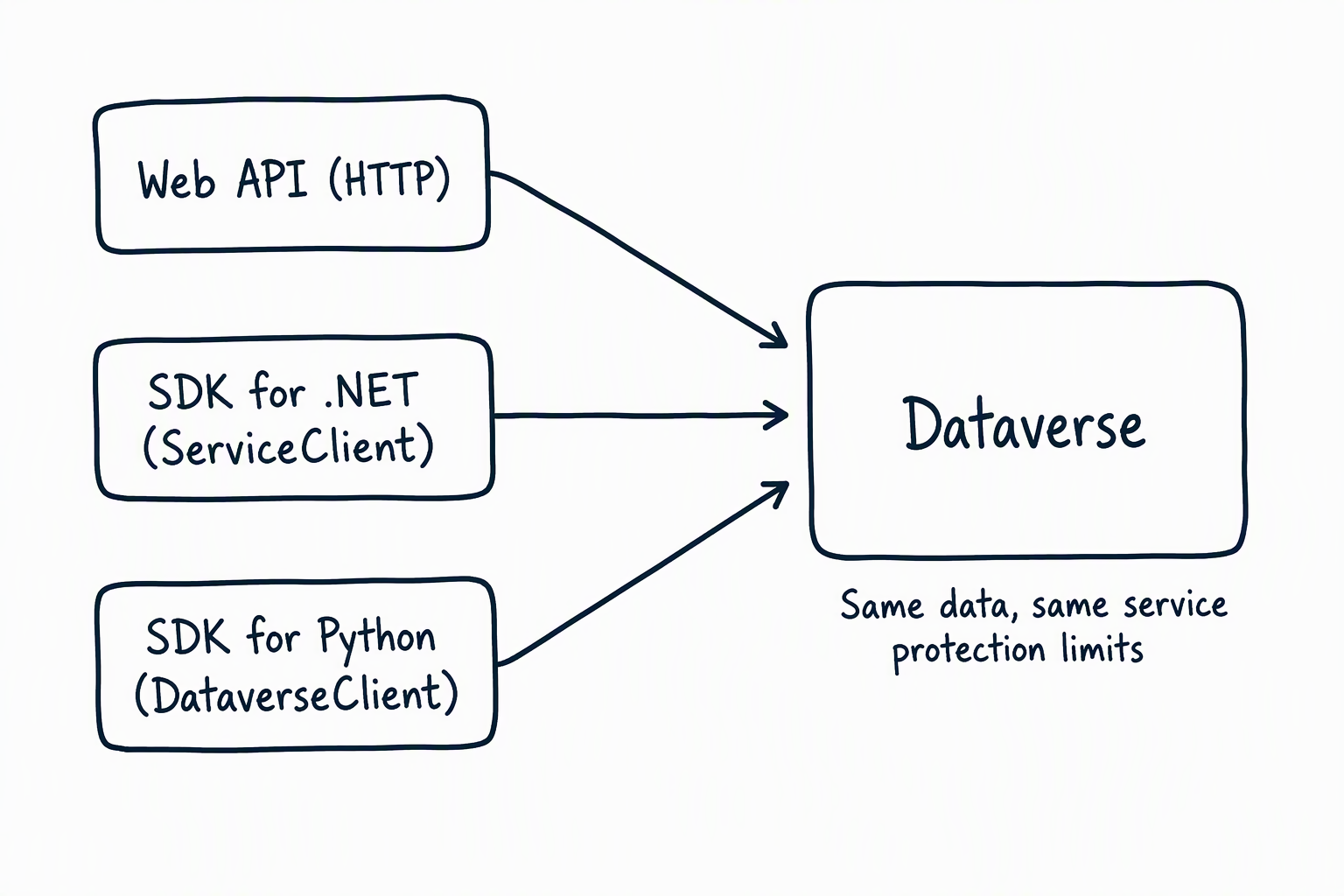
Earlier in this module, the Web API gave the employee portal and the external inventory service a lightweight, language-agnostic way to call Dataverse. The Organization service then gave the coordinator's compiled .NET approval service a strongly typed, compile-checked alternative. This unit adds a third entry point, suited to a different kind of job.
| Surface | Best fit | Language | Typing model |
|---|---|---|---|
| Web API | Lightweight, cross-platform, or language-agnostic integrations | Any HTTP-capable language | Untyped JSON over OData |
| Organization service (SDK for .NET) | Compiled .NET applications, plug-ins, and workflow activities | .NET (C#) | Strongly typed request/response messages |
| SDK for Python | Data analysis, automation, and agentic or ML workflows | Python | Python objects and pandas DataFrames |
None of these three is a separate platform with its own rules. They're different doors into the same Dataverse environment. Every request that goes through any of them is still subject to the service protection limits you explored in the previous unit. A Python script that pulls data aggressively enough can trip the same request-count or concurrent-request thresholds the inventory service and the coordinator service hit.
The Python SDK can retry transport-level network failures, but your application still needs to recognize transient Dataverse HTTP errors and honor the retry duration the service returns. The underlying throttling behavior you learned to recognize doesn't change depending on which door you walked through.
With all three surfaces on the table, the real skill this module builds isn't memorizing syntax for any one of them. It's recognizing which door fits the application in front of you, and trusting that the platform underneath behaves the same way no matter which one you choose.