Azure Kubernetes cluster architecture
At the highest level, Kubernetes is a cluster of virtual or on-premises machines. These machines—called nodes—share compute, network, and storage resources. Each cluster has one master node connected to one or more worker nodes. The worker nodes are responsible for running groups of containerized applications and workloads, known as pods, and the master node manages which pods run on which worker nodes.
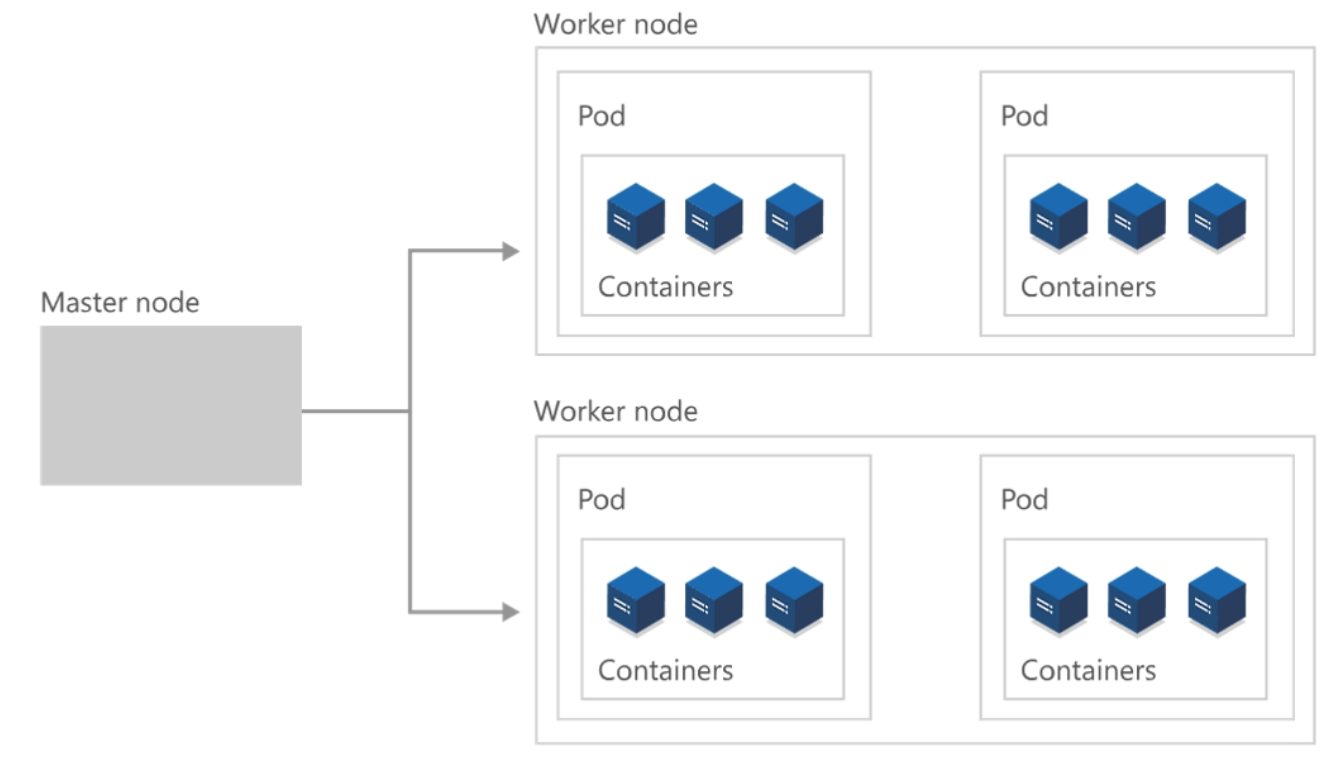
Furthermore, a Kubernetes cluster is divided into two components:
- Control plane: provides the core Kubernetes services and orchestration of application workloads.
- Nodes: run your application workloads.

A cluster is a set of computers that you configure to work together and view as a single system. A Kubernetes cluster contains at least one main plane and one or more nodes. Both the control planes and node instances can be physical devices, virtual machines, or instances in the cloud. The default host OS in Kubernetes is Linux, with default support for Linux-based workloads.
A cluster uses centralized software that's responsible for scheduling and controlling these tasks. The computers in a cluster that run the tasks are called nodes, and the computers that run the scheduling software are called control planes. The Kubernetes control plane in a Kubernetes cluster runs a collection of services that manage the orchestration functionality in Kubernetes.
A node in a Kubernetes cluster is where your compute workloads run. Each node communicates with the control plane via the API server to inform it about state changes on the node.
For the master node to communicate with the worker nodes—and for a person to communicate with the master node—Kubernetes includes many objects that make up the control plane.
Developers and operators interact with the cluster primarily through the master node by using kubectl, a command-line interface that installs on their local OS. Commands issued to the cluster through kubectl are sent to the kube-apiserver, the Kubernetes API that resides on the master node. The kube-apiserver then communicates requests to the kube-controller-manager in the master node, which is in turn responsible for handling worker node operations. Commands from the master node are sent to the kubelet on the worker nodes.

The master node maintains the current state of the Kubernetes cluster and configuration in the etcd, a key value store database. To run pods with your containerized apps and workloads, you must describe a new desired state to the cluster in the form of a YAML file. The kube-controller-manager takes the YAML file and tasks the kube-scheduler with deciding which worker nodes the app or workload should run based on predetermined constraints. Working in concert with each worker node’s kubelet, the kube-scheduler starts the pods, watches the state of the machines, and is overall responsible for the resource management.
In a Kubernetes deployment, the desired state you describe becomes the current state in the etcd, but the previous state isn’t lost. Kubernetes supports rollbacks, rolling updates, and pausing rollouts. Additionally, deployments use ReplicaSets in the background to ensure that the specified number of identically configured pods are running. If one or more pods happen to fail, the ReplicaSet replaces them. In this way, Kubernetes is said to be self-healing.
