Understand cloud speech basics
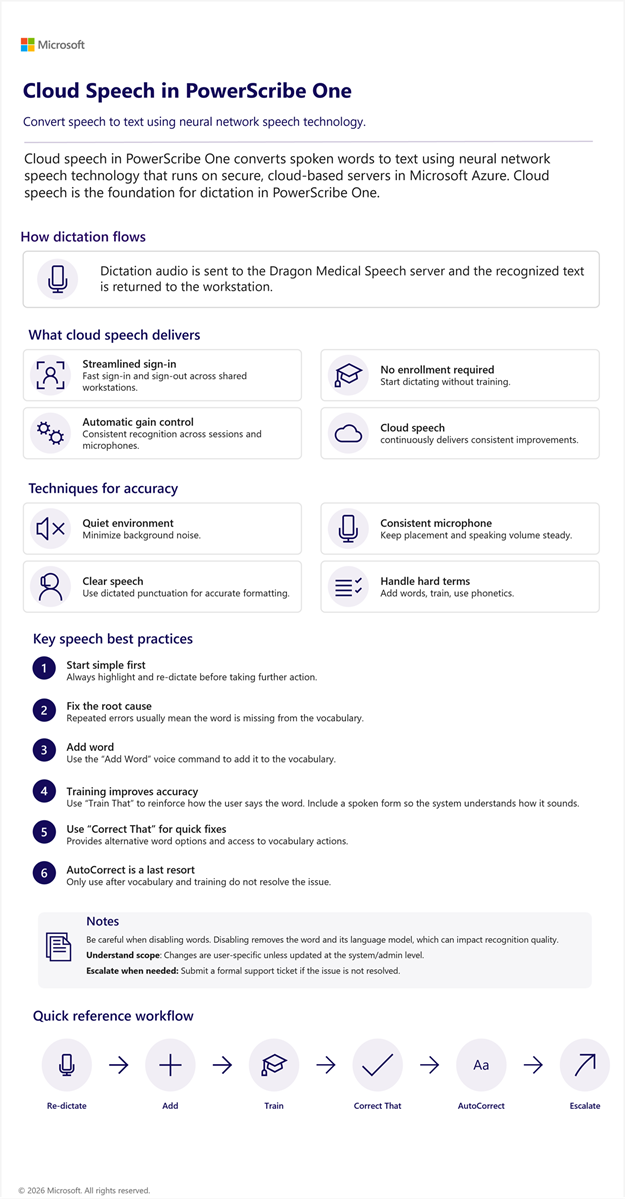
Cloud speech in PowerScribe One converts spoken words to text using neural network speech technology that runs on secure, cloud-based servers in Microsoft Azure. Cloud speech is the foundation for dictation in PowerScribe One. In the standard workflow, dictation audio is sent to the Dragon Medical Speech server and the recognized text is returned to the workstation.
Cloud speech helps reduce setup effort and supports adoption by providing:
- Streamlined sign-in and sign out.
- No initial enrollment or training.
- Automatic microphone gain control for consistent speech recognition.
- Cloud-based updates over time.
Use these techniques to support recognition accuracy during daily work:
- Minimize background noise by dictating in a quiet, controlled environment.
- Maintain consistent microphone placement and speaking volume.
- Speak clearly and use dictated punctuation for accurate formatting.
- Add new words, train pronunciations, and use phonetic spelling for challenging terms to increase recognition reliability.
User profile and vocabulary management
- Each user has a profile trained on their dictations, improving recognition performance over time.
- Add and train unknown words to improve recognition immediately.
- Users can modify vocabulary by redictating, training, or adding phonetic spellings. AutoCorrect is available to define preferred spelling, capitalization, and word replacements while dictating.
Use this infographic as a quick reference for the cloud speech workflow in PowerScribe One. It highlights key capabilities, accuracy techniques, and best practices to improve recognition quality.