Map Project Perception onto the coordinated defense model
The model is clear. What isn't yet: which agents Project Perception ships, what a playbook actually is, and where any of this lives in the Defender portal.
Perception is the Defender portal section that houses Project Perception's chat, sessions, agents, and playbooks. Chat is the default landing surface: describe a task in natural language and Project Perception routes it to the right playbook and agents. (Other chat surfaces in the Defender portal serve different purposes.) Sessions are the individual runs of an agent or playbook, listed on the Sessions page across all agents so you can watch progress, review pending approvals, and inspect output. If you already know what you want, you can also start playbooks and agents directly from the Playbooks and Agents pages of Perception. "Project Perception" names the underlying system, and "Perception" names the Defender portal section you'll click into.
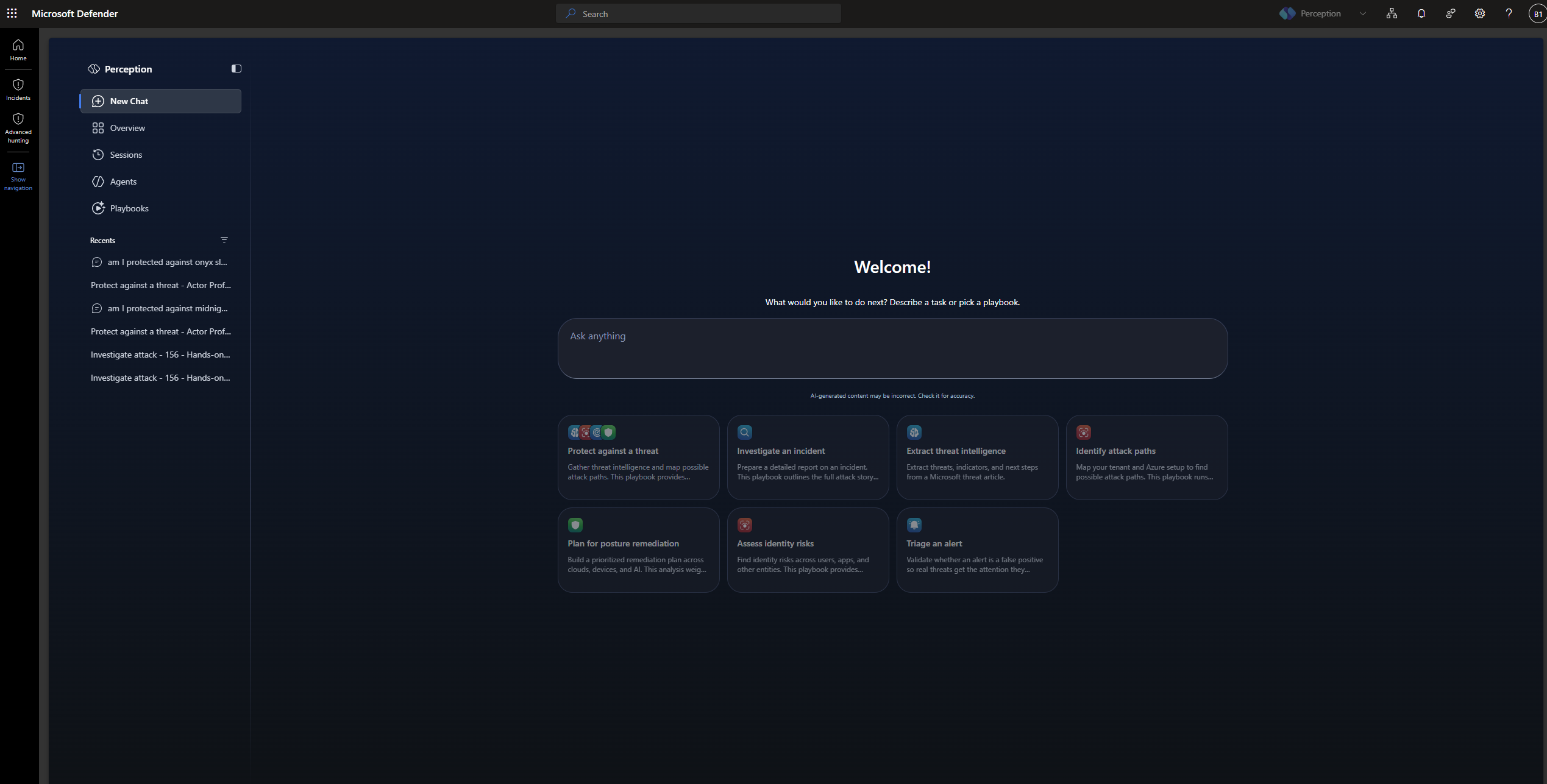
The named agents in the current catalog
You'll work with the named agents that ship in the current preview catalog. Every agent has a primary area of security operations work it accelerates and a team label (Red, Blue, or Green) that shows whether the agent identifies weaknesses, investigates and assesses risk, or remediates and hardens posture. An agent's primary area is a starting point, not a hard boundary. An agent's capabilities can reach into work another agent leads, and playbooks are where those capabilities get composed for a specific objective.
Blue team (investigate and assess risk). Most day-to-day security work sits here. Four agents cover it:
- Security Alert Triage Agent for alert triage
- Attack Investigation Agent for incident investigation
- Threat Intelligence Agent for threat intelligence analysis
- Detection Authoring Agent for detection engineering
Red team (identify weaknesses). When you want to see the environment the way an attacker would, two agents pressure-test it:
- Recon Agent for attack path analysis, currently scoped to Azure environments
- Web App Pen Testing Agent for externally facing web application pen testing
Green team (remediate and harden). One agent focuses on what to fix next before it turns into an incident: the Posture Prioritization Agent.
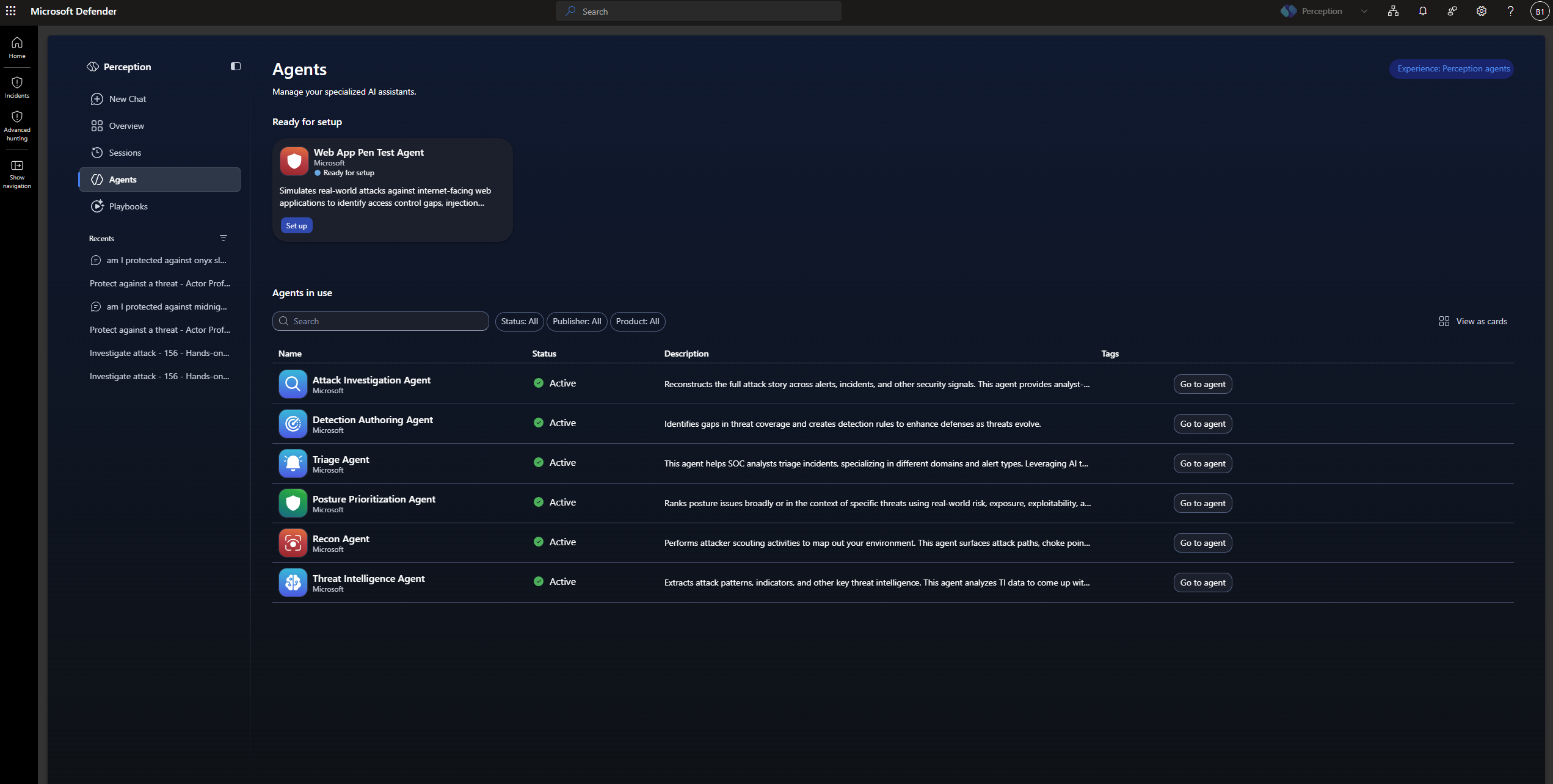
When you see an agent name, picture the primary work it accelerates and the team it plays for. Playbooks combine these agents for a shared objective, drawing on capabilities across the roster rather than limiting each agent to its primary area.
A playbook is a coordinated sequence of work
A coordinated playbook takes a security objective and orchestrates the sequence of agents and capabilities needed to close it. Instead of running threat intelligence analysis on Monday, waiting for attack path analysis Wednesday, and getting posture prioritization by the next Monday, a playbook runs the work as one connected workflow with automatic handoffs.
Project Perception currently ships several named playbooks in the preview, each combining a different set of agents and capabilities. Playbooks are preset by Microsoft, triggered manually from Perception, and only run when every agent they call is enabled. A specific playbook walkthrough comes later, alongside the operating mechanics.
Humans stay in control at the handoffs
Approval gates pause the playbook before high-impact actions, and each agent runs under its own governed identity with least-privilege permissions scoped to what it's built to do. You'll see the full mechanics in the playbook walkthrough later in the module.
Where this leaves you
Coordinated multi-agent defense is now mapped onto the actual product. The named agents in the current catalog, three teams (Red, Blue, and Green), coordinated playbooks that connect sequences of work, accessed through the Perception section of the Defender portal, with humans in control of critical decisions.
Two things to carry forward: the named agents and the three teams they belong to. The architecture layers coming next explain how those agents coordinate, not more memorization targets.
Tip
Before you move on: Can you place each named agent on its team (Red, Blue, or Green)? If one doesn't come to mind, revisit the team groupings.
The next question is what makes that cross-agent coordination technically possible in the first place: how the agents share context, hand off findings, and stay coordinated without a queue between them.