Introduction
External systems such as inventory, procurement, notification, and analytics platforms often need to react the moment something changes inside Microsoft Dataverse. Polling Dataverse on a schedule introduces delay and wastes resources, so Dataverse can publish events that keep external integrations timely and decoupled.
Connect the scenario to the integration need
Consider Contoso Facilities, which runs an internal equipment-provisioning system built on four custom Dataverse tables: Employee, Device, Request, and Allowance. An employee submits a Request for a replacement laptop or headset, and Dataverse checks the employee's remaining Allowance before a fulfillment coordinator approves the request.
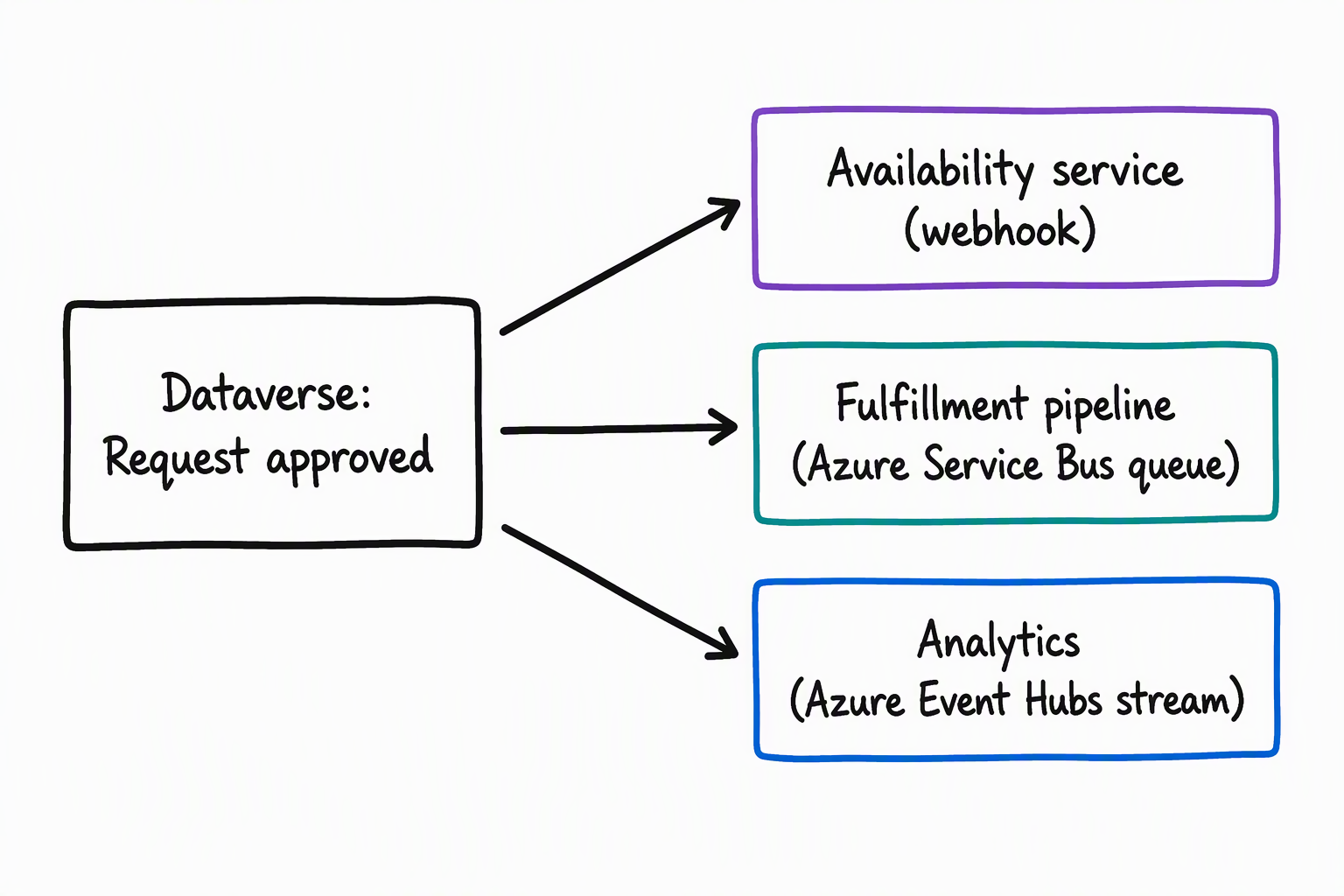
An external availability service, outside of Dataverse, tracks real-time inventory and procurement status for the requested device. When a Request record changes status, for example from submitted to approved, the availability service and other downstream systems need to know right away. They can't wait minutes for the next scheduled sync.
Preview the module path
In this module, you explore two ways to publish a Dataverse event: directly in plug-in code and through configuration in the Plug-in Registration Tool. You also learn how to register destination service endpoints, including webhooks, Azure Service Bus, and Azure Event Hubs. You also learn how to choose the listening approach that best fits a given integration scenario.
By the end of this module, you can publish Dataverse events by using the IServiceEndpointNotificationService and the Plug-in Registration Tool. You can also register service endpoints for webhooks, Azure Service Bus, and Azure Event Hubs, and recommend the right option for listening to Dataverse events in a given scenario.