Put away items in the warehouse
Warehouse put-away documents are created in the program from warehouse receipts or internal put-aways. The put-away document displays Take and Place lines that instruct the user where to place the items in the warehouse.
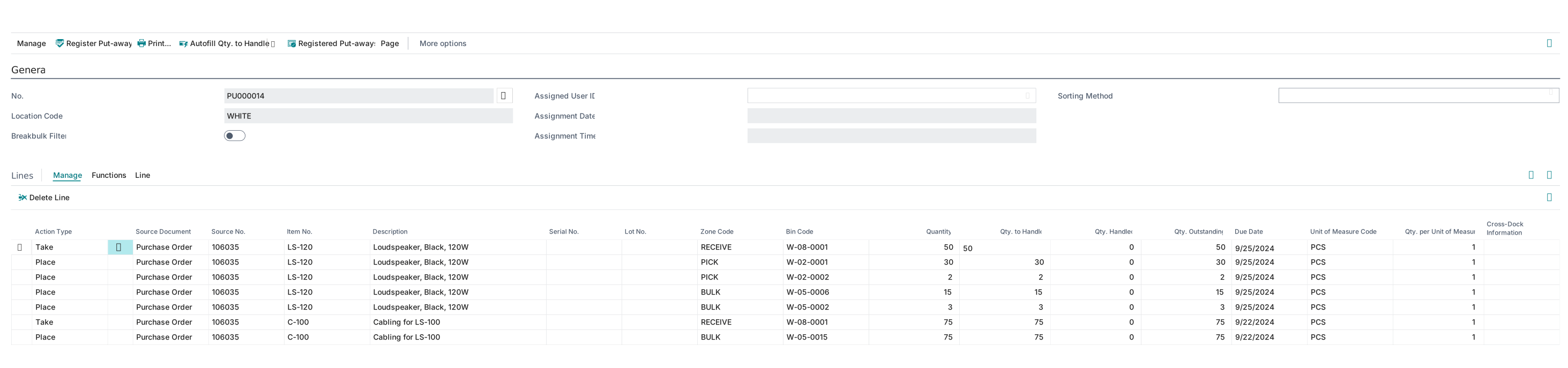
To suggest the bins for the Place lines, the program uses the settings of the put-away template and by bin ranking.
When the put-away is registered, the program deletes the put-away document and records all the information in the registered put-aways. The items are then available for picking.
Put away items in the warehouse
Watch the following video for a demonstration on how to put away items in the warehouse.