Create the line items
Add a For each action (under Loops). In Value to iterate, enter
%fOrdersCSV%, rename the stored item tofOrderItem, and select Save.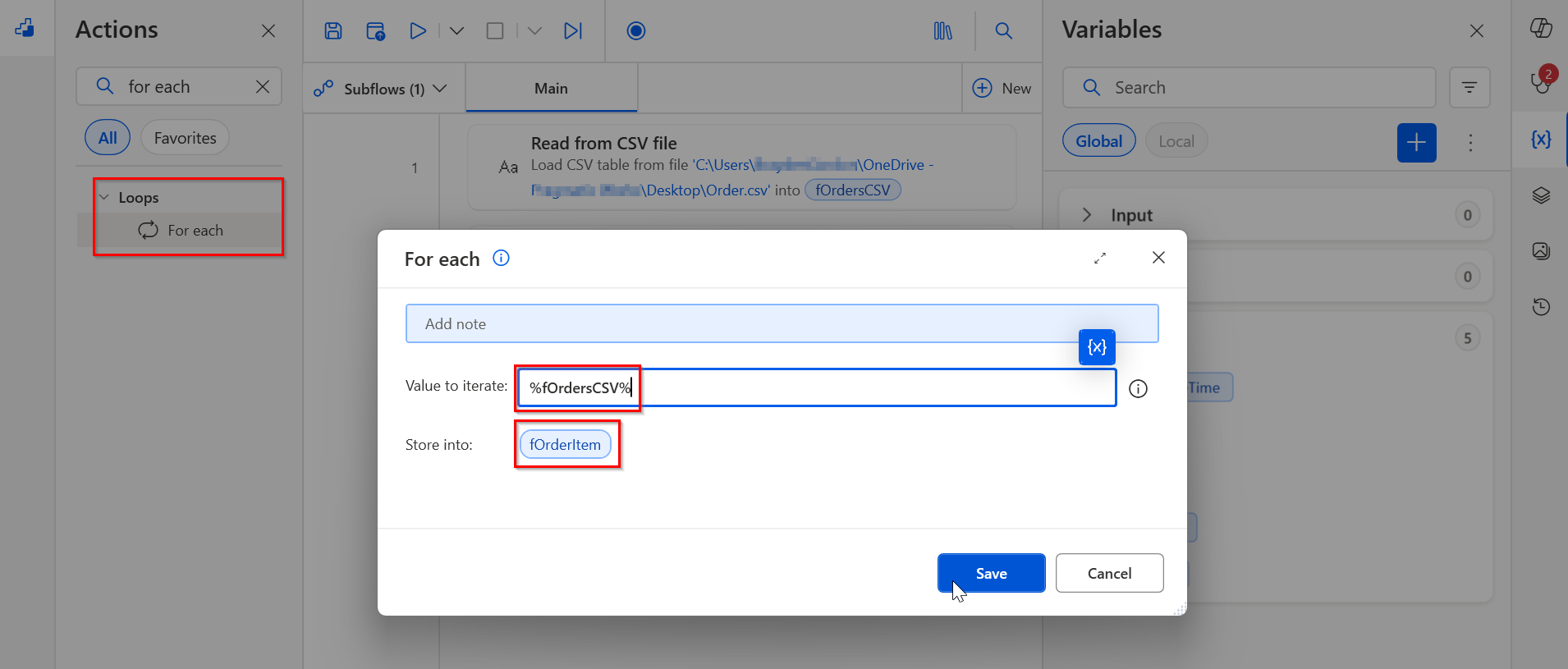
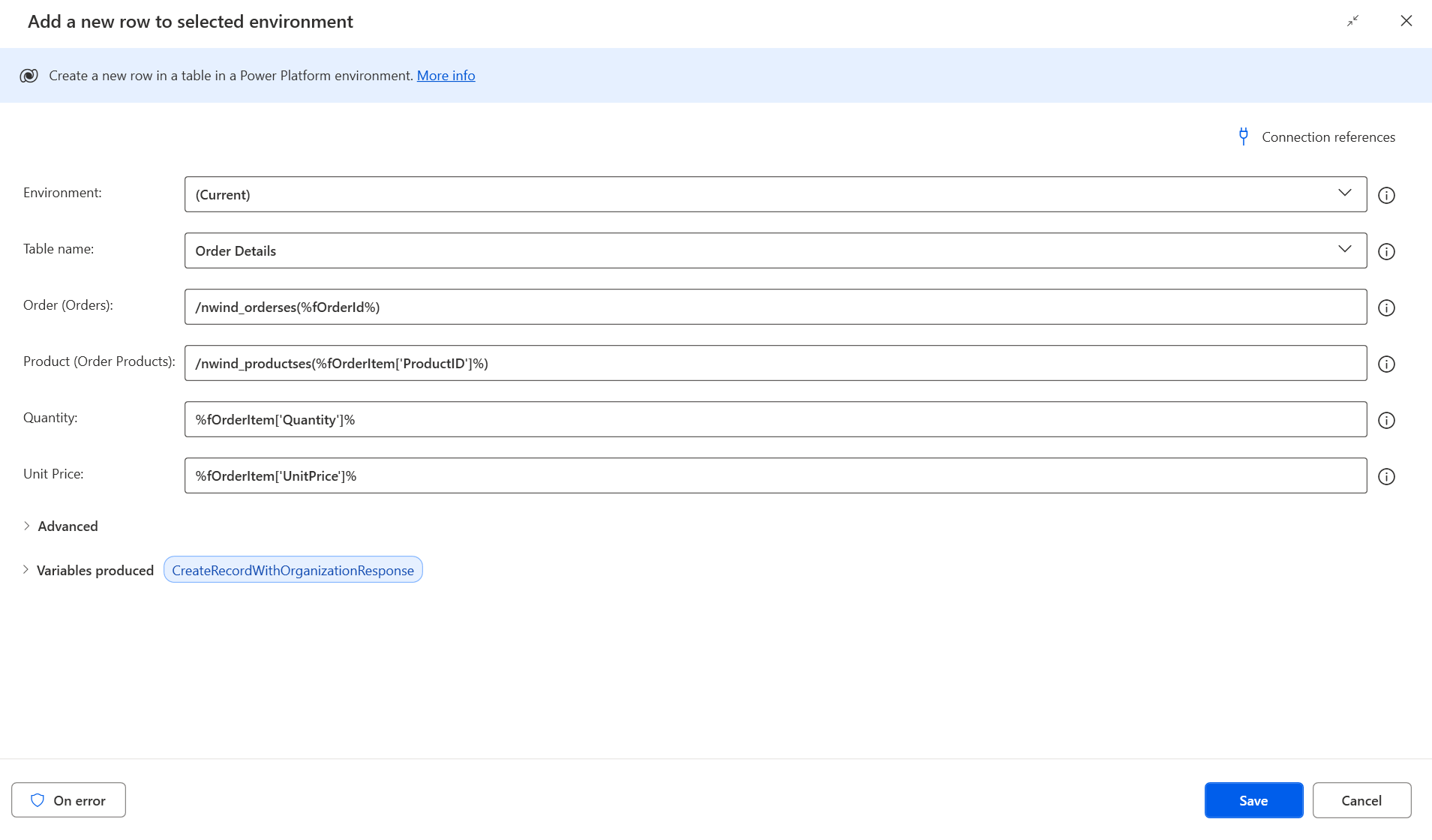
Inside the loop, add an Add a new row to selected environment action:
- Environment: your development environment
- Table name: Order Details
- Order (Orders):
/nwind_orderses(%fOrderId%)- Product (Order Products):
/nwind_productses(%fOrderItem['ProductID']%)- Quantity:
%fOrderItem['Quantity']%- Unit Price:
%fOrderItem['UnitPrice']%Select Save. Leave the produced variable at its default name — unlike
fResponsein Step 4, nothing later in the flow reads this response, so there's no need to rename it. The/table(identifier)format is the same lookup syntax you used for the invoice's Order field in Module 2.
Tip
💡 Tip: This creates line items only. The products themselves already exist in Dataverse, and the ProductID from the file just points each line item at one of them. The ProductName column is never sent; it's only there to keep the file readable.