Prepare the sample order file
The order file is a CSV with one row per line item. Each row names a product by its unique identifier, so first you collect two product IDs from your environment.
Go to https://make.powerapps.com.
🔧 Setup check: Confirm the environment in the upper-right corner is the one where you built Module 2.
In the left navigation, select Tables, search for
Order Product, and open the Order Product table (logical namenwind_products).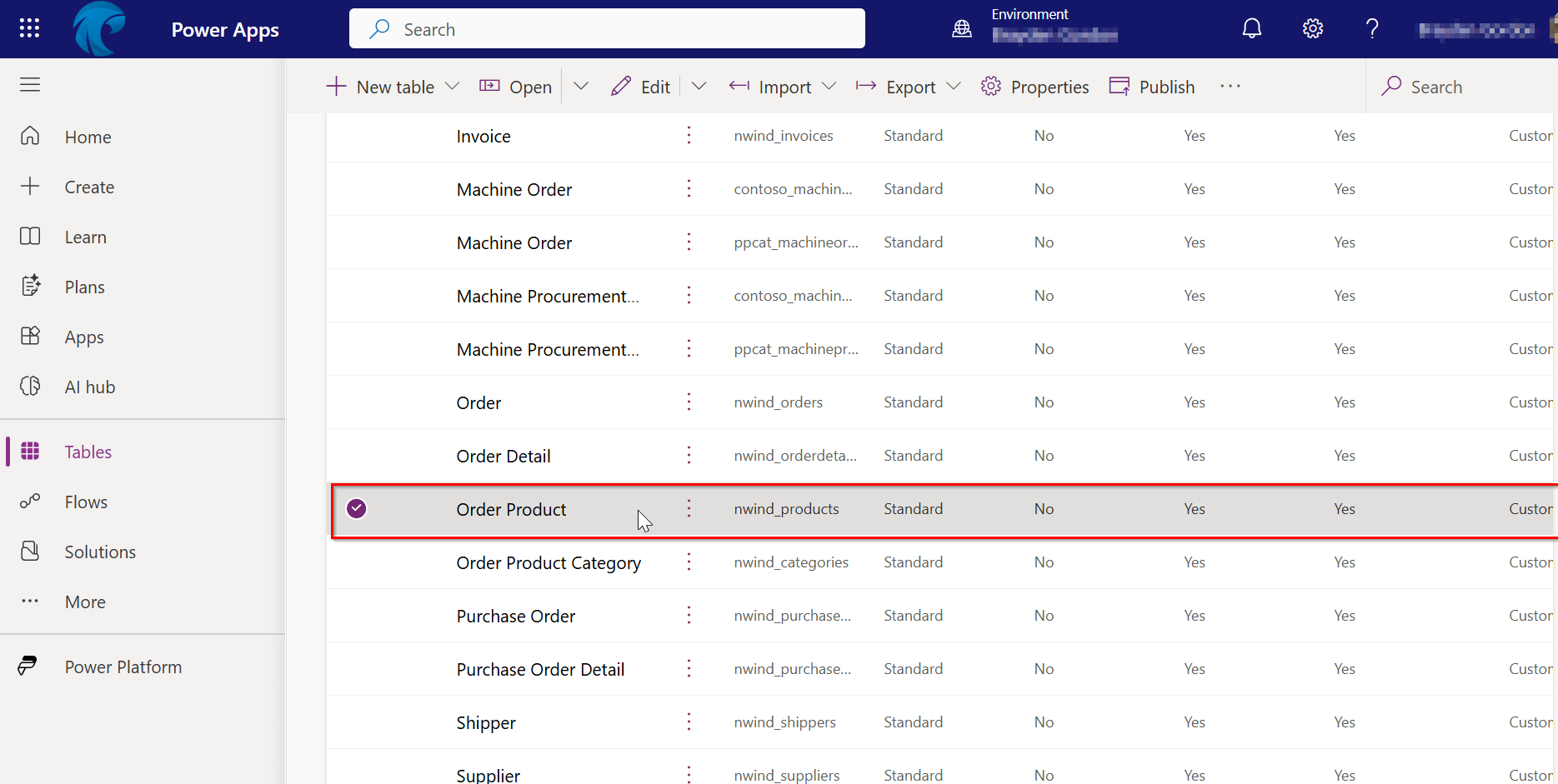
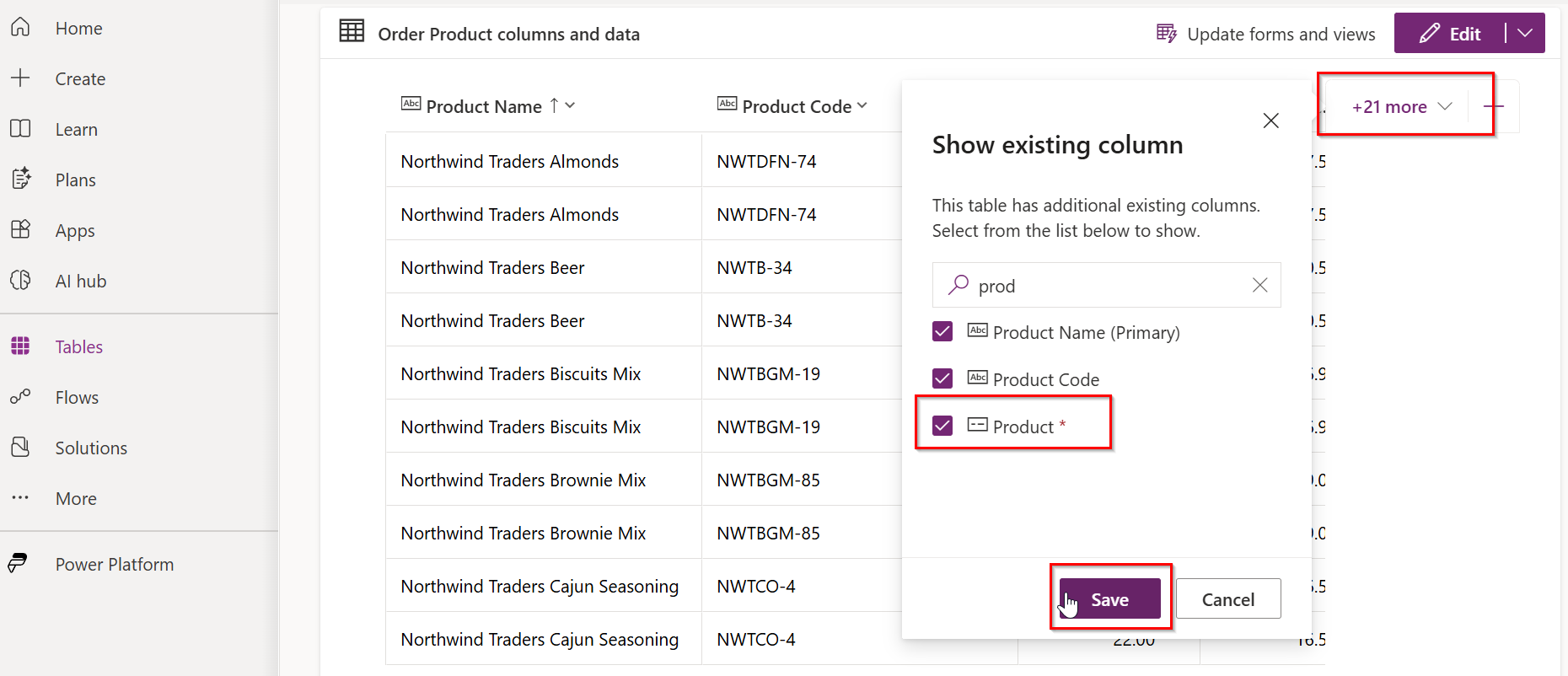
The data view opens showing the Product Name column. Each product's unique identifier lives in a column that is also called Product. It's the table's primary key, and it's hidden by default. Select the column options at the end of the header row (+ more), choose the Product column, and select Save to show it.
Copy the identifiers of Northwind Traders Clam Chowder and Northwind Traders Almonds, the two products the order file uses. If you don't see them, select + additional rows at the bottom of the grid to load more rows.
Note
To copy an identifier, select its cell and press
Ctrl+C. The grid has no right-click copy option.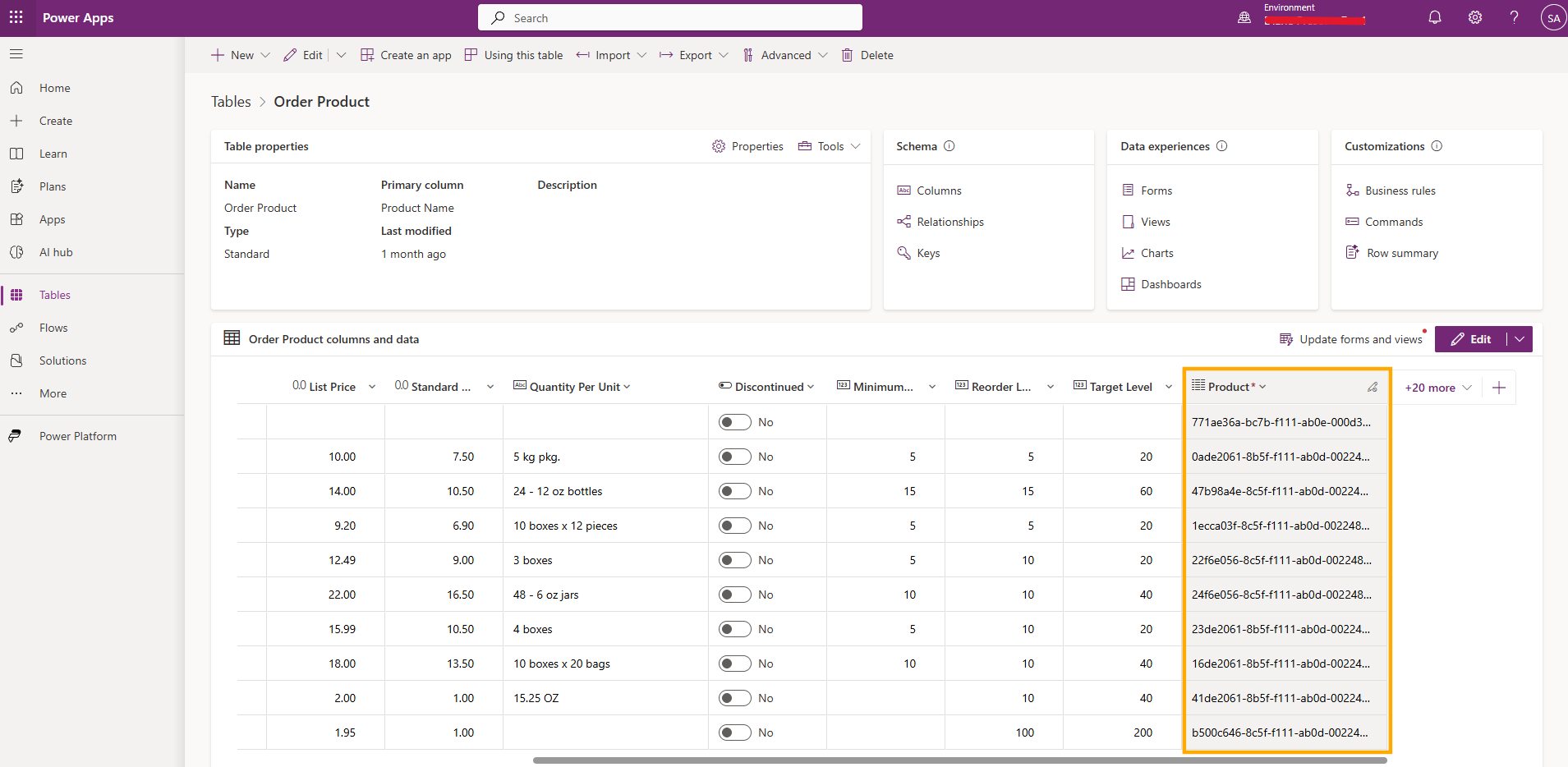
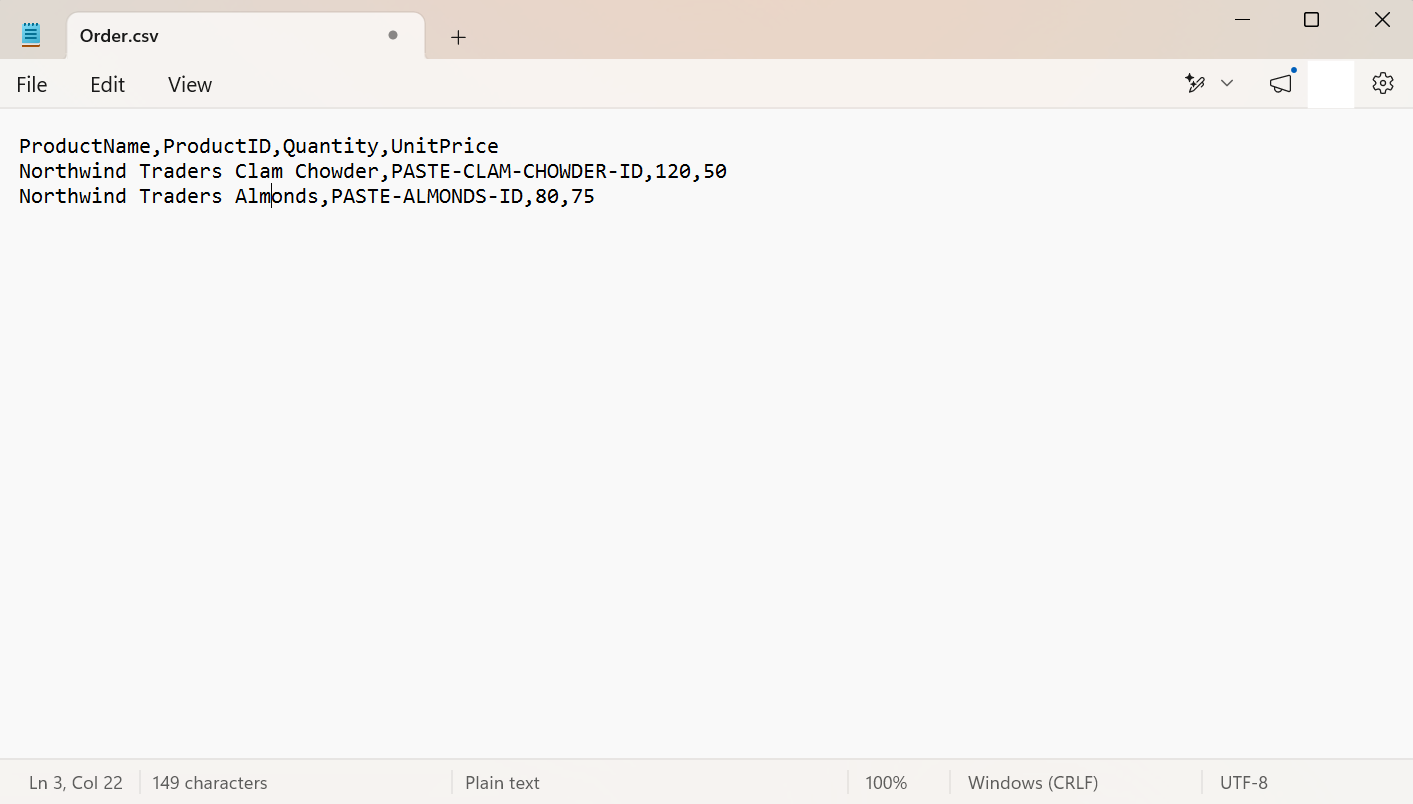
Now create the order file. Open Notepad, paste the content below, and replace the two placeholder identifiers with the ones you copied:
ProductName,ProductID,Quantity,UnitPrice Northwind Traders Clam Chowder,PASTE-CLAM-CHOWDER-ID,120,50 Northwind Traders Almonds,PASTE-ALMONDS-ID,80,75- Select File > Save as
- Set Save as type to All files
- Name the file
Order.csv, and save it to your desktop.
Important
⚠️ Important: If you build the file in Excel instead, save it with Save as > CSV (Comma delimited) (*.csv). The default .xlsx format can't be read by the Read from CSV file action.
✅ Checkpoint: Order.csv sits on your desktop with a header row, two line items, and both product identifiers filled in. The sample's quantities and prices total 12,000 USD, deliberately over the 10,000 USD threshold from Module 2, so a successful import should demand both the manager and the executive approval.