Verify the result
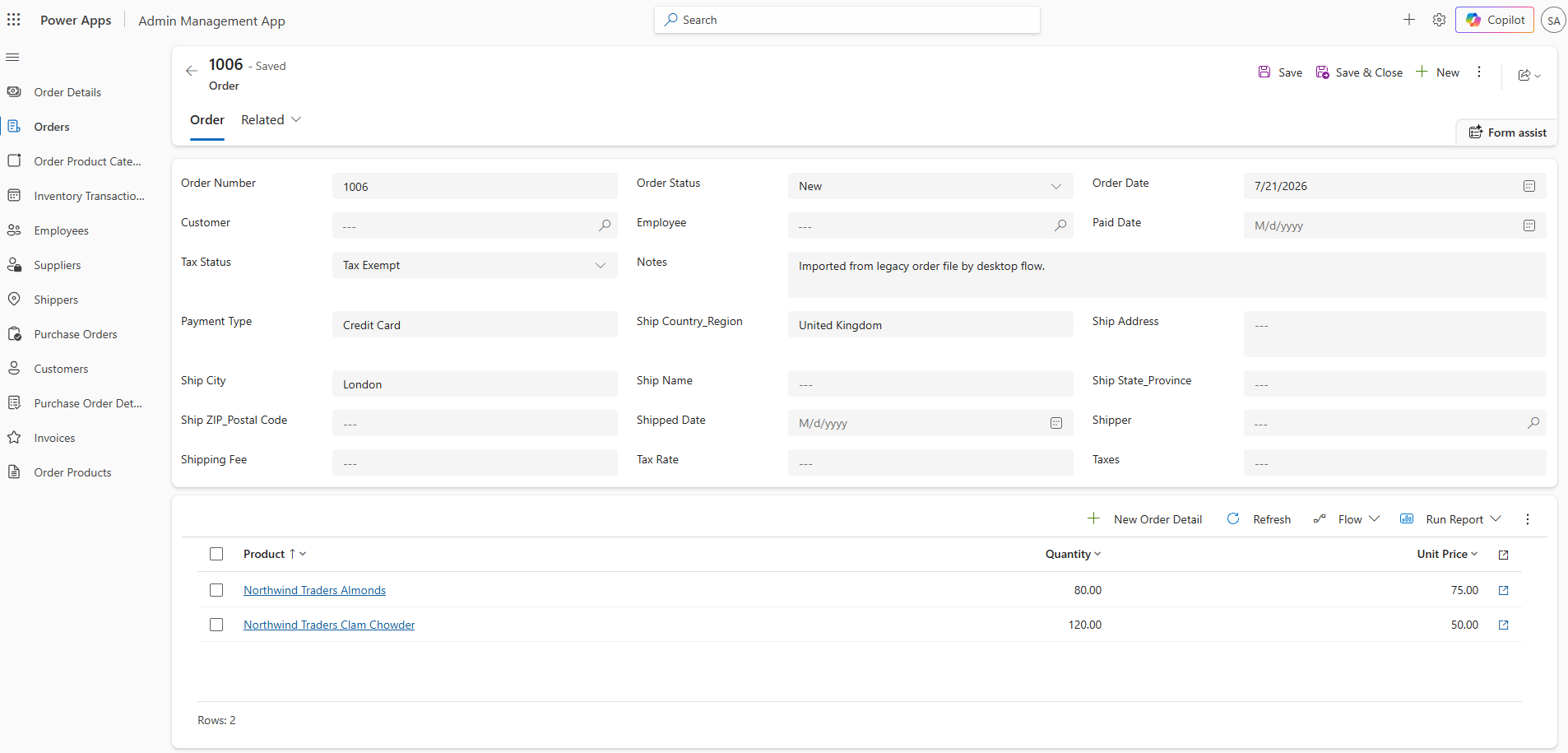
In https://make.powerapps.com, select Apps and open the Admin Management App. On the Orders page, sort by Order Date (newest to oldest) and open your newly created order. The header shows the values from Step 4, and the order details beneath it contain the two products from your CSV file, totaling 12,000 USD — an imported order looks exactly like one entered by hand.
Tip
💡 Tip: This lab verifies in the Admin Management App because its pages cover orders and invoices in one place. The Northwind Orders app from Module 2 works too, but it's more basic. You can always inspect the individual tables in Dataverse directly.
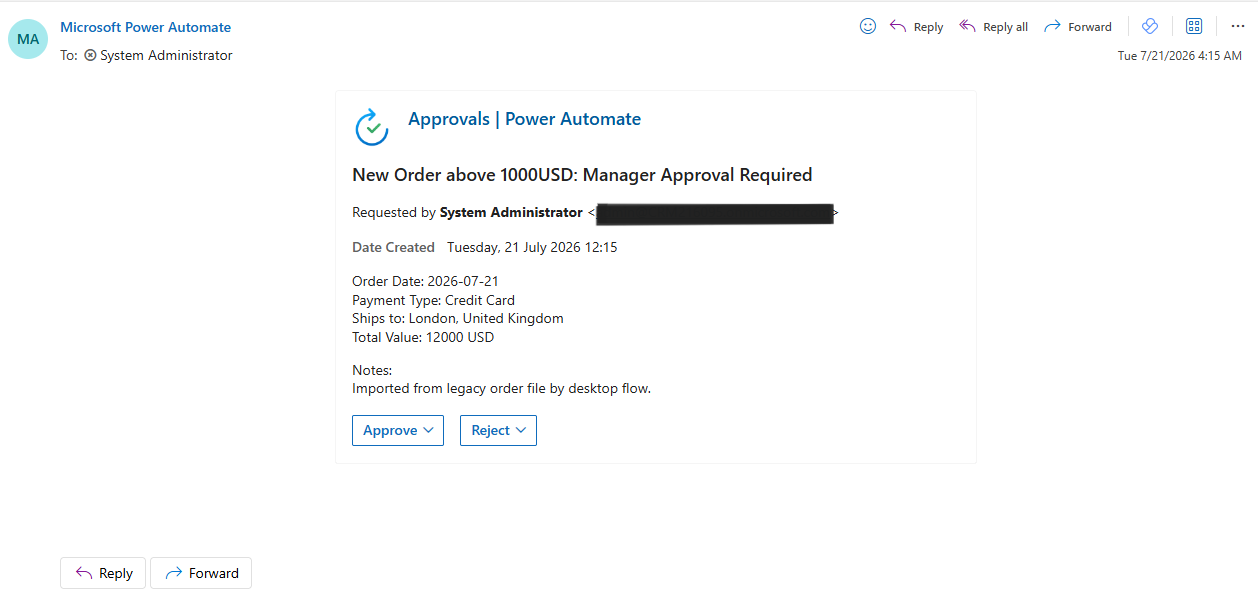
Open the Manager mailbox. The approval email for the imported order arrives with all details populated — respond Approve, then approve the executive request too (the order totals 12,000 USD, so both tiers fire).
In https://make.powerautomate.com, open Order Automation > run history, and confirm a new successful run that started when the desktop flow updated the status. After approving both requests, return to the Admin Management App and confirm the new invoice for 12,000 USD on its Invoices page.
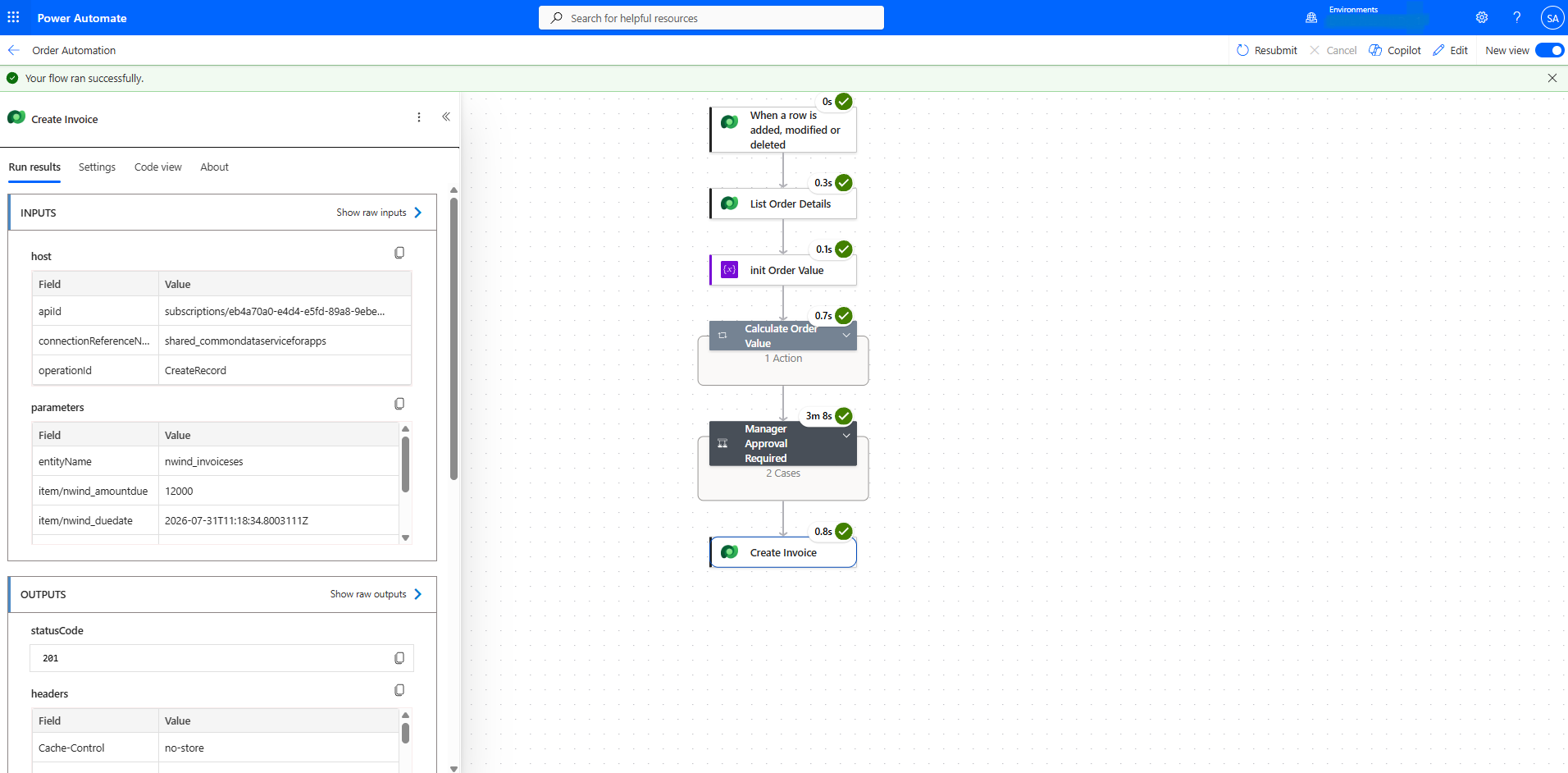
✅ Checkpoint: one key press moved an order from a local file, through Dataverse, through the Module 2 approval process, to an invoice, with no changes to the cloud flow at all.
This lab keeps the intake deliberately simple. In production, the trigger and the file would differ: a folder watcher or schedule instead of a keyboard shortcut, a loop over incoming files instead of one fixed path, AI Builder document processing when orders arrive as invoices or scans rather than clean CSV files. What wouldn't change is the part you built after Read from CSV file: the handoff into Dataverse and everything downstream of it works the same, no matter how the order arrives.
🥳 Congratulations! you extended the Module 2 automation to orders that never touch the app, using RPA as the on-ramp into one governed approval process.
Recommended next step
Continue to the next module, where an agent answers customers mid-conversation by calling an automation as a tool.