Use containment to control agent behavior
Identity and governance establish who an AI agent is, what it can access, and how it's expected to behave. But what happens after an agent begins performing work?
An AI agent might retrieve information, invoke multiple tools and services, and perform actions that weren't known when the task first started. Because these decisions happen while the agent is running, organizations need safeguards that continue to apply throughout execution.
This is where containment plays an important role. Containment defines the boundaries within which an AI agent can operate while it's running, helping limit what resources it can access and what actions it can perform.
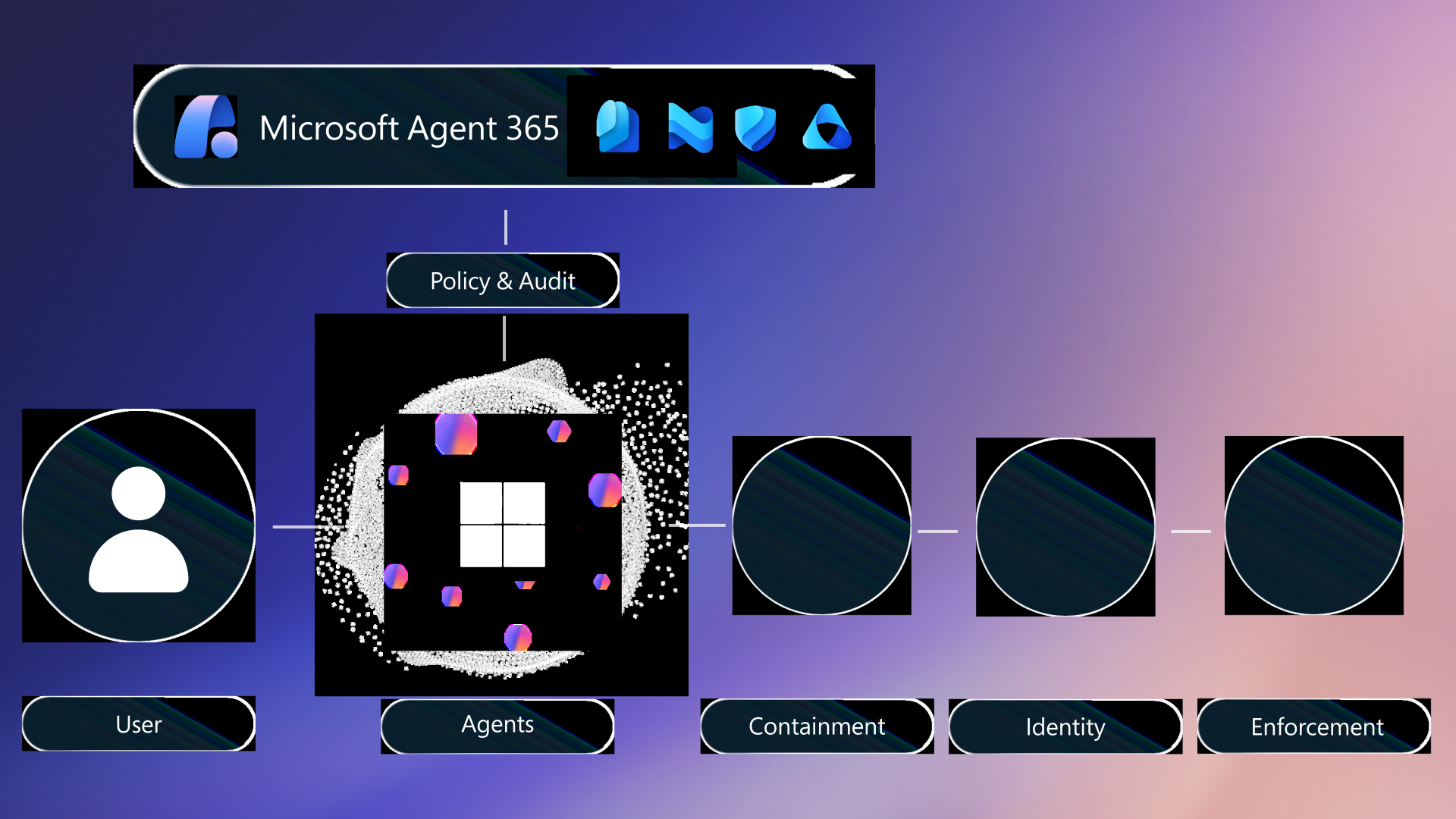
Figure: Layered security capabilities help organizations govern, contain, identify, and enforce trusted behavior throughout AI agent workflows.
Containment helps define the boundaries within which an AI agent can operate while it is running. Rather than giving an agent unrestricted access to systems and data, organizations can limit the resources, services, and actions available throughout execution—even if the agent generates additional steps to complete its goal.
Windows provides built-in platform security capabilities that support containment through runtime isolation, policy enforcement, identity integration, and monitoring. Together, these capabilities help organizations control how AI agents access resources and perform actions while they're running.
Why containment matters
As AI agents become more capable, the impact of unintended actions can also increase.
Containment helps organizations:
- Reduce the risk of unintended or unauthorized actions.
- Limit access to sensitive data and business systems.
- Restrict agents to approved tools and services.
- Maintain control even when agent behavior changes during execution.
By applying containment, organizations can help ensure AI agents complete tasks safely without exposing the broader environment.
Unlike identity and governance, which establish who an AI agent is and what it is allowed to do, containment helps enforce those boundaries while the agent is actively running.
Containment throughout the workflow
Containment can be applied throughout an AI agent workflow.
| Workflow stage | Example containment |
|---|---|
| Retrieve data | Allow access only to approved data sources |
| Invoke tools and services | Limit the agent to trusted applications, APIs, and services |
| Perform actions | Restrict actions to approved operations and workflows |
Applying containment throughout the workflow helps reduce risk while allowing AI agents to continue working toward their goals.
Scenario: Agent containment in practice
Imagine an AI agent preparing materials for a customer meeting. The meeting assistant has already been authenticated and granted permission to access approved business resources.
To complete its task, the agent retrieves documents, reviews recent customer information, connects to Outlook, and drafts follow-up communications. The workflow may also involve chained actions, such as retrieving records, summarizing notes, drafting an email, and preparing a meeting agenda.
Even if the agent generates additional steps while working toward its goal, containment helps prevent it from accessing unauthorized resources or performing actions outside approved policies.
Without containment, the agent could:
- Access unrelated or sensitive information
- Connect to unauthorized applications or services
- Perform actions outside its intended scope
- Continue operating beyond approved runtime boundaries
With containment in place, the same agent can:
- Access only approved documents and data sources
- Connect only to trusted applications and services
- Perform only authorized actions required to complete the task
- Remain within defined runtime boundaries throughout execution
Containment allows the agent to complete approved work while reducing the risk that unexpected behavior affects the broader environment.
How Windows supports runtime containment
Windows provides platform security capabilities that help organizations apply containment while AI agents are running.
For example:
- Microsoft Defender can help provide visibility into workloads, identify unusual behavior, and support investigation of security events.
- Microsoft Execution Containers (MXC) support isolated execution environments that help define and enforce boundaries around how AI agents access resources and perform actions.
Use monitoring tools such as Microsoft Defender when the priority is visibility, detection, investigation, and response. Use containment technologies such as MXC when the priority is defining and enforcing runtime boundaries around what an agent can access or do while it is running.
Together, these capabilities help organizations support AI agents that perform dynamic workloads while remaining within approved security boundaries.
Note
Microsoft Execution Containers (MXC) are designed to support runtime containment for AI agent workloads. MXC helps define execution boundaries so organizations can limit how agents access resources, invoke tools, and perform actions while they're running.
To learn more about how MXC supports containment and runtime isolation for AI agents on Windows, see the Windows Developer Blog article, Windows platform security for AI agents.
Building a layered security model
Containment complements the identity and governance controls introduced in the previous unit.
Together, these layers help secure AI agent workloads:
- Identity verifies the AI agent and authenticates access to systems.
- Governance defines policies that guide agent behavior.
- Containment controls how and where the agent operates while it's running.
Each layer contributes to a stronger security model. Identity establishes trust, governance defines expected behavior, and containment helps ensure AI agents continue operating safely throughout execution.
Together, these layered capabilities help organizations securely build, deploy, and manage AI-powered workloads throughout the AI development lifecycle.