Microsoft Sentinel Solution for SAP integration with SAP LogServ add-on
As covered in the previous unit, the Microsoft Sentinel solution for SAP applications provides powerful application-layer monitoring — tracking SAP user activity, business transactions, and critical security events while correlating them with threat signals across your entire IT estate. However, in SAP RISE/ECS environments, infrastructure and database logs remain under SAP's shared responsibility model and aren't accessible to customers through the agentless data connector.
SAP LogServ is an optional add-on service in your SAP Cloud ERP private package that closes this gap. It unlocks access to all remaining logs from SAP's managed services — including complete SAP HANA database insights, system-level security telemetry, and audit trails — streaming them directly into Microsoft Sentinel Solution for SAP.
Note
SAP LogServ is a first-of-its-kind Sentinel-native integration built by SAP. RISE on Azure customers have the exclusive ability to leverage this push-based integration without any intermediary infrastructure - unlike other pull-based mechanisms involving log-forwarding functions.
Solution architecture
Deploy the LogServ integration solution provided by SAP alongside the Microsoft Sentinel for SAP solution for full coverage across the entire SAP RISE/ECS stack.
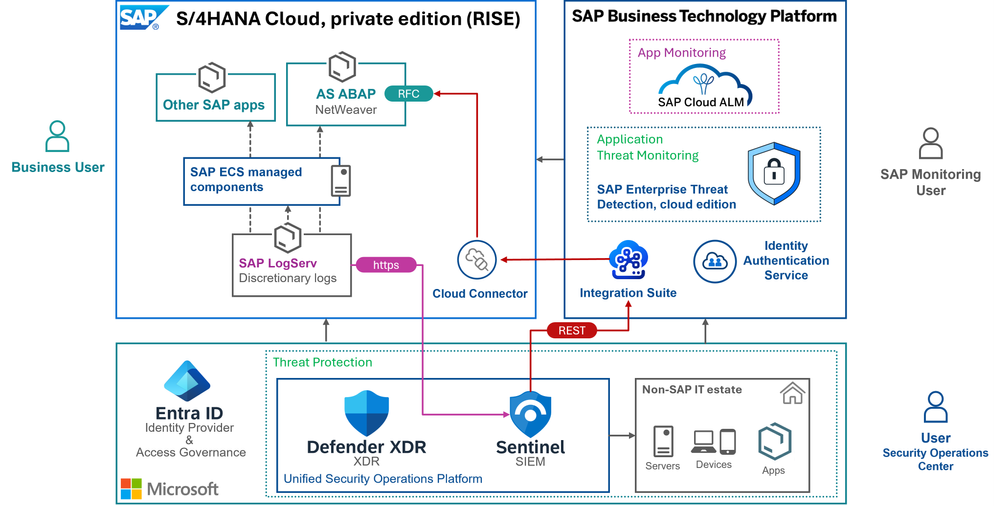
The combined architecture provides coverage across three layers:
| Layer | Coverage | Provided by |
|---|---|---|
| Application | SAP user activities, business transactions, audit logs, sensitive transactions, RFC calls | Microsoft Sentinel for SAP (agentless data connector) |
| Infrastructure | Operating system logs, syslog, NetWeaver infrastructure traces | SAP LogServ add-on |
| Database | SAP HANA audit logs, diagnostic traces, security events | SAP LogServ add-on |
Key log sources from SAP LogServ
SAP adds relevant log sources as they become available in RISE. Key log sources include:
SAP HANA database logs are a critical addition. Without LogServ, HANA audit logs, diagnostic traces, and security events aren't available through any customer-facing interface in RISE. With LogServ enabled, your SOC team gains direct visibility into database-level activities such as:
- Privilege escalation attempts at the HANA layer
- Unauthorized schema access or data exports
- Configuration changes to HANA security settings
- Database user management events
Beyond HANA database, LogServ also provides operating system-level logs and SAP basis infrastructure traces from the managed environment.
Built-in security content
The LogServ integration comes with built-in security content in Microsoft Sentinel Solution for SAP to help you get started quickly.
Application-layer analytic rules (Microsoft Sentinel for SAP)
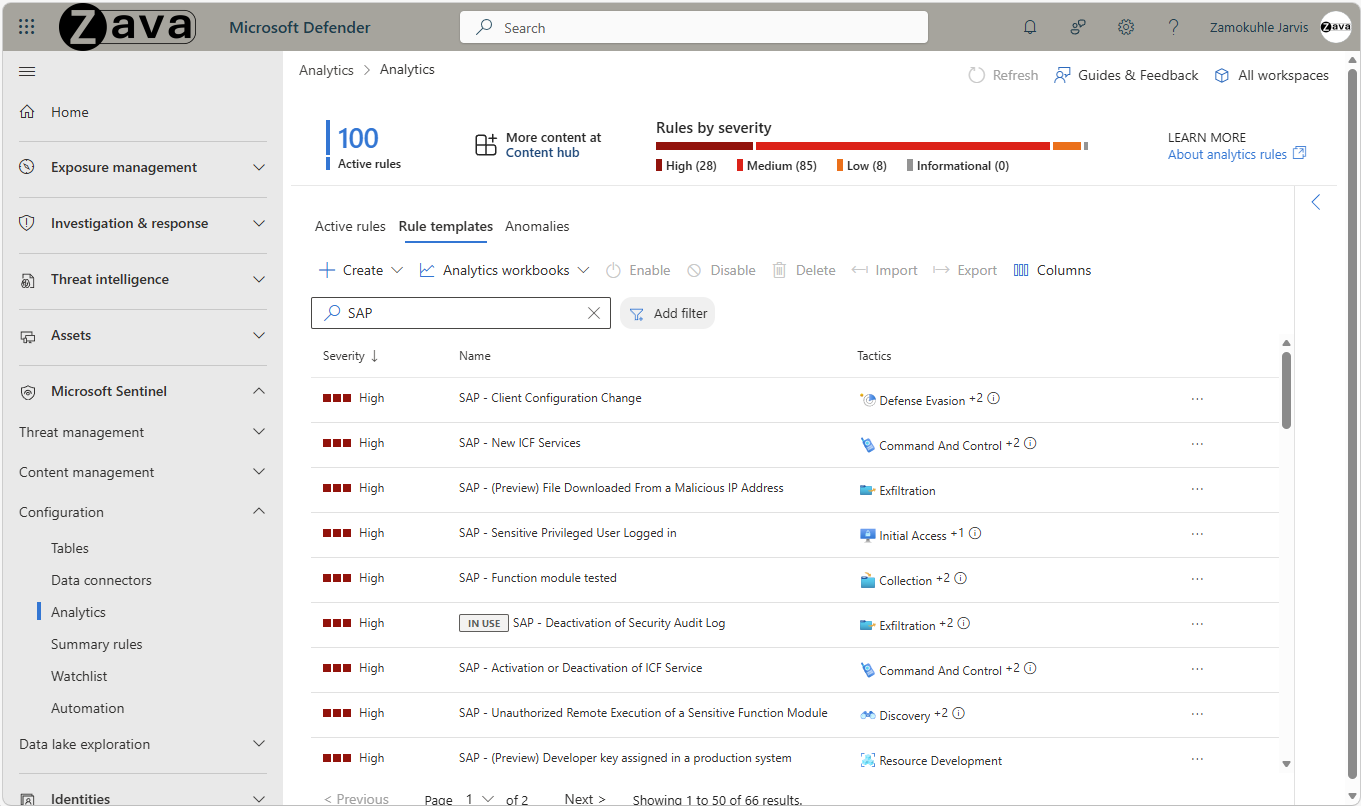
The Microsoft Sentinel for SAP solution ships with 60+ built-in analytic rules covering the application layer — detecting threats like privilege escalation, unauthorized changes, sensitive transactions, and data exfiltration.
Infrastructure and database detections (SAP LogServ add-on)
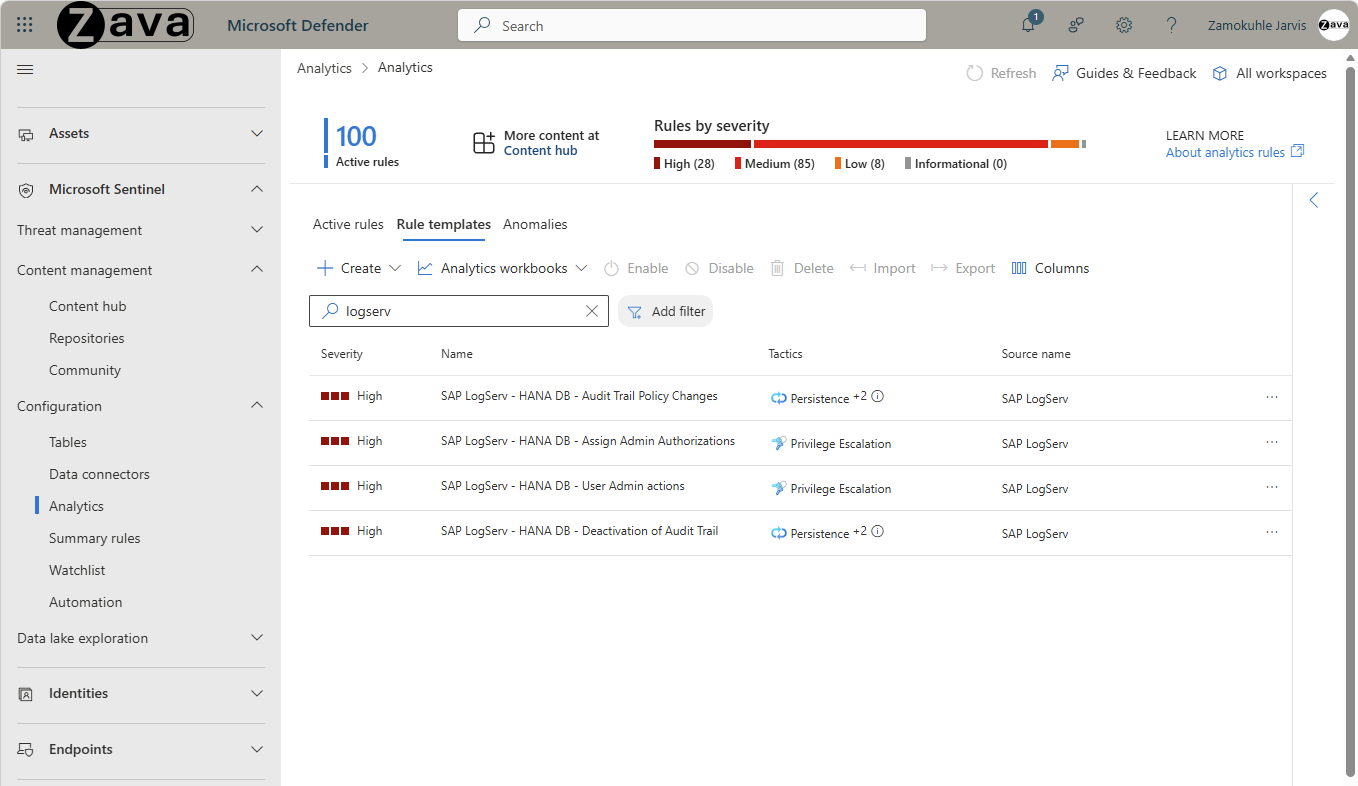
LogServ extends detection capabilities to the infrastructure and database layer, surfacing threats that are invisible at the application layer alone. See below sample with dedicated analytic rules for SAP HANA database.
Learn more from this blog article.
LogServ workbook
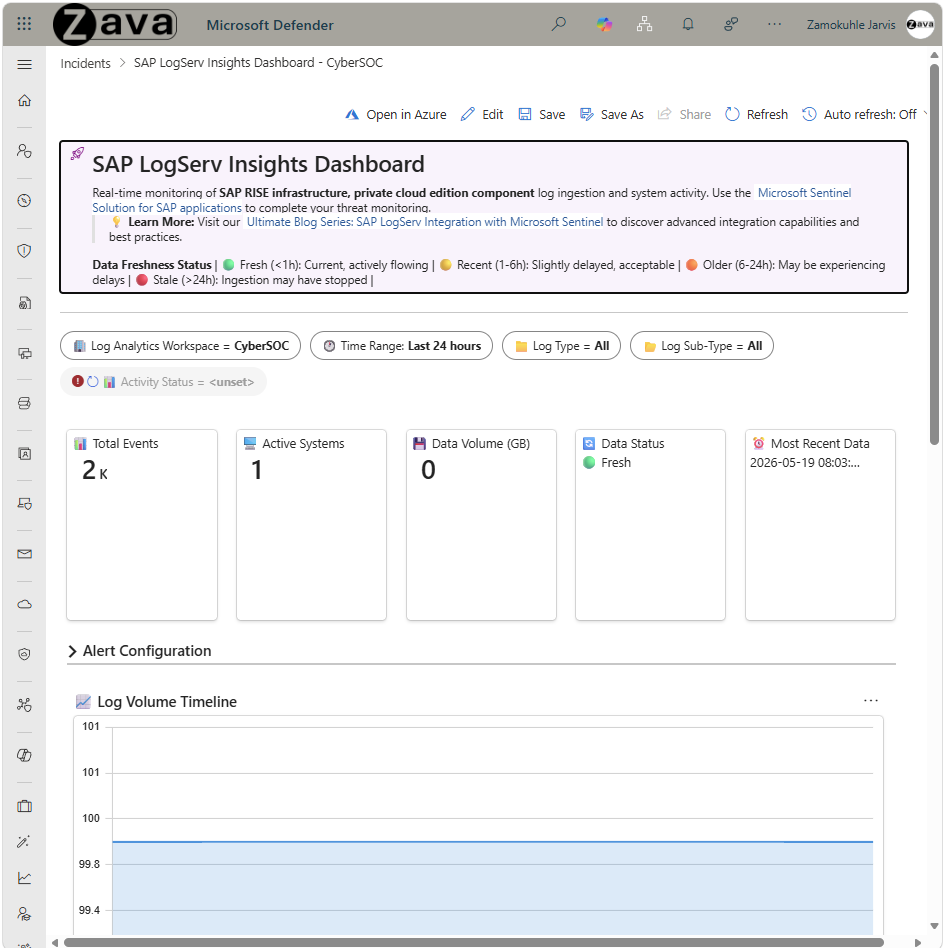
A built-in workbook provides operational insights into your LogServ data — visualizing log ingestion patterns, available log sources, and helping you create alerts for anomalies.
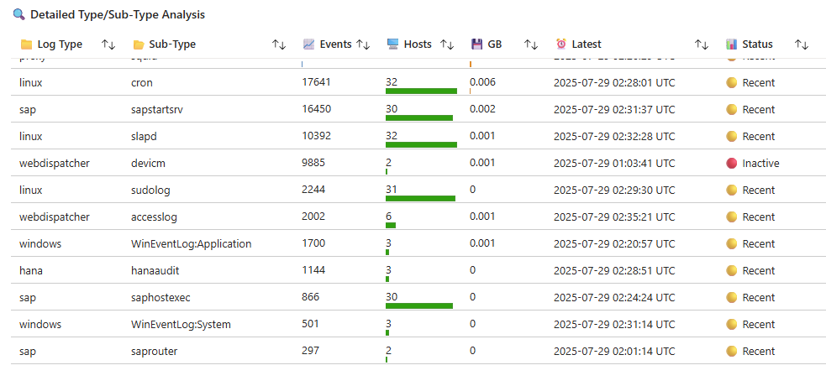
Learn more from this blog article
Getting started
SAP LogServ is an optional add-on for SAP RISE/ECS and SAP Cloud ERP private edition customers. To get started:
- Activate LogServ — Contact SAP to enable the LogServ add-on for your SAP Cloud ERP private environment.
- Deploy Microsoft Sentinel for SAP — Ensure the agentless data connector is configured for application-layer coverage as described in the previous unit.
- Install the LogServ add-on — Deploy the SAP-provided LogServ integration solution from the Microsoft Sentinel content hub into your workspace.
- Configure log selection — Choose which infrastructure and database log sources to ingest based on your security and compliance requirements.
- Enable analytic rules — Activate the built-in HANA and infrastructure detection rules alongside the existing application-layer rules.
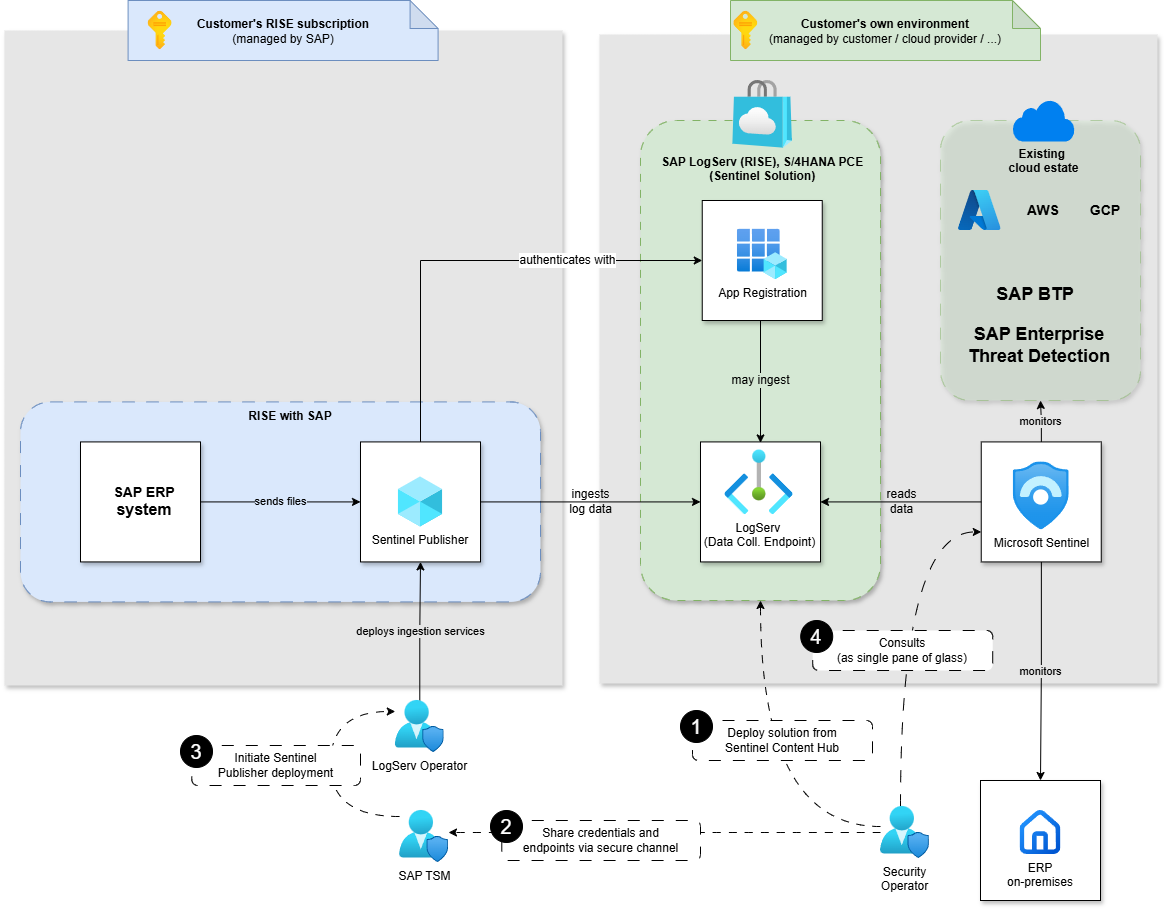
For detailed deployment instructions, see the SAP LogServ integration with Microsoft Sentinel Solution for SAP overview article.
Important
LogServ complements the Microsoft Sentinel for SAP solution. For full-stack coverage, deploy both the agentless data connector (application layer) and the LogServ add-on (infrastructure and database layers).