Manage environment security
While tenant-level settings set the governance floor, environment-level security controls protect individual environments based on their sensitivity and governance zone. These controls determine who can access a specific environment and what network conditions must be met.
Configure IP firewall
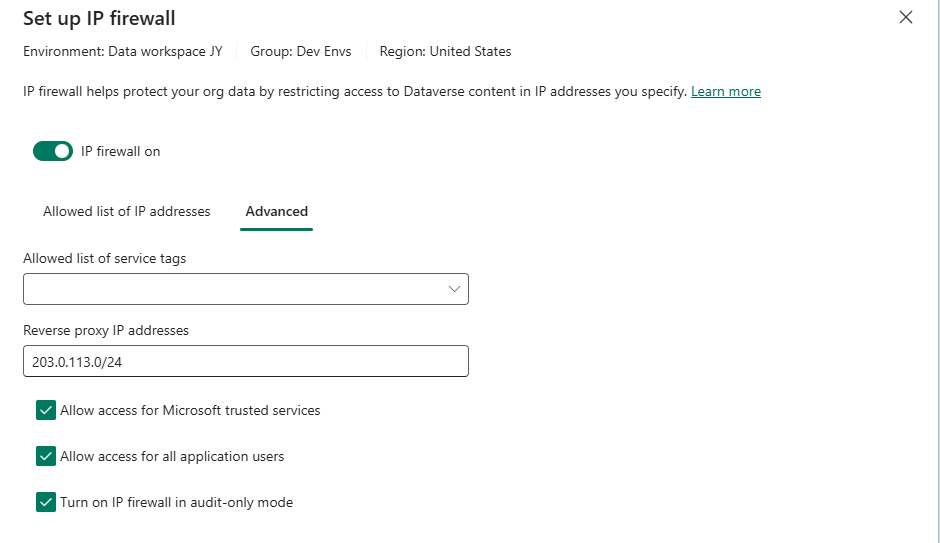
IP firewall restricts environment access to approved network locations. It blocks any request originating from an IP address outside the allowed ranges - for both interactive (browser) and non-interactive (API) access.
To configure IP firewall for a Managed Environment:
- In the Power Platform admin center, go to Security > Identity and access > IP firewall.
- Select the environment or environment group that you want.
- Add allowed IP ranges in CIDR format (for example,
10.0.0.0/8for internal networks,203.0.113.0/24for office locations). - Configure advanced settings:
- Allow Microsoft trusted services - Enables Microsoft monitoring and support to access the environment. Keep enabled unless compliance requires otherwise.
- Allow application users - Permits service principals and application users to access Dataverse APIs regardless of IP restrictions. Disable for maximum lockdown.
- Service tags - Allow Azure services by tag (for example, Azure Logic Apps, Power Platform infrastructure).
- Turn on Audit-only mode initially to log violations without blocking access.
- After reviewing audit logs for one to two weeks, switch to enforcement mode.
Important
IP firewall requires Managed Environments and specific Microsoft 365 licensing (E5/A5/G5 or compliance add-on). Changes take effect within 5-10 minutes. Always start in audit-only mode to identify legitimate traffic that would be blocked.
IP firewall at scale - Configure IP firewall rules through environment groups to apply consistent network restrictions across all environments in a governance zone. Red zone environments use strict corporate-only IP ranges. Yellow zone environments might allow VPN and branch office ranges. Green zone environments might skip IP restrictions entirely.
Prevent token replay attacks
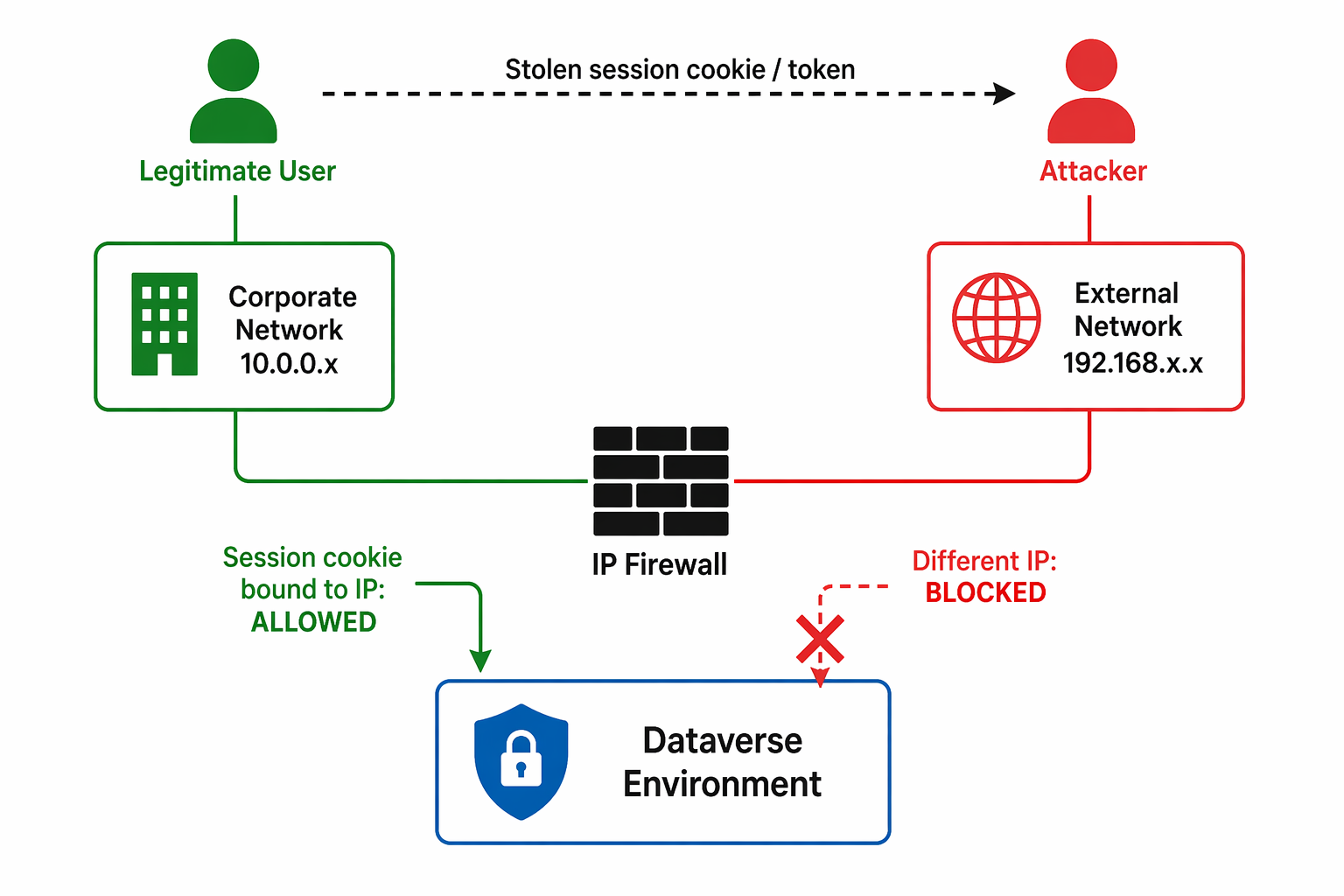
IP firewall includes protection against session token theft - a scenario where an attacker steals a user's authentication token and replays it from a different network location:
- When IP firewall is active, tokens are bound to the IP range where they were issued.
- If a token is used from an IP outside the allowed range, the request is blocked even though the token itself is valid.
- This mitigates the contractor scenario at Zava where stolen credentials were used from unauthorized locations.
Combined with Entra ID conditional access (session binding, continuous access evaluation), IP firewall creates defense-in-depth against credential theft.
Configure environment-level sharing limits
Beyond tenant-level sharing governance, Managed Environments provide environment-specific sharing controls that override tenant defaults when more restrictive:
- Set per-environment limits on canvas app sharing that differ from the tenant baseline.
- Disable flow sharing entirely for sensitive environments where automated processes handle regulated data.
- Restrict agent sharing to prevent customer-facing agents from being modified by unauthorized editors.
These settings work alongside DLP policies: DLP controls what connectors can do, while sharing limits control who has access to the resources themselves.
Manage environment admin access
Control who can administer each environment:
- System Administrator role - Grants full control over an environment's settings, data, and security configuration. Assign sparingly.
- System Customizer role - Allows schema and app customization without security administration. Appropriate for makers who need to build but not govern.
- Environment Admin (in PPAC) - Can manage the environment from the admin center without needing Dataverse System Administrator access.
At Zava, the admin team restricts System Administrator to a small security team for Red zone environments. Yellow zone environments grant it to designated team leads. Green zone (developer) environments allow the environment creator to retain System Administrator.
Enable environment audit logging
Environment-level audit logging captures security-relevant events, such as:
- User sign-in and sign-out events
- Security role changes
- Data access patterns (read, create, update, delete operations)
- Plugin and workflow execution
Enable auditing for environments that handle sensitive data, especially Red zone production environments. Audit data flows to Dataverse audit tables and can be forwarded to Microsoft Purview for long-term retention and compliance reporting.
To enable environment auditing:
- In the Power Platform admin center, select the environment.
- Go to Settings > Audit and logs > Audit settings.
- Turn on Start auditing and configure which entities and operations to track.
Note
Auditing uses more storage. For high-volume environments, set up log retention policies and archive to Microsoft Purview to manage costs while keeping compliance requirements.
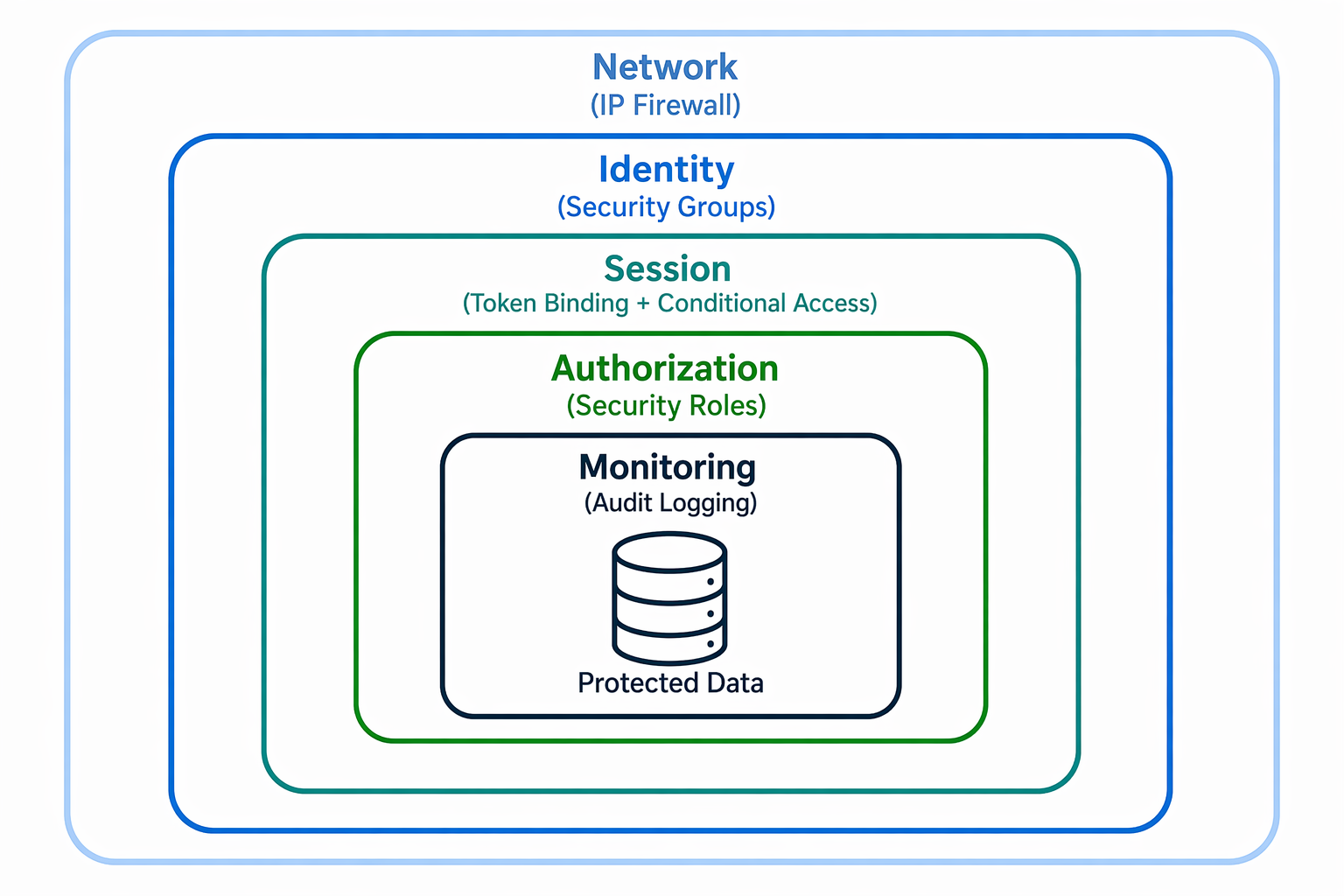
Apply defense-in-depth
Effective environment security layers multiple controls:
| Layer | Control | Purpose |
|---|---|---|
| Network | IP firewall | Block access from unauthorized locations |
| Identity | Security groups | Restrict which users can enter the environment |
| Session | Token binding + conditional access | Prevent credential replay and stolen sessions |
| Authorization | Security roles | Control what users can do once inside |
| Monitoring | Audit logging | Detect and investigate unauthorized activity |
Each layer addresses a different attack vector. IP firewall stops network-based attacks, security groups prevent unauthorized users from entering, session controls stop stolen credentials, security roles limit data access, and auditing provides detection and forensics capability.