Integrations
Microsoft Security Copilot is designed to work seamlessly across the Microsoft Security ecosystem. It uses a plugin-based architecture to pull telemetry and context from multiple Microsoft services, enabling security teams to investigate and respond to threats using natural language prompts. This integration allows Copilot to act as a central AI layer, enhancing visibility, speed, and decision-making across your security operations.
Microsoft Defender XDR
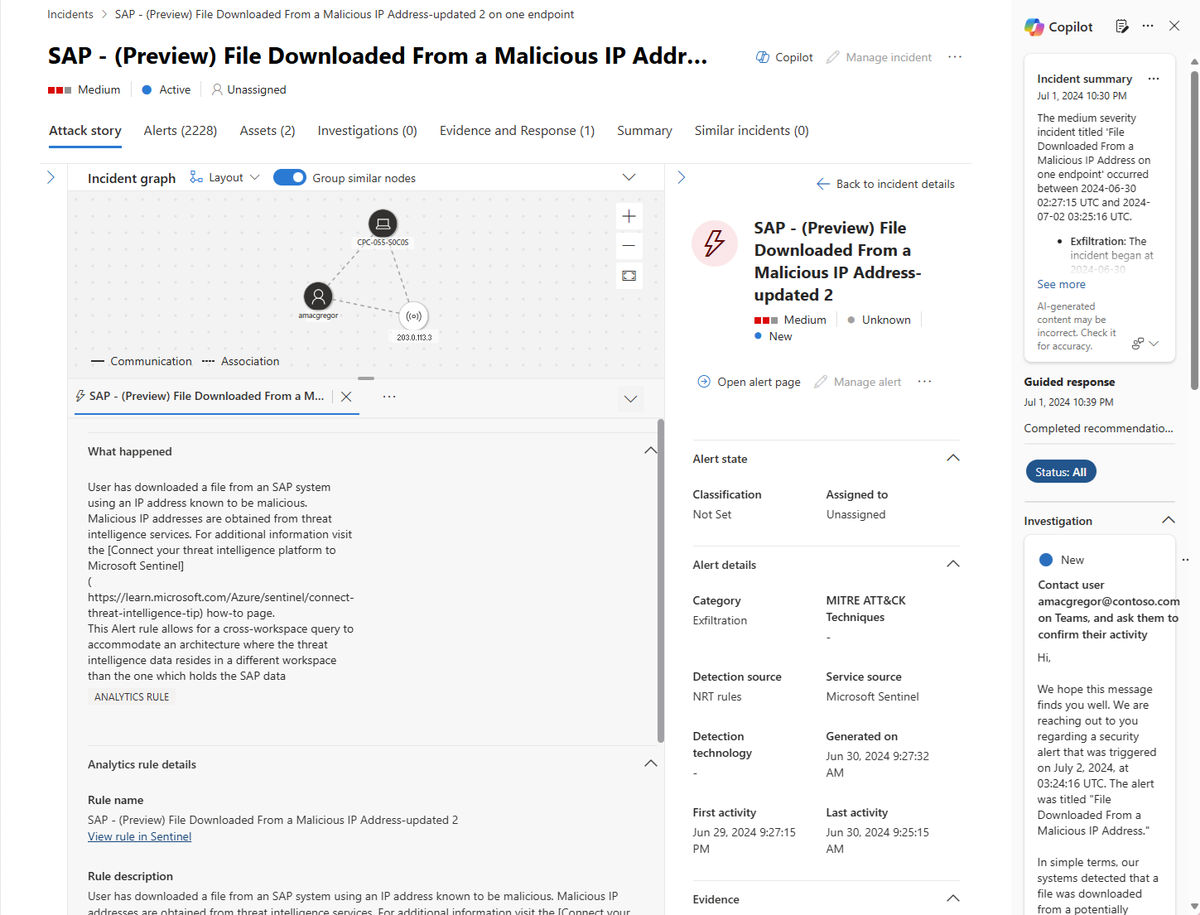
Microsoft Security Copilot integrates deeply with Microsoft Defender XDR, which provides a unified XDR experience for Microsoft Defender for Endpoint, Microsoft Defender for Identity, Microsoft Defender for Office 365, Microsoft Defender for Cloud Apps, and Microsoft Defender for Vulnerability Management. Copilot is embedded in the Microsoft Defender portal, allowing security analysts to investigate incidents, summarize alerts, and receive AI-driven recommendations for mitigation steps. A license to a Microsoft 365 security product generally entitles you to use Microsoft Defender XDR without extra licensing cost. We do recommend getting a Microsoft 365 E5, E5 Security, A5, or A5 Security license or a valid combination of licenses that provides access to all supported services.
Learn more at Microsoft Security Copilot in Microsoft Defender.
Microsoft Sentinel
Microsoft Sentinel is a cloud-native SIEM solution that delivers scalable, cost-efficient security across multicloud and multiplatform environments. It combines AI, automation, and threat intelligence to support threat detection, investigation, response, and proactive hunting. Microsoft Sentinel SIEM empowers analysts to anticipate and stop attacks across clouds and platforms, faster and with greater precision. Microsoft Sentinel is generally available in the Microsoft Defender portal, either with Microsoft Defender XDR, or on its own, delivering a unified experience across SIEM and XDR for faster and more accurate threat detection and response, simplified workflows, and enhanced operational efficiency.
Learn more at Microsoft Sentinel SIEM overview.
Microsoft Defender Threat Intelligence (Defender TI)
Microsoft Defender Threat Intelligence (Defender TI) is a platform that streamlines triage, incident response, threat hunting, vulnerability management, and threat intelligence analyst workflows when conducting threat infrastructure analysis and gathering threat intelligence. Security Copilot delivers information about threat actors, indicators of compromise, tools, and vulnerabilities, as well as contextual threat intelligence from Defender TI. You can use the prompts and promptbooks to investigate incidents, enrich your hunting flows with threat intelligence information, or gain more knowledge about your organization's or the global threat landscape.
Learn more at What is Defender TI?.
Important
Microsoft Defender Threat Intelligence (Defender TI) will be discontinued and merged into Microsoft Defender for a powerful unified experience. Existing customers will continue to have full access to their current Defender TI experience until the product is retired on August 1, 2026. Learn more.
Microsoft Intune
If your organization uses Microsoft Intune in the same tenant as Microsoft Security Copilot, you can use Security Copilot to gain insights directly from your Intune data. Security Copilot includes built-in Intune capabilities that let you use natural language prompts to explore and analyze information such as:
- Device, app, compliance, and configuration policy details and assignments managed through Intune
- Managed device attributes and hardware specifications
- Issues affecting specific devices, and comparisons between functioning and nonfunctioning devices
- Cloud PC insights, including licensing status, connection quality, configuration settings, and performance metrics
Learn more at Security Copilot in Microsoft Intune.
Microsoft Entra (Identity & Access)
Security Copilot uses data from your Microsoft Entra environment—including users, groups, sign-in logs, and audit logs—to deliver contextual insights and recommendations aligned with security best practices.
You can use natural language prompts to explore sign-ins and risky users, investigate incidents, and learn how to protect accounts more effectively. Built on real-time machine learning, Security Copilot helps identify gaps in access policies, generate identity-related workflows, and accelerate troubleshooting.
Learn more at Security Copilot in Microsoft Entra.
Microsoft Purview
When you sign up for Security Copilot in the same tenant as Microsoft Purview, you can use both the Security Copilot embedded and standalone experiences. Security Copilot capabilities, like summarizing Data Loss Prevention or insider risk management alerts, are embedded into Microsoft Purview features. By using natural language queries, analysts can quickly surface compliance gaps and take proactive measures to protect regulated data and maintain adherence to organizational policies.
Learn more at Security Copilot in Microsoft Purview Overview.
How integration works
Microsoft Copilot for Security pulls information primarily through secure API connections and data connectors. It integrates with Microsoft security products like Defender, Microsoft Sentinel, and Microsoft Entra ID using built-in connectors and the Microsoft Graph Security API, which allows it to access telemetry, alerts, incidents, and contextual data.
For non-Microsoft tools, it uses similar API-based integrations or custom connectors to ingest relevant security signals. This data flow ensures Copilot has real-time visibility into threats and organizational context, enabling it to provide accurate insights and recommendations within your existing security workflows.
Security Copilot components include:
The Security Copilot service, which orchestrates responses to user and skill-based prompts.
A set of Large Language Models (LLMs) for Security Copilot.
Plugins for specific products. Preinstalled plugins for Microsoft products are provided. These plugins preprocess and post-process prompts.
Your subscription data. The SecOps data for event logs, alerts, incidents, and policies stored in the subscriptions.
Files you upload. You can upload specific files to Security Copilot and include these in the scope of prompts.
Key Takeaways
Microsoft Security Copilot integrates across the Microsoft Security ecosystem—Defender XDR, Microsoft Sentinel, Microsoft Entra, Intune, and Purview—to provide a centralized AI experience that enhances visibility, investigation speed, and decision-making.
Using a plugin-based architecture, Security Copilot connects to each service’s telemetry and context, helping analysts summarize alerts, investigate incidents, and surface insights through natural language prompts.
Through secure APIs and built-in connectors, Copilot brings together data from Microsoft and non-Microsoft security tools, enabling real-time threat detection, policy analysis, and guided response within existing security workflows.