Use customers on project task
By assigning customers to project task lines, you can invoice one project to multiple customers.
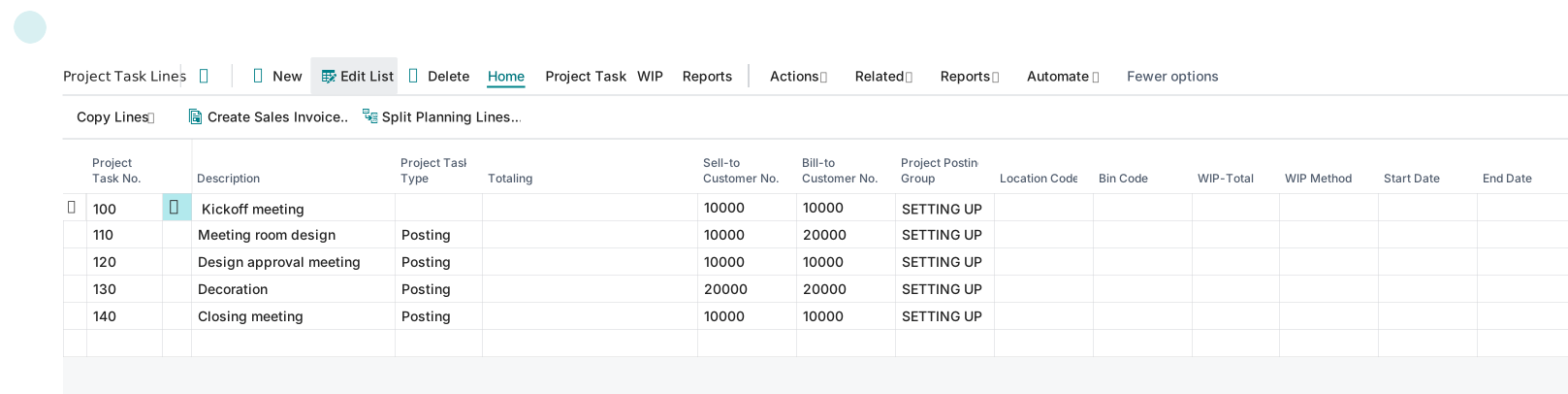
Having that information on each task lets you automatically generate invoices for the correct customers.
If most of your projects involve multiple customers per project, you can set the Default Task Billing Method field on the Projects Setup Card page to Multiple customers.
The value of this field is copied to the Task Billing Method on the project card when you create a new project.
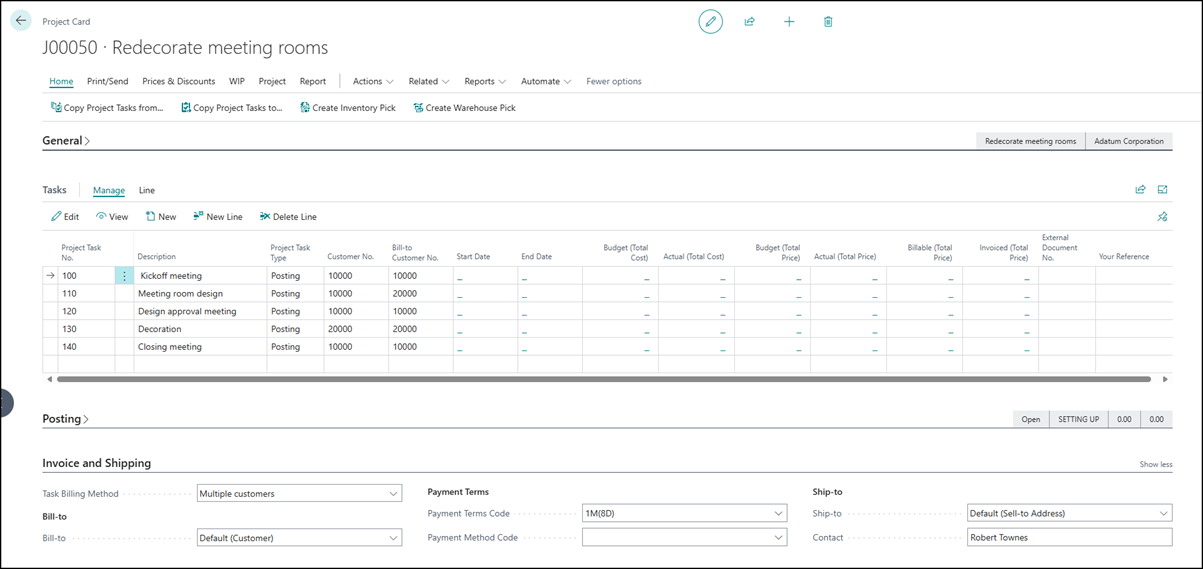
You can assign a customer on the Project Task Card page, which has the following FastTabs:
General - Specifies the sell-to customer, description, external document number, and other general Project Task Type fields.
Project Planning Lines - Specifies the planning lines for the project task.
Posting - Specifies the Project Posting Group, WIP Method, WIP Total, Location, and Bin fields.
Invoice and Shipping - Specifies the billing and shipping details and the Payment Terms and Payment Method fields.
Foreign Trade - Specifies the invoice currency code.
The following video shows how to specify customers on project tasks.