Technicians
You can assign a worker as a preferred technician for a service agreement or service order.
Assign an employee to a dispatch team
You can add employees to dispatch teams to ensure that they're included on the Dispatch board. To assign an employee to a dispatch team, follow these steps:
- Go to Human resources > Workers > Workers.
- To open the worker details page, select the desired worker.
- Select the General tab on the Action Pane and then select Set up > Dispatch team.
- From the Dispatch team dropdown menu, select the dispatch team that you want to assign the worker to.
- Select Save.
Assign a preferred technician to a service agreement
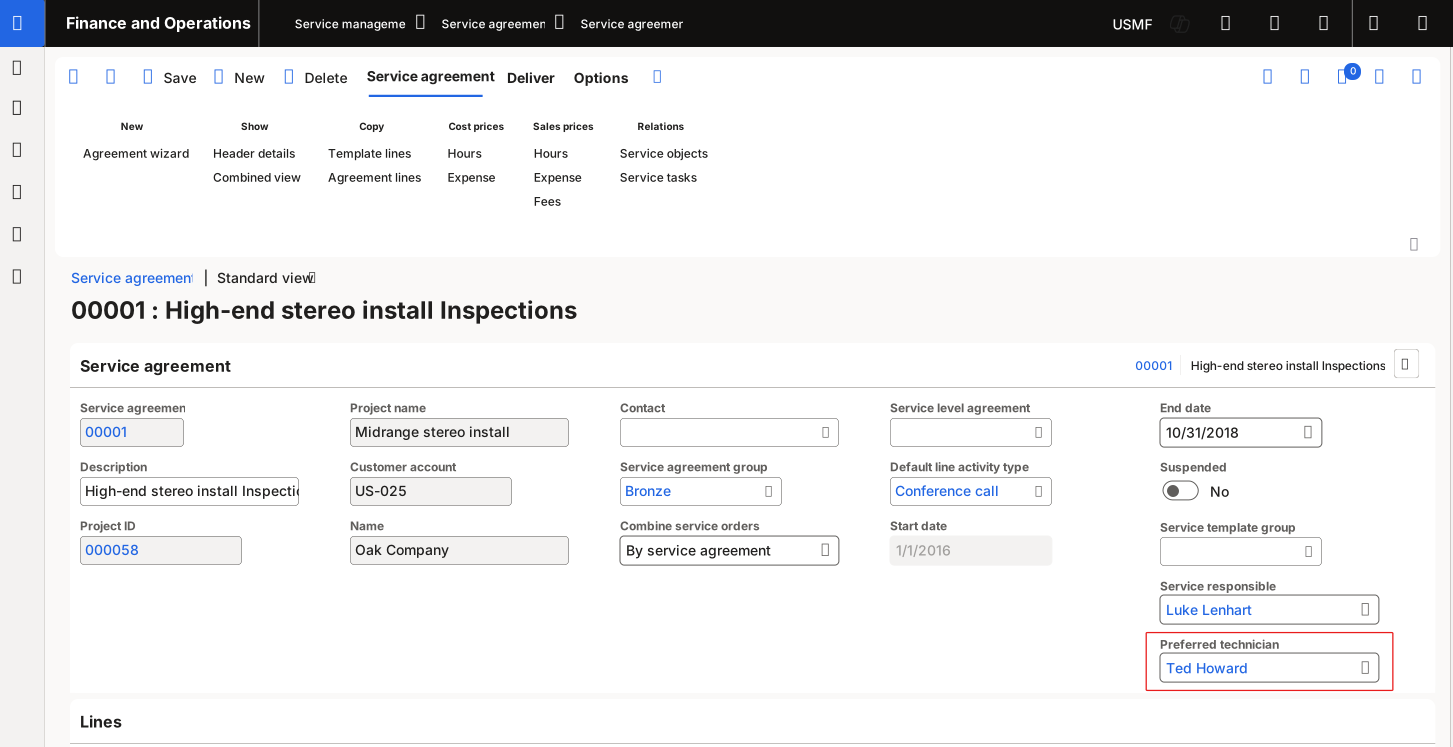
To assign a preferred technician to a service agreement, go to Service management > Service agreements > Service agreements. Select the desired service agreement or create a new one. On the Service agreement FastTab, select your preferred technician in the Preferred technician field. Select Save.
Assign a preferred technician to a service order
To assign a preferred technician to a service order, follow these steps:
- Go to Service management > Perform periodic tasks > Dispatch board.
- Select the line of the service activity to modify.
- Use the Worker list to assign a member of the desired dispatch team as the preferred technician on the Related tab.