Work with calculation profiles
Your organization might encounter a situation where they increase all forecasts by 20 percent. In this scenario, you can use calculation profiles to create a new calculated time series. Every profile accepts one or more pre-existing time series as input and employs a predefined set of calculations to produce a new time series as output.
View and run existing calculation profiles
To generate a new calculated time series, you can run an existing calculation profile by going to Operations > Calculations. Select the profile that you want to generate the new calculated time series for. On the details page, you can view related information for the profile by selecting the different tabs: Summary, Input data, Calculation model, Run schedule, and Jobs.
To run the profile, select Run on the Action Pane. When the profile runs, a dialog appears, where you need to set the Output option field to Create a new time series or Use an existing time series. This setting determines whether the job creates a new time series or if it overwrites an existing series. Select Save and close when you're done.
Create and manage calculation profiles
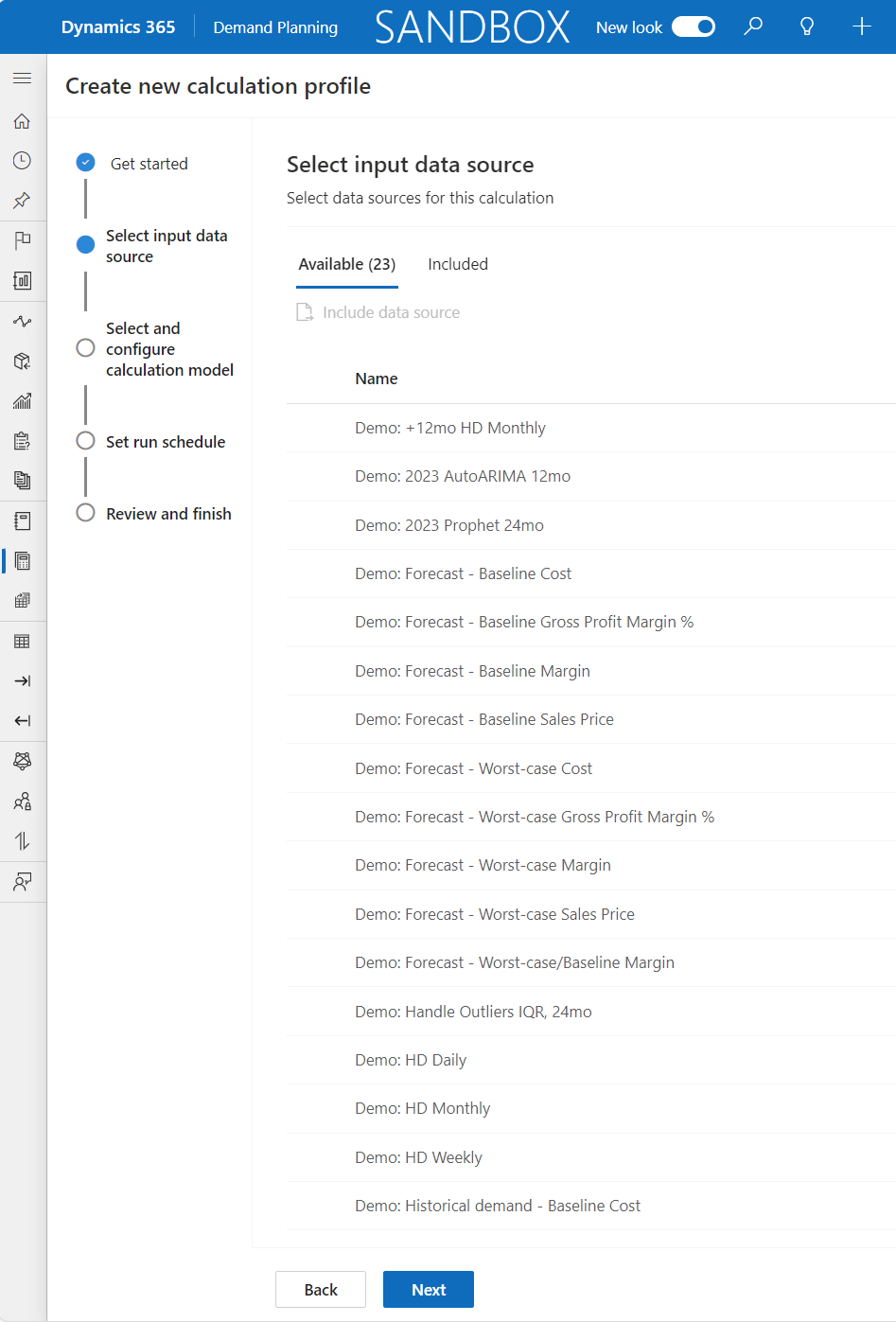
To create a new calculation profile, you must be a manager or system admin. Go to Operations > Calculations and then select New. Enter a Name and Description, and then select an Owner on the Get started page. Select a time series to use as an input for your calculation on the Select input data source page. Depending on your organization's business processes, you can add multiple time series.
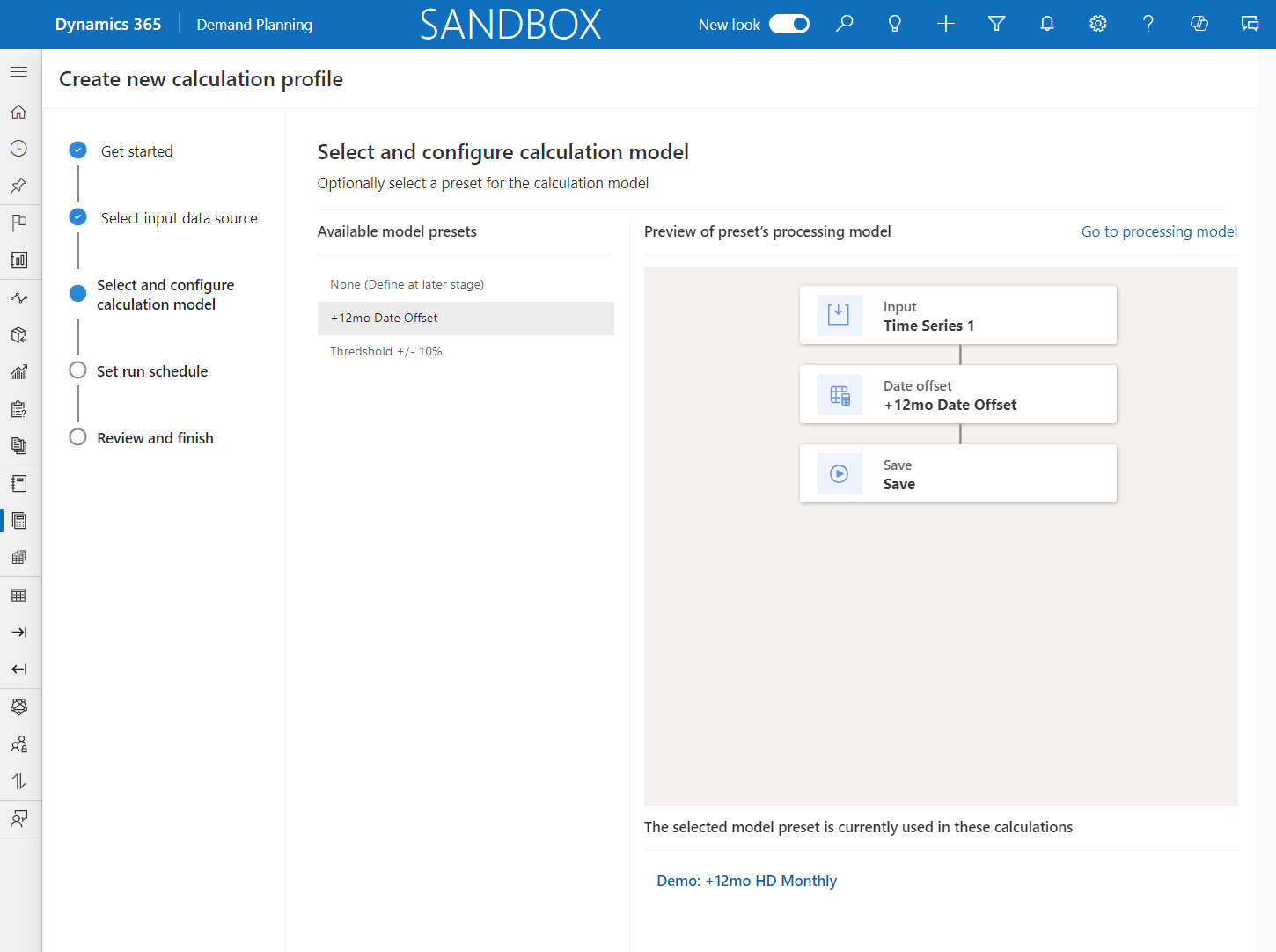
You can select a calculation model that's preset to use with your profile. Under Available model presets, you can view a list of presets and preview the calculation that's initiated by each preset. After you save the profile, you can customize the calculation model to fit your business requirements. Therefore, you must select the preset that's closest to what you're looking for.
You can set up a schedule for the profile to run automatically on the Set run schedule page. After you review the summary of your configured settings, select Review and finish on the Review and finish page. When you're ready to run the calculation, select Run on the Action Pane.