Remove unnecessary information and prepare a screenshot for sharing
After you deliver the initial screenshot, your team requests more context for the project update. You decide to share a screenshot of the entire Contoso dashboard to provide it.
However, you realize the full interface also includes project contact information. Your colleagues don't need that information for this update, so the finished screenshot shouldn't include it simply because it happened to be present when you made the capture.
Snipping Tool's text actions use text recognition to work with text in a captured image. Among its options, quick redact can redact recognized email addresses and phone numbers.
For this exercise, you'll use quick redact to remove the unnecessary contact details before preparing the image for sharing.
Redact the contact information
Take a screenshot of the entire dashboard interface. Select "Capture" to save the screenshot and open it in the Snipping Tool.
With your screenshot open in Snipping Tool, select text actions.
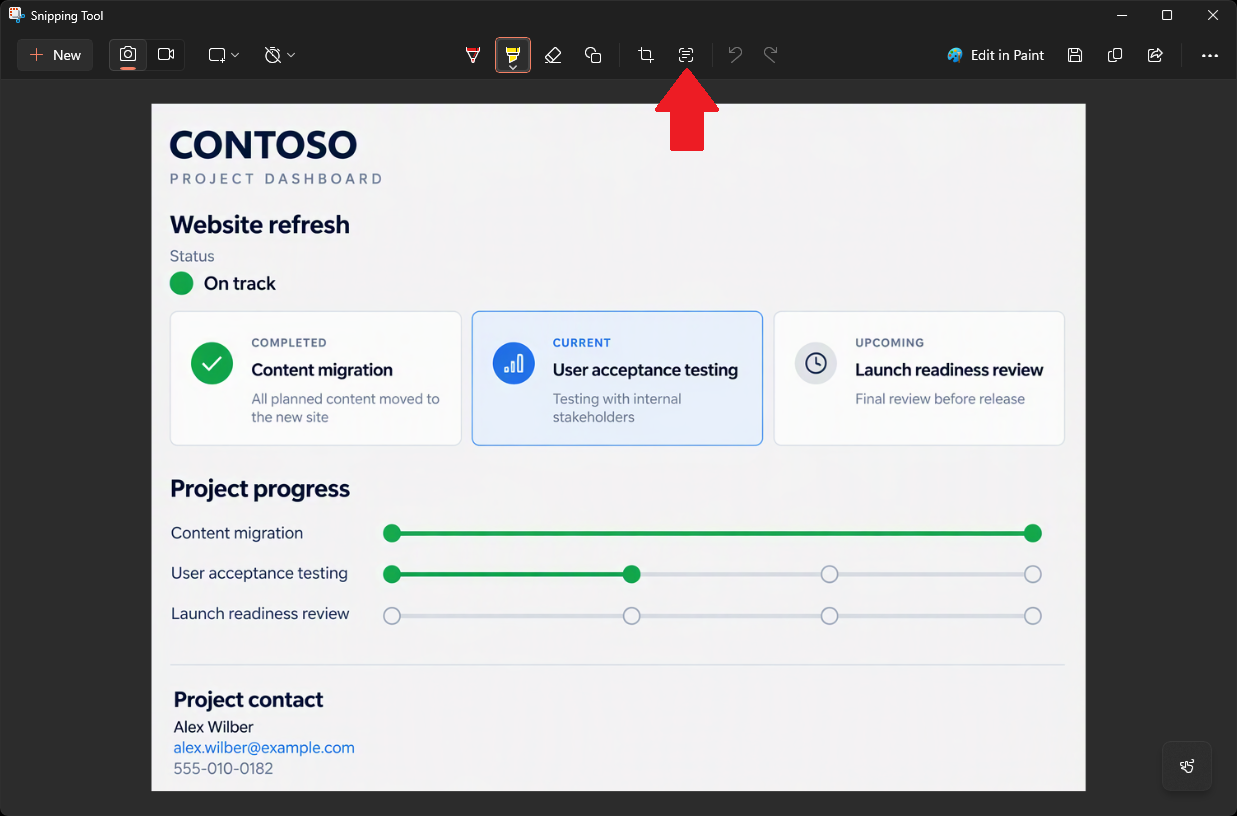
Review the text recognized in the screenshot.
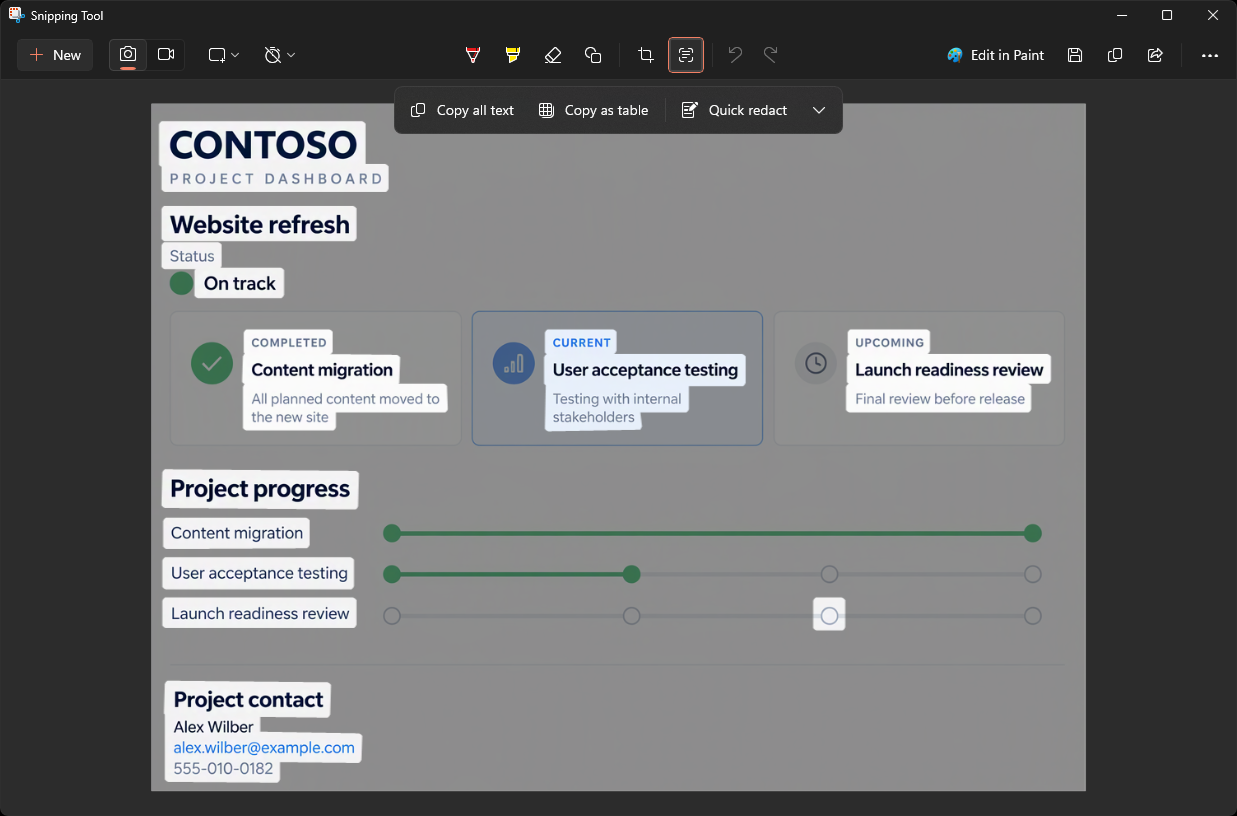
Select Quick redact to obscure the email address and phone number.
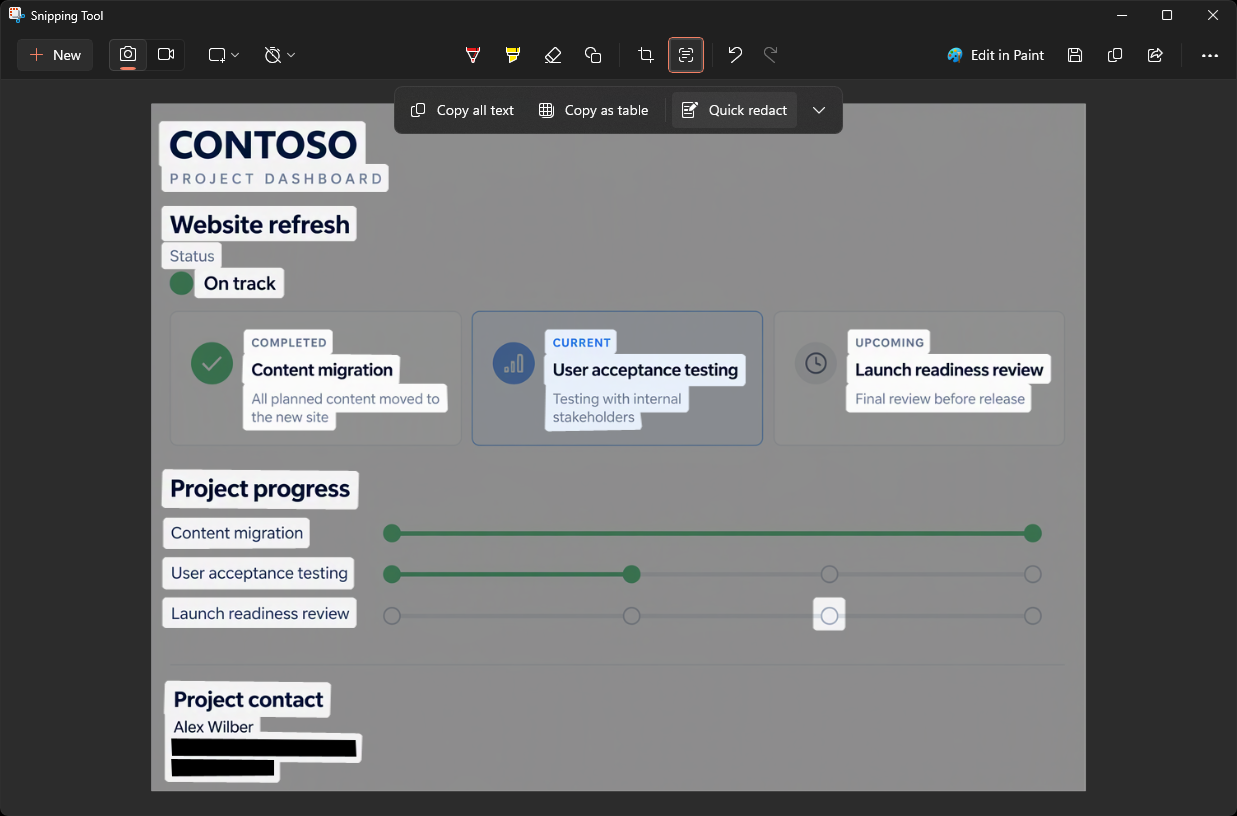
Review the result.
Confirm that the contact information has been redacted and that the project information you intend to share remains visible.
Important
Quick redact can help obscure recognized email addresses and phone numbers, but it isn't a complete privacy or information-security solution. Before sharing a screenshot, review the entire image for sensitive, confidential, or otherwise unintended information.
Text recognition for Text actions is performed locally on the device.
Prepare the screenshot for sharing
When you're satisfied with the result, save or share the capture from Snipping Tool. Captured snips are also automatically saved to the Screenshots folder, and Save as lets you save another copy.
Before sharing, give the complete image one final review for unintended or sensitive information.
Your Contoso screenshot is now tightly framed, the current milestone is emphasized, and the unnecessary contact information is obscured.