Exercise - Collaborate with users on responses
You can collaborate with users or a team of users in the organization on responses by using tasks.
In this exercise, Amber creates a task to collaborate on Corporate Sustainability Reporting Directive (CSRD) E4 Biodiversity and ecosystems requirements.
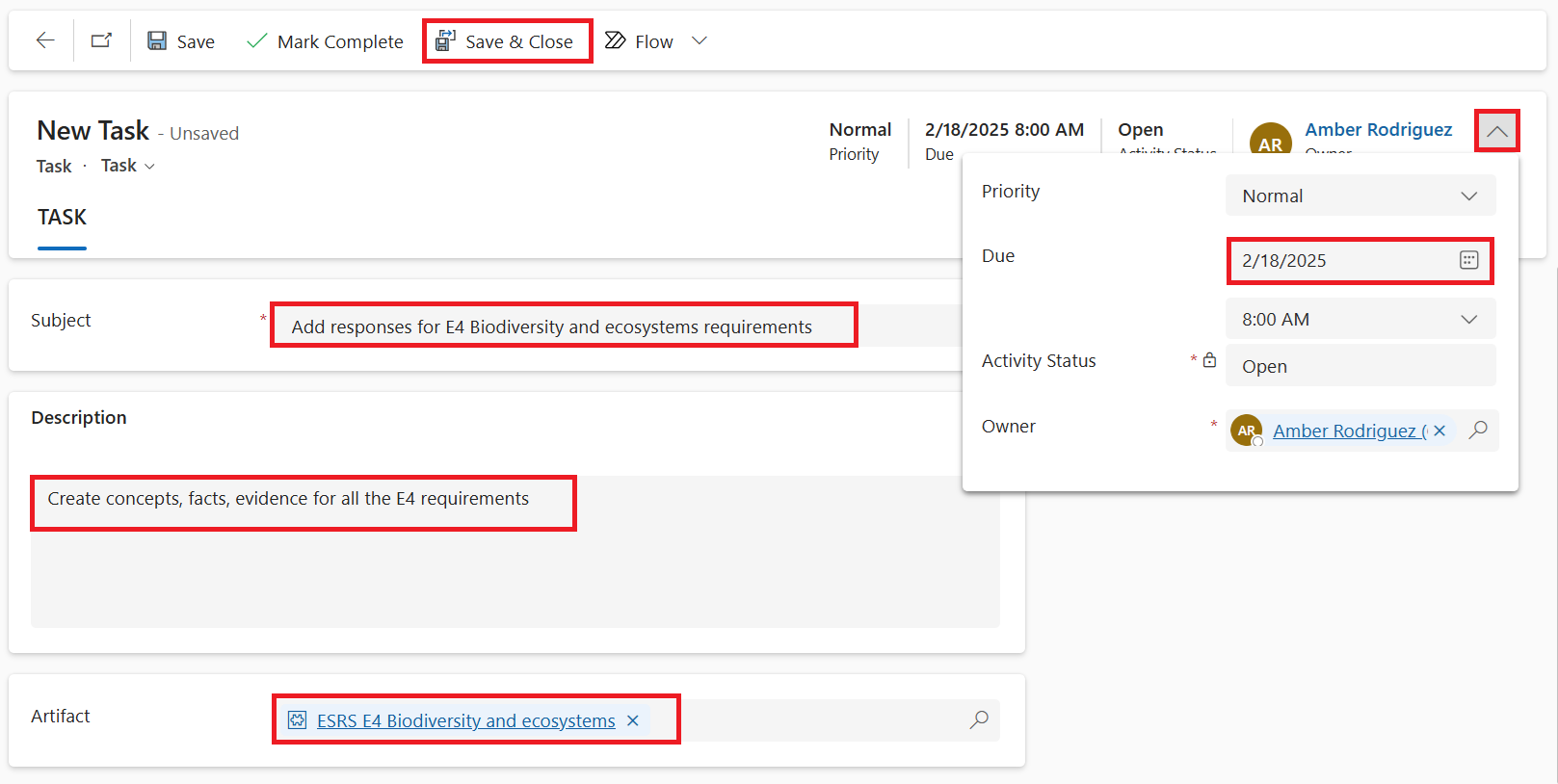
On the left navigation pane, select Reporting > Tasks and then select Task from the upper menu.
Add the subject as Add responses for E4 Biodiversity and ecosystems requirements.
Add the description as Create concepts, facts, evidence for all the E4 requirements.
From Artifact, search for and select ESRS E4 Biodiversity and ecosystems.
In the upper-right corner, select the Owner dropdown menu, where you can add today's date for the Due date and then pick a user to assign this task to.
Select Save & Close.