Exercise – Test your solution
For this exercise, you'll test your solution to validate your apps in Power Apps. The solution checker will analyze custom workflow activities, web resources, and all Dataverse configurations, such as SDK message steps.
Sign in to Power Apps.
On the left pane, select Solutions, and then select the Dive Center App solution that you created in a previous module. Expand the Solution checker dropdown menu and then select Run.
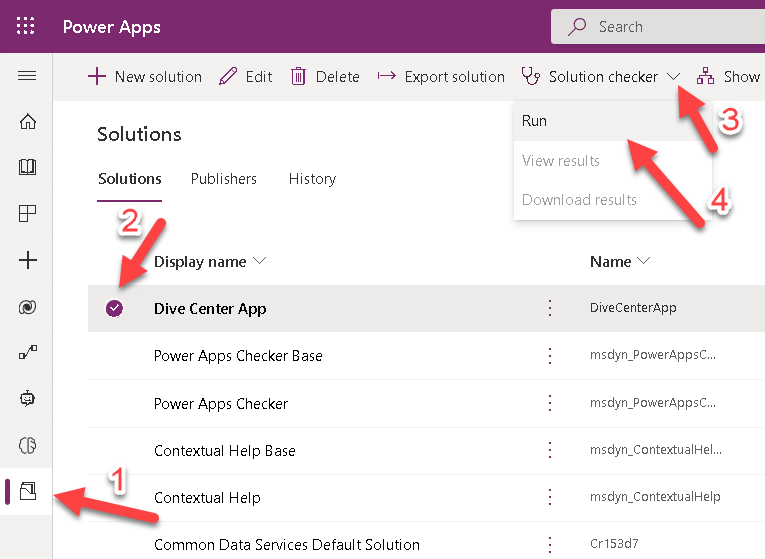
Wait until the Solution checker has completed testing the solution.
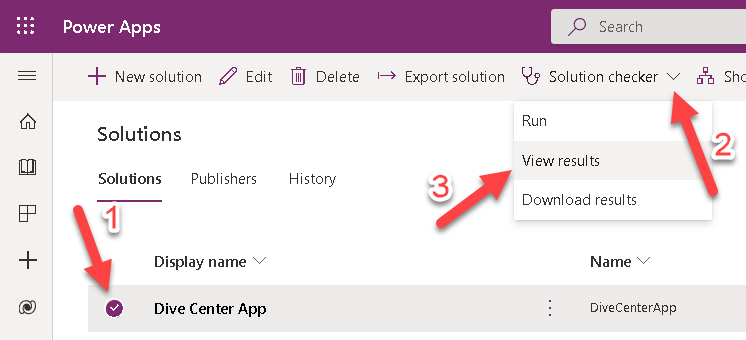
Select the Dive Center App solution, expand the Solution checker dropdown menu, and then select View results.
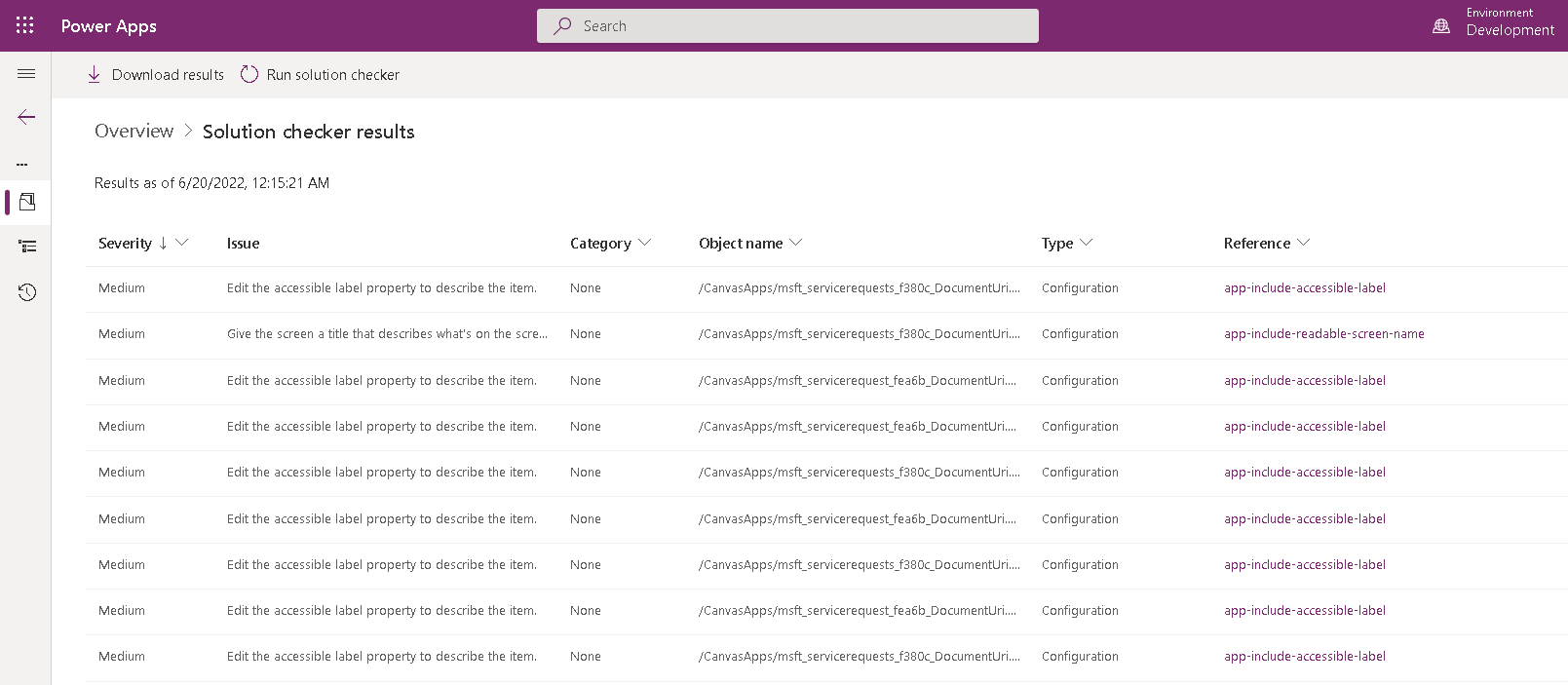
When the Solution checker results report opens, notice the errors that were collected and then correct them as needed.
Note
You can download this report for easier tracking.