Provision an Azure Translator resource
Azure Translator provides a multilingual text translation API that you can use for:
- Language detection.
- One-to-many translation.
- Script transliteration (converting text from its native script to an alternative script).
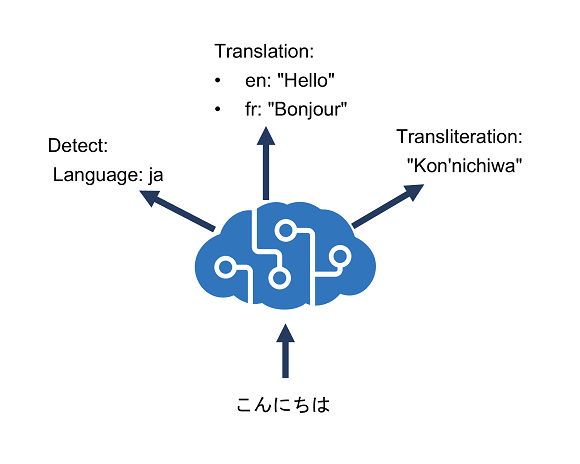
Azure resource for Azure Translator
To use the Azure Translator service, you must provision a resource for it in your Azure subscription. You can provision a single-service Azure Translator resource, or you can use the Text Translation API in a Foundry Tools resource.
After you provision a suitable resource in your Azure subscription, you can use the location where you deployed the resource and one of its subscription keys to call the Azure Translator APIs from your code. You can call the APIs by submitting requests in JSON format to the REST interface, or by using any of the available programming language-specific SDKs.
Note
The code examples in the subsequent units in this module show the JSON requests and responses exchanged with the REST interface. When using an SDK, the JSON requests are abstracted by appropriate objects and methods that encapsulate the same data values. You'll get a chance to try the SDK for C# or Python for yourself in the exercise later in the module.