Troubleshooting Azure NetApp Files using diagnose and solve problems tool
Learn how to use Azure diagnose and solve problems tool to troubleshoot issues of Azure NetApp Files.
Diagnose and solve problem tool
The Azure diagnose and solve problems tool displays the most common problems faced by your resources.
The following image shows an example of issue types that you can troubleshoot for Azure NetApp Files:
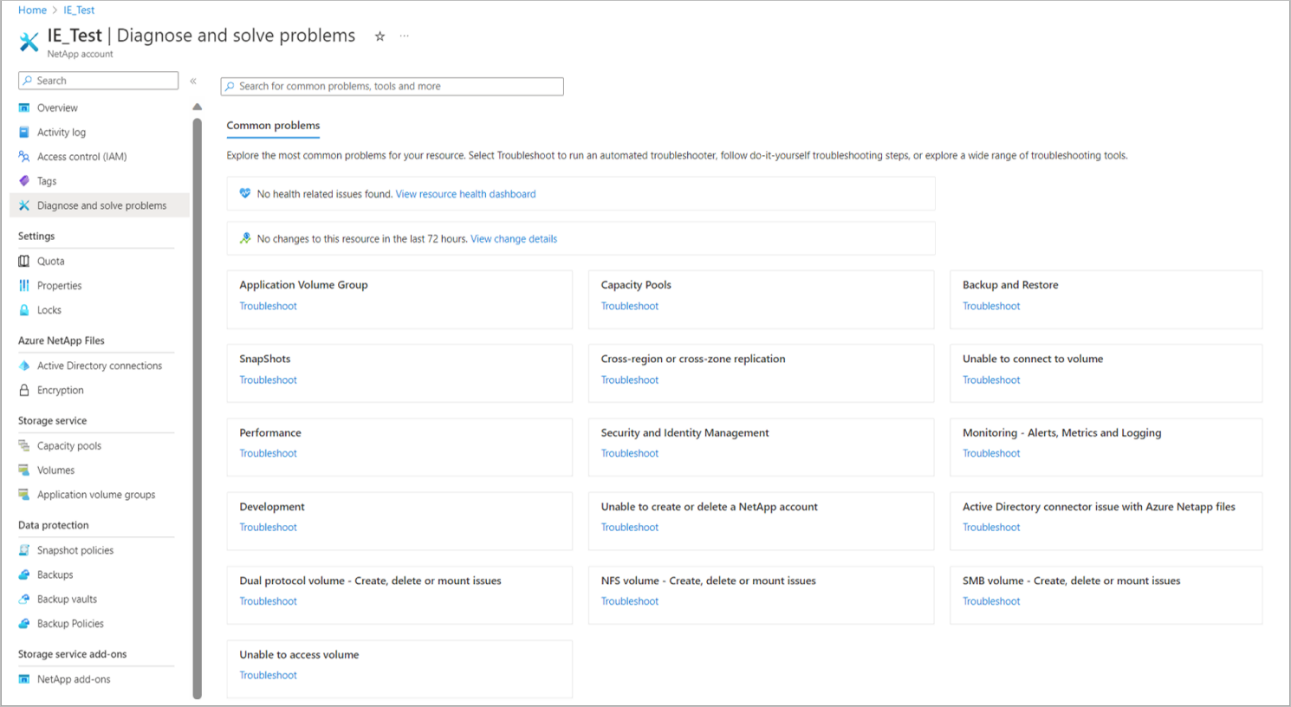
Here you can choose a problem type for the issue you're experiencing, for example, Capacity Pools by clicking the corresponding tile on the diagnose page. You can also select the problem type using the search bar above the tiles.
Then select Troubleshoot to run an automated troubleshooter, follow do-it-yourself troubleshooting steps, or explore wide range of troubleshooting tools.
For more information about using this tool, see Diagnostics and solve tool - Azure App Service.