Describe use cases for agents
An agent is an AI-powered application that can engage in conversation, access knowledge, and take action on behalf of users or on its own initiative. Microsoft Copilot Studio supports two broad categories of agents: conversational agents and autonomous agents. Understanding when to use each—and for which business scenarios—is the starting point for successful agent design.
Conversational agents
A conversational agent interacts with users through natural language dialogue. A user asks a question or makes a request, and the agent responds. Conversational agents are ideal for scenarios where users need access to information, guidance, or transactional support without navigating complex systems or waiting for human assistance.
Common use cases for conversational agents include:
- Employee self-service HR: Agents answer questions about vacation balances, benefits enrollment, company policies, and onboarding steps—available without routing every question to an HR specialist.
- IT helpdesk support: Agents help employees troubleshoot common issues like password resets, software access requests, and VPN configuration by walking through resolution steps or automatically submitting support tickets.
- Customer service: Agents handle frequently asked questions, order status inquiries, return requests, and product information lookups—deflecting common contacts from live agents and reducing wait times.
- Sales support: Agents provide sales representatives with instant access to product specifications, pricing information, competitive analysis, and contract templates during customer conversations.
- Knowledge management: Agents surface relevant content from internal document repositories, SharePoint sites, and wikis in response to natural language questions, making institutional knowledge accessible without manual search.
Autonomous agents
An autonomous agent takes action proactively—on a schedule, in response to a trigger event, or as part of a multi-step process—without requiring a human to initiate each action. Autonomous agents handle repetitive, rule-based, or data-intensive workflows that would otherwise require sustained human attention.
Common use cases for autonomous agents include:
- Lead qualification: Agents monitor incoming leads in a CRM system, research company and contact information, score leads based on defined criteria, and route high-priority leads to sales representatives with a summarized briefing.
- Contract processing: Agents extract key terms from incoming contracts, check them against standard templates and compliance requirements, flag exceptions for legal review, and update contract management systems.
- Invoice and expense processing: Agents read submitted invoices or expense reports, validate line items against policy rules, approve or escalate based on thresholds, and update accounting systems.
- Supply chain monitoring: Agents monitor inventory levels, track supplier delivery confirmations, identify shortfalls, and trigger reorder workflows before stock runs out.
- Compliance and audit support: Agents periodically scan records for policy violations or regulatory gaps, generate compliance reports, and alert administrators to items requiring human review.
Contoso Professional Services in action
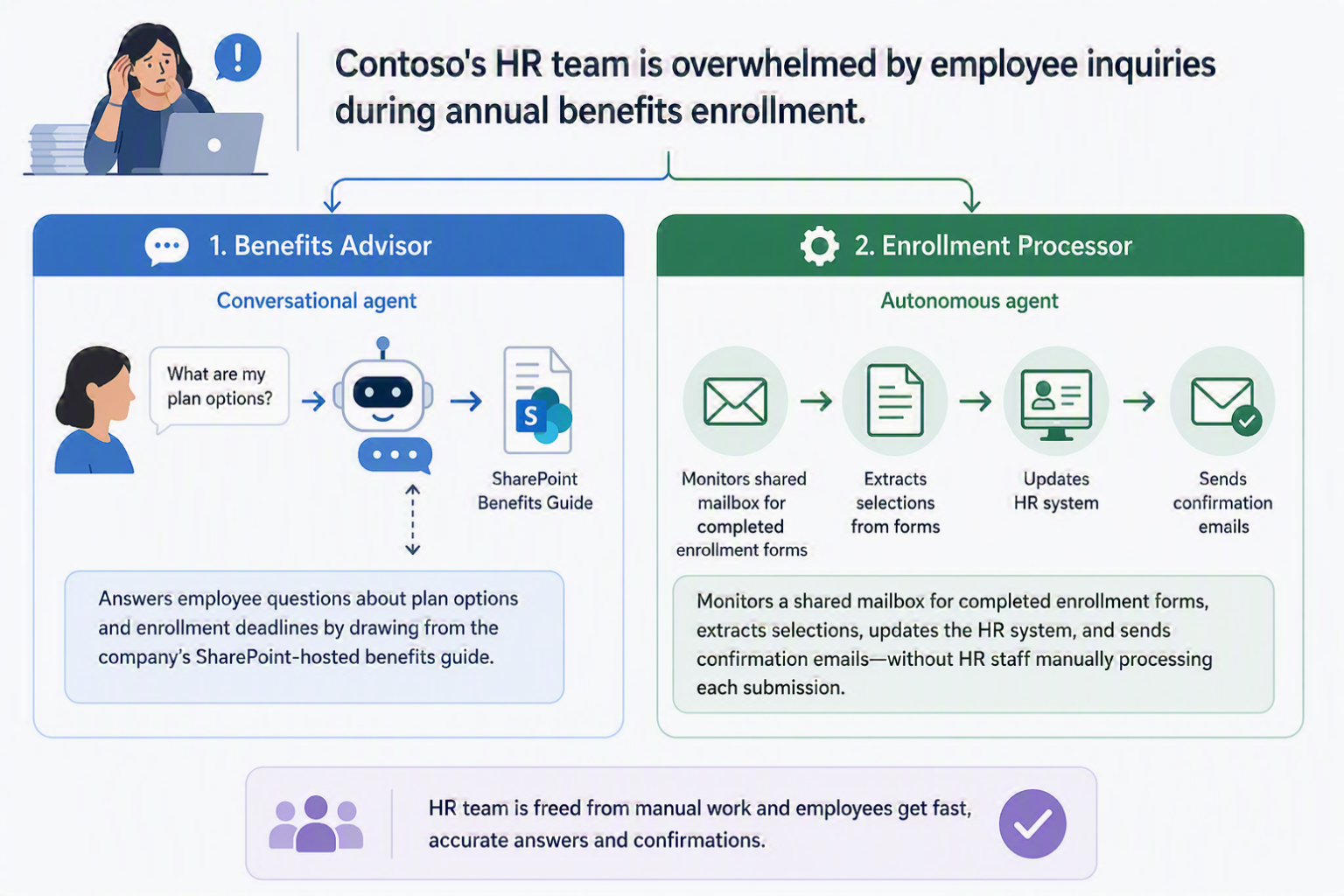
Contoso's HR team is overwhelmed by employee inquiries during annual benefits enrollment. The team builds two agents: a conversational agent called Benefits Advisor that answers employee questions about plan options and enrollment deadlines by drawing from the company's SharePoint-hosted benefits guide, and an autonomous agent called Enrollment Processor that monitors a shared mailbox for completed enrollment forms, extracts selections, updates the HR system, and sends confirmation emails—without HR staff manually processing each submission.