Simplify management with Azure Arc-enabled SQL Server
Azure Arc-enabled SQL Server enables you to manage and govern a hybrid infrastructure regardless of the physical location of the database infrastructure. Azure Arc-enabled SQL Server allows organizations to extend their on-premises database environment to Azure, providing a unified management experience.
With Azure Arc-enabled SQL Server, you can take advantage of several Azure services while still operating on-premises. SQL Server 2025 enhances this integration with improved telemetry, enhanced security features, and better integration with Microsoft Fabric for unified data governance.
Azure Arc-enabled SQL Server offers automated backups and patching in addition to free inventory management. This means you can keep track of your SQL Server instances and ensure they're up-to-date and backed up without manually performing these tasks. SQL Server 2025 adds enhanced monitoring capabilities and improved automation for patch management.
Let's review some important features available on Azure Arc-enabled SQL Server.
Cost efficiency with pay-as-you-go model
The pay-as-you-go model for Azure Arc-enabled SQL Server is a cost-effective option that enables you to pay for SQL Server software and track usage directly through Cost Management in Azure portal. This model helps to manage expenses by ensuring you're compliant with SQL Server license requirements.
SQL Server 2025 allows you to select the pay-as-you-go billing option during setup. You can also review the billing option in the overview blade of Arc-enabled SQL Server as shown:
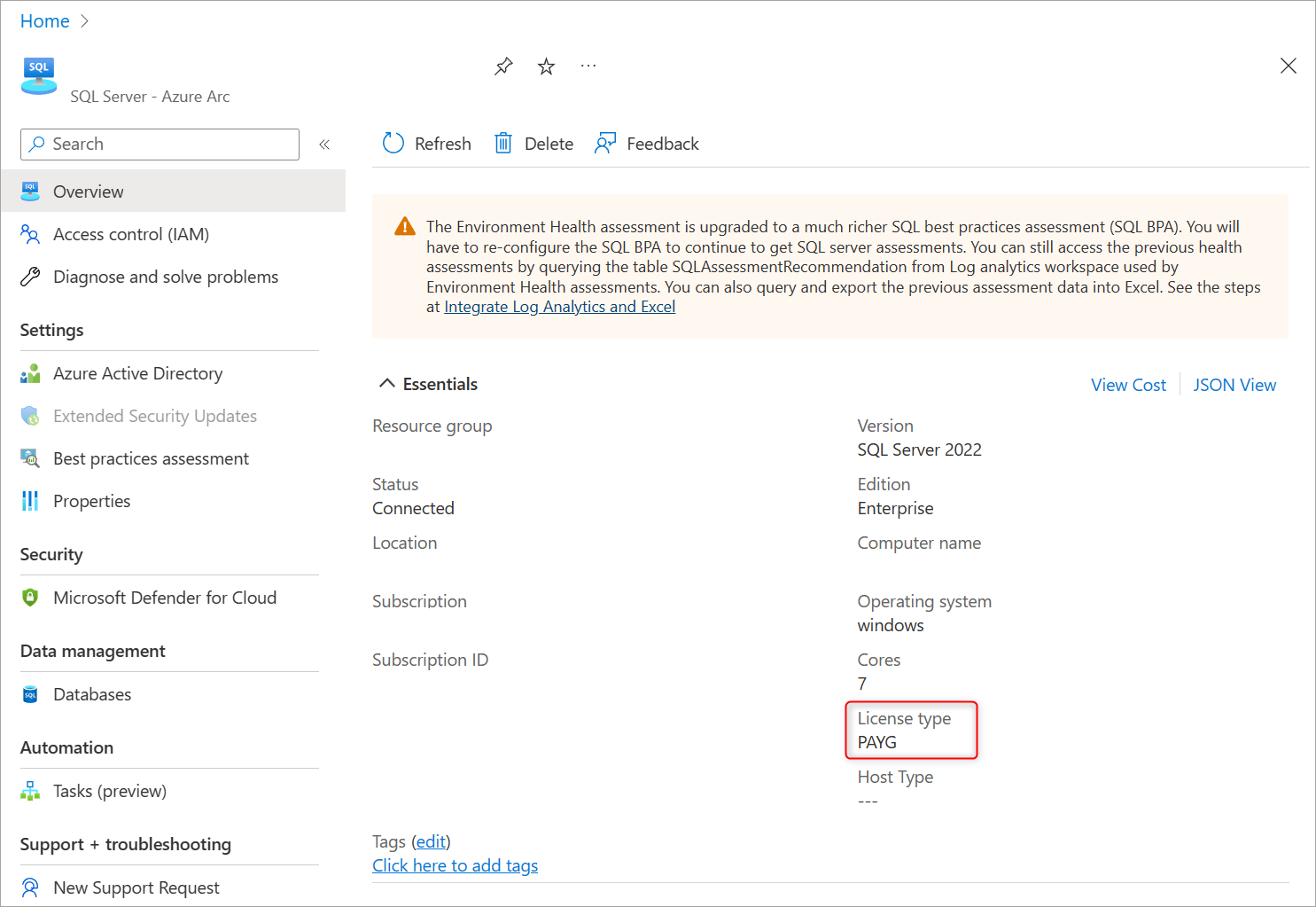
To learn more about the benefits of using Azure Hybrid Benefit to optimize existing SQL Server licensing investments, see Manage SQL Server license and billing options.
Streamline your SQL Server estate with Best Practices Assessment
Best Practices Assessment provides insights into the overall configuration estate of SQL Server instances and databases. By identifying areas for improvement and implementing recommended best practices, organizations can ensure their databases comply with product best practices. SQL Server 2025 includes expanded assessment rules and improved recommendations tailored to modern hybrid architectures.
Assessments can take anywhere from a few minutes to an hour and may cause up to a 5-10% CPU impact on the server.
To configure, run and view your best practices assessment, go to your Arc-enabled SQL Server resource on Azure portal, and select Best practices assessment in the left pane.
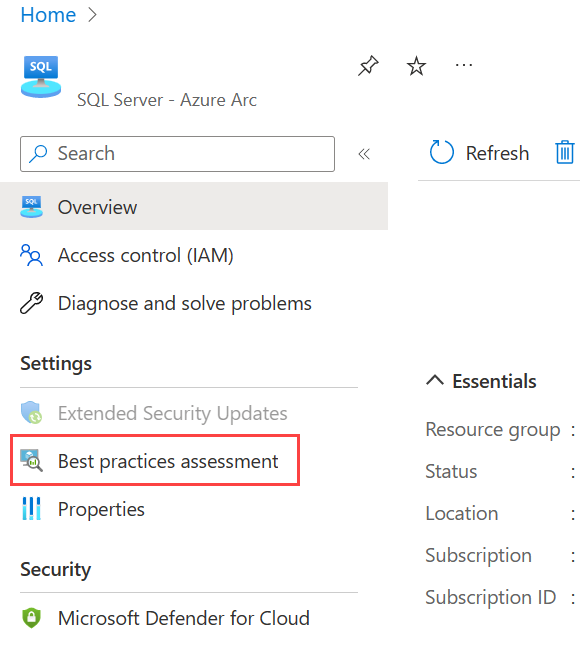
You can also change the default schedule for the assessment, which gives the option to schedule it in a more preferable timeframe.
Microsoft Entra authentication
SQL Server 2025 supports Microsoft Entra ID for authentication, providing a secure connection with Azure Arc-enabled SQL Server. This feature enables centralized identity management, advanced authentication methods including multifactor authentication, and integration with Azure services using managed identities. SQL Server 2025 enhances this capability with improved managed identity support and better integration with Microsoft Entra ID Protection features.
Secure Azure Arc-enabled SQL Server with Microsoft Defender for Cloud
Microsoft Defender for Cloud is a cloud-based security solution designed to provide protection against attacks and vulnerabilities. It's a solution that uses intelligent capabilities to detect and respond to threats in real-time.
One of the advantages of Microsoft Defender for Cloud is its centralized management feature, which provides a single place for managing security across multiple cloud-based environments. This centralized view simplifies security management and integrates with other Microsoft security tools for comprehensive protection, such as Microsoft Sentinel, to provide a security solution for your organization.
Microsoft Defender for Cloud is available for Azure Arc-enabled SQL Servers. By configuring it, you'll safeguard your database estate and get a list of recommended security actions to minimize your overall exposure. SQL Server 2025 benefits from the latest Defender for Cloud enhancements, including improved threat detection algorithms and more granular security recommendations.
To learn more about how to configure Arc-enabled SQL Server with Microsoft Defender for Cloud, see Protect Azure Arc-enabled SQL Server with Microsoft Defender for Cloud.
Configure your Azure Arc-enabled SQL Server
To configure Azure Arc-enabled SQL Server for the first time, you need to generate onboarding scripts to install Azure extension for SQL Server on the host machine. You also need to make sure the host machine has network connectivity to Azure and to your target SQL Server machine.
Before you add an Azure Arc-enabled SQL Server, you need:
- A virtual or physical machine running SQL Server 2025
- A user or service principal with the following permissions:
Azure Connected Machine OnboardingroleMicrosoft.AzureArcData/register/actionMicrosoft.HybridCompute/machines/extensions/readMicrosoft.HybridCompute/machines/extensions/write
- PowerShell
- Register Microsoft.AzureArcData and Microsoft.HybridCompute resource providers
You can follow the steps below to enable Azure Arc for SQL Server using the connected manually approach:
- Navigate to the Azure Arc > SQL Server section in the Azure portal.
- Select + Add.
- Select Connect Servers under Connect SQL Server to Azure Arc.
- Complete and review the required information, including subscription, resource group, region, operating system, proxy, and license type.
- Select Run script, and download it.
- Execute the script on the host machine.
For more details on how to configure Azure Arc-enabled SQL Server, see Connect your SQL Server to Azure Arc.
Deployments options
Depending on your deployment needs, you can choose between interactive or scalable methods to onboard SQL Server instances to Azure Arc, which can handle multiple instances simultaneously. SQL Server 2025 benefits from enhanced deployment automation and improved validation during the onboarding process.
To use these methods, you'll need to install the Azure Connected Machine agent along with the Azure extension for SQL Server, which provides direct connectivity to Azure.
Onboarding methods
There are three interactively onboarding methods for adding existing SQL Server instances to Azure Arc:
- Connect SQL Server to Azure Arc
- Connect SQL Server to Azure Arc on a server already connected to Azure Arc
- Connect through an installer
Scalability
There are three scalable onboarding options for adding existing SQL Server instances to Azure Arc:
- Using the automatic Arc-enabled SQL Server registration method (recommended)
- Using a script
- Using a configuration Manager custom task sequence
Both interactive or scalable methods allow you to manage your SQL Server instances that are hosted outside of Azure by using the connected machine agent and the Azure Arc extension.
Current features and capabilities
For the current list of features and capabilities for Azure Arc-enabled SQL Server, see Features available by operating system.
Azure Arc-enabled SQL Server integrates with other SQL Server 2025 hybrid capabilities. Consider combining Arc management with Azure SQL Managed Instance Link for disaster recovery and mirroring in Microsoft Fabric for real-time data replication to build a comprehensive hybrid data platform.