Productivity and collaboration in Windows
Modern organizations rely on platform ecosystems that support how people create, communicate, and coordinate across teams. Productivity today is shaped not only by applications but also by the operating system, cloud services, device capabilities, and ecosystem interoperability.
Windows ecosystems are designed to support multitasking, collaboration, and diverse workflows at scale—helping users stay productive in fast-moving environments while enabling organizations to maintain consistency across teams and locations.
Collaboration across teams and roles
Effective collaboration depends on an ecosystem that connects people, content, and communication channels.
Windows integrates with Microsoft 365 applications such as Teams, Outlook, SharePoint, and OneDrive, enabling workers to collaborate across departments, devices, and locations without disrupting workflows.
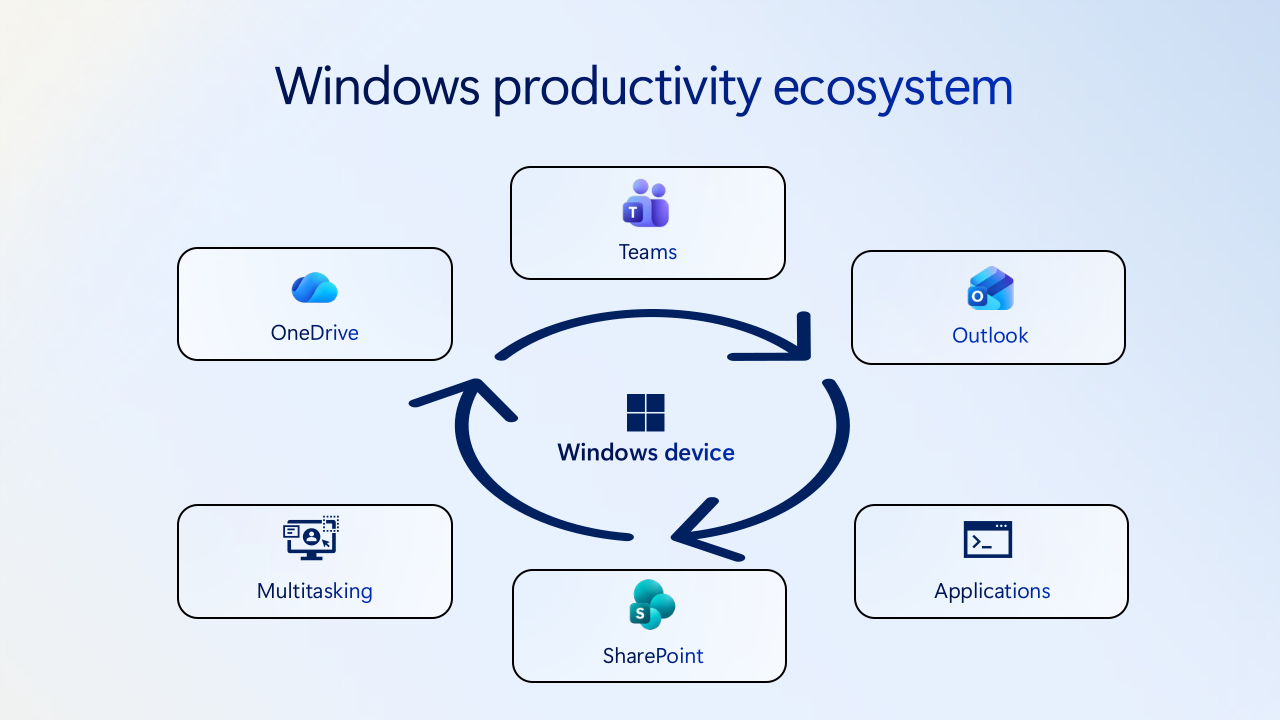
Key collaboration strengths in Windows ecosystems include:
- Real-time coauthoring and shared content experiences across Microsoft 365 apps
- Consistent communication workflows through Teams for chat, calls, and meetings
- Cross-platform compatibility supporting collaboration across Windows, macOS, web, and mobile devices
- Built-in access to cloud files and shared workspaces, ensuring teams work from the latest version of content
These capabilities support hybrid work environments where teams may be distributed geographically or functionally.
Note
Microsoft 365 features require an appropriate Microsoft 365 subscription and tenant. To learn more, see Microsoft 365 for enterprise overview.
Multitasking and workflow flexibility
Multitasking is central to modern knowledge work. A platform ecosystem influences how easily users can move between tasks, manage multiple windows, or work across several applications at once.
Windows multitasking capabilities include:
- Snap Layouts and Snap Groups for organizing multiple windows in side-by-side workflows
- Multiple desktops for separating workstreams such as projects, research, and communication
- Optimized external monitor behavior that maintains window layouts when docking and undocking
- System-level task switching for smooth movement between applications
This level of workflow flexibility helps employees manage complex workloads and shift quickly between tasks throughout the day.
Flexible multitasking helps reduce friction for workers who regularly move between applications, communication channels, and projects—supporting productivity in complex, fast‑moving environments.
Scenario: Cross-functional collaboration
A marketing team collaborates with finance and engineering teams across multiple locations. Each group relies on different tools and workflows. A flexible ecosystem allows collaboration without requiring separate platform strategies.
Note
When evaluating collaboration capabilities, consider how the platform supports cross-team workflows—not just individual application features.
Integration with productivity tools
A productivity ecosystem is only as strong as its ability to support the applications employees depend on. Windows ecosystems offer broad application compatibility, enabling organizations to support diverse toolsets across roles and industries.
Windows supports:
- Legacy line-of-business applications, including Win32 dependencies common in enterprise environments
- Modern cloud-first applications such as Microsoft 365, Adobe Creative Cloud, and industry-specific software
- Cross-platform and browser-based workflows
This breadth helps ensure workflows remain uninterrupted as organizations adopt new tools while maintaining mission-critical applications.
Supporting diverse workforce roles
Modern organizations include office workers, analysts, creatives, developers, and frontline employees—each with different productivity needs. A platform ecosystem must adapt to these varied requirements.
Windows ecosystems support diverse roles through:
- Multiple device types, including laptops, tablets, 2‑in‑1 devices, workstation‑class hardware, and devices equipped with NPUs for on‑device AI workloads
- Performance tiers for lightweight productivity users and high-demand workloads
- Specialized hardware options such as dedicated GPUs and touch-enabled form factors
- Flexible software stacks with centralized IT governance
This adaptability allows organizations to tailor device and software experiences to job functions without maintaining parallel platform environments.
Note
Some AI experiences require specific hardware capabilities, such as devices equipped with NPUs. Availability of AI features and Copilot+ PCs experiences may vary by device, region, and configuration. For more information, see the Copilot+ PC FAQs.
What this means for modern organizations
Productivity and collaboration depend on more than individual applications. Windows ecosystems support modern work through flexible multitasking, broad application compatibility, and collaboration across diverse roles and environments.
But productivity is only part of the equation. In the next unit, we explore how Windows ecosystems support management, security, and organizational scale—and why these capabilities become increasingly important as organizations grow.