What is Windows Studio Effects?
Windows Studio Effects is a set of AI-powered video and audio enhancements built into Windows. These effects run on devices equipped with a Neural Processing Unit (NPU), including Copilot+ PCs.
They process camera and microphone input in real time, helping improve video and audio quality during calls.
Windows Studio Effects is available on supported devices running Windows 11 (feature availability varies by Windows build) and requires compatible NPU hardware and manufacturer-provided drivers.
Note
Available features can vary depending on hardware capabilities, device configuration, and manufacturer support.
Core Studio Effects
Supported devices with a Neural Processing Unit (NPU) and OEM-enabled Windows Studio Effects provide a set of core features designed to improve video and audio quality:
- Background blur (standard) and Portrait blur to reduce visual distractions
- Background blur (standard) applies a uniform blur, while Portrait blur adds depth-based separation to keep you in focus.
- Eye contact (standard) to help maintain a more natural appearance during calls
- Automatic framing to keep you centered as you move
- Voice focus to reduce background noise and improve audio clarity
On devices without advanced AI capabilities, basic background blur and noise reduction might still be available through individual apps. Windows Studio Effects builds on these by providing enhanced, system-level improvements powered by the NPU.
Performance and availability on Copilot+ PCs
Devices with more advanced NPUs, such as Copilot+ PCs (40+ TOPS NPUs), are designed to deliver the best experience with Windows Studio Effects. If you’re using one of these devices, you might notice:
- Improved performance and responsiveness when effects are enabled
- Higher-quality visual and audio processing, especially during real-time adjustments
- Access to extra or more advanced effects, depending on your device model and Windows build
Note
Windows Studio Effects availability and performance vary based on device hardware, NPU capabilities, manufacturer support, and Windows updates. Copilot+ PCs are designed to deliver improved performance for AI-powered features and might support extra enhancements.
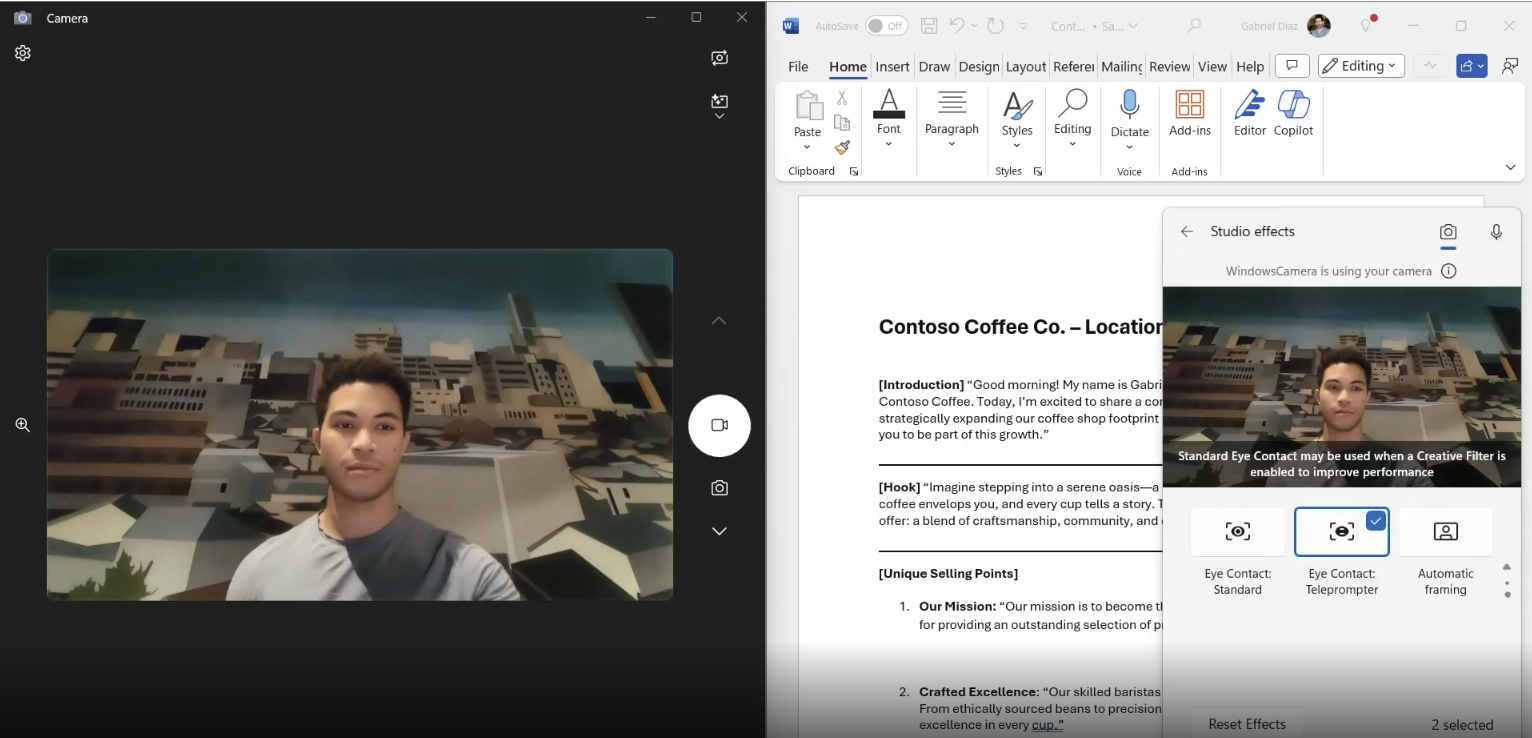
More effects on some Copilot+ PCs
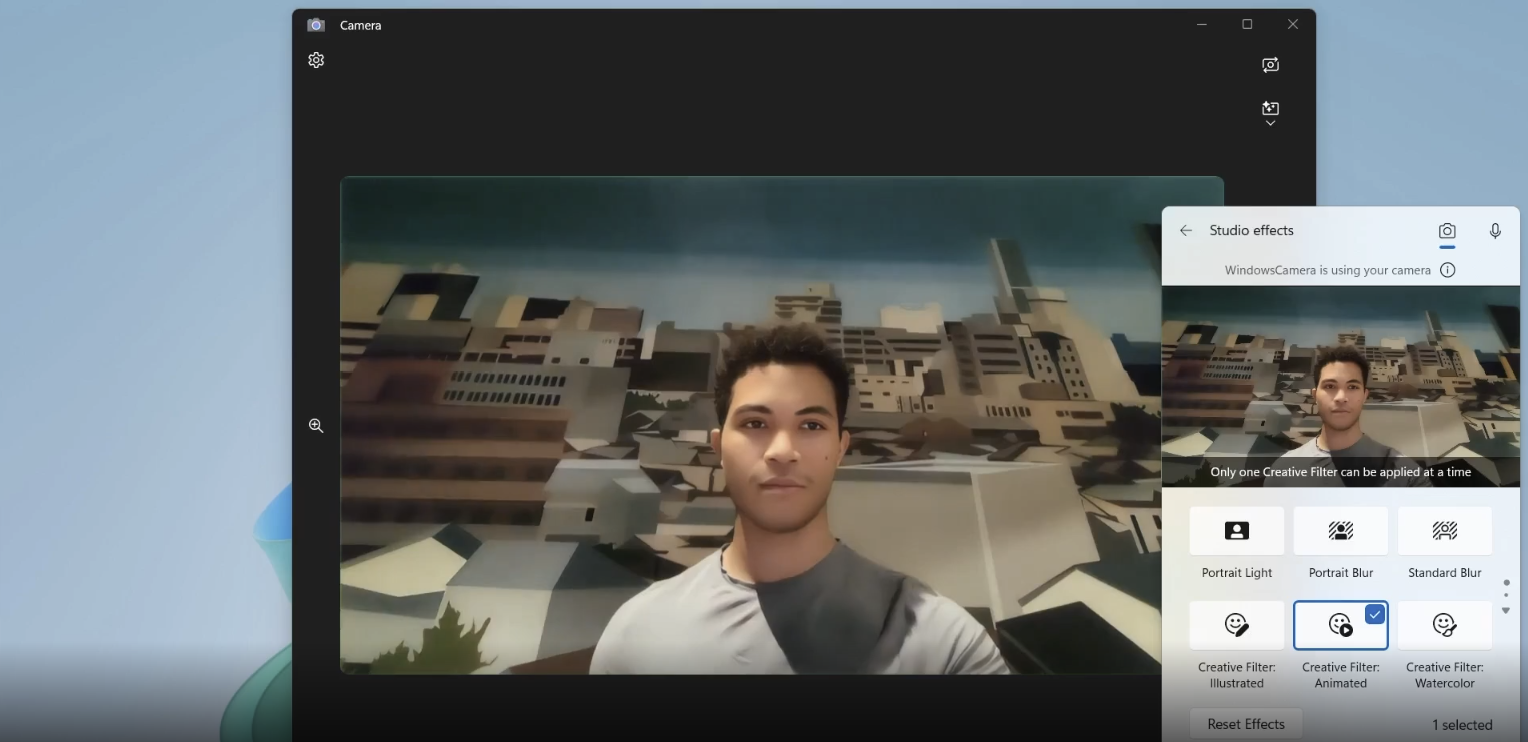
Devices with more advanced NPUs, such as those powered by Snapdragon® X Series processors, might include extra effects, depending on device model, camera, drivers, Windows build, and region:
- Portrait light to enhance visibility in low-light conditions
- Creative filters, such as:
- Illustrated: Transforms your video into an illustrated version
- Animated: Adds motion and stylized animation effects
- Watercolor: Applies a watercolor-style appearance
- Eye contact (teleprompter) for more advanced gaze correction
- Cinematic framing to enhance framing and composition during video calls
How Studio Effects works across apps
Windows Studio Effects works directly within Windows, so once you turn on an effect, it’s automatically applied across supported apps that use your camera or microphone. Because these effects run on a dedicated NPU, they can improve video and audio quality while reducing the load on the CPU and GPU.
This means:
- You don’t need to configure effects separately in each app.
- Your settings remain consistent across tools like Teams, Zoom, and others.
- You can maintain a reliable, high-quality experience across meetings and calls.
Note
‘Supported apps’ means apps that use the standard Windows camera and microphone pipeline. Apps that use custom capture stacks might behave differently.
Studio Effects availability by device
Available Studio Effects depend on both NPU performance and device-specific hardware capabilities. Use the following table to understand which features might be available on your device.
| Device type | Available Studio Effects |
|---|---|
| Windows 11 device without an NPU | Studio Effects controls typically don’t appear in Windows. Some apps might still offer their own background blur or noise suppression. |
| Windows 11 device with an NPU and OEM-enabled Studio Effects | Core Studio Effects might be available, such as background blur, eye contact, automatic framing, and voice focus (exact list varies by device, camera, and driver). |
| Copilot+ PCs (40+ TOPS NPU) | Best performance for on-device AI effects and might include more Studio Effects, depending on the device model, camera, drivers, region, and Windows build. |
| All supported devices | Once enabled, effects typically apply across most apps that use the standard Windows camera and microphone pipeline. |
Note
Some Windows Studio Effects features require a compatible camera. Available effects might vary by device, region, and update availability.
In the next unit, you’ll learn how to access and configure these effects in Windows.