Introduction
A service order can be a formal assignment for repair or maintenance work on one or more service items. It serves as the starting point of the service process, triggering the planning, implementation, and financial posting. It also represents the assignment of a customer's repair or maintenance needs.
Service orders are essential for documenting and tracking all relevant information that's related to the service work. They provide a structured approach to managing service requests and ensuring proper documentation and tracking throughout the entire service process. You can use service orders for scheduled maintenance tasks and unexpected repair needs.
Service orders facilitate effective communication between various stakeholders who are involved in the service process, such as technicians, customer service representatives, and customers. Additionally, service orders serve as a central document for capturing important details, such as tasks, resources, and timelines.
In addition to using service orders to manage repair or maintenance assignments, you can create a service quote before creating a service order. A service quote outlines the estimated costs and scope of the service work, allowing customers to review and approve the proposed service before it's initiated.
Service orders contribute to a streamlined and efficient service workflow, enabling timely resolution of customer issues and ensuring service quality. They often include information about warranties, contracts, and service level agreements, helping to ensure compliance and customer satisfaction.
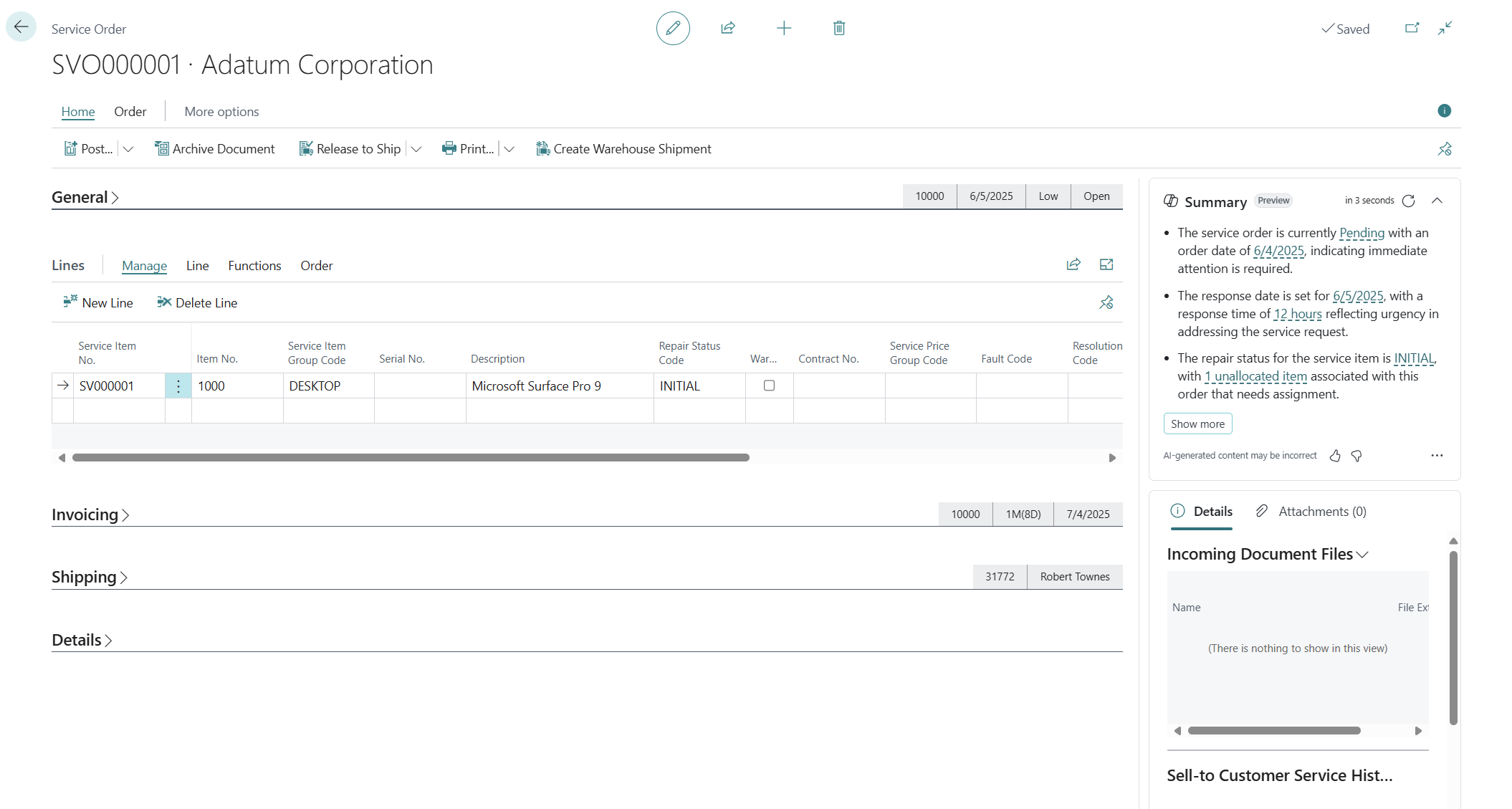
The Service Order document page in Business Central consists of several FastTabs that organize and present different aspects of the service order, including the following typical FastTabs:
General - Contains the main header information for the service order, such as the service order number, customer details, contact information, priority, and other relevant general information that's related to the service order.
Lines - Is where you can register the service items that require repair or maintenance. It includes valuable information about warranty, repair status, fault codes, and response times that are associated with each service item.
Invoicing - Provides options and fields that are related to the invoicing process for the service order. On this FastTab, you can set the invoicing details, such as the invoicing method, terms, payment information, and any other invoicing-specific settings for the service order.
Shipping - Focuses on the delivery-related information for the service order. It might include fields for specifying the delivery method or other relevant delivery details.
Details - Includes numerous calculated information about the service order. It might contain details, such as the estimated repair time, required resources, cost calculations, and other important calculated information that's related to the service order.
These FastTabs allow users to navigate and manage various aspects of the service order, ensuring a comprehensive view of the order details and facilitating efficient processing, planning, and the implementation of any service-related tasks. The specific fields and options within each FastTab might vary based on the configuration and customization of the Microsoft Dynamics 365 Business Central environment.